Blog
Write faster by voice
Guides on voice typing, dictation and getting more written in less time, on Windows and Mac.
One-Handed Typing: Layouts, Shortcuts and Talking Instead
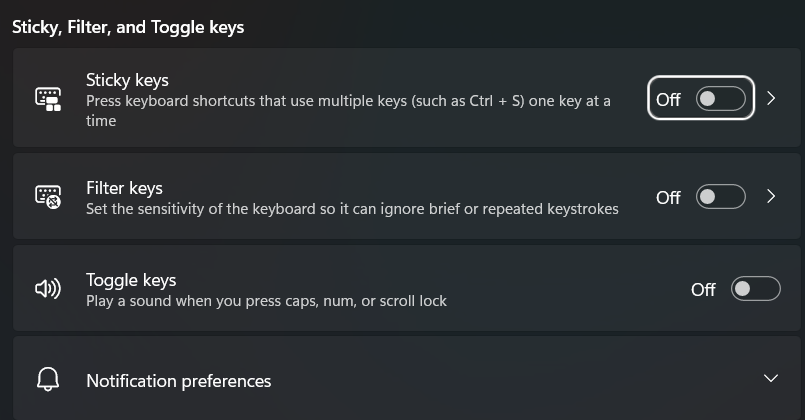
One-handed typing three ways: Half-QWERTY and Dvorak layouts with study speeds, Sticky Keys on Windows 11 and Mac, and where voice typing fits.
Speech to Text Chrome Extension: What It Can and Can't Do
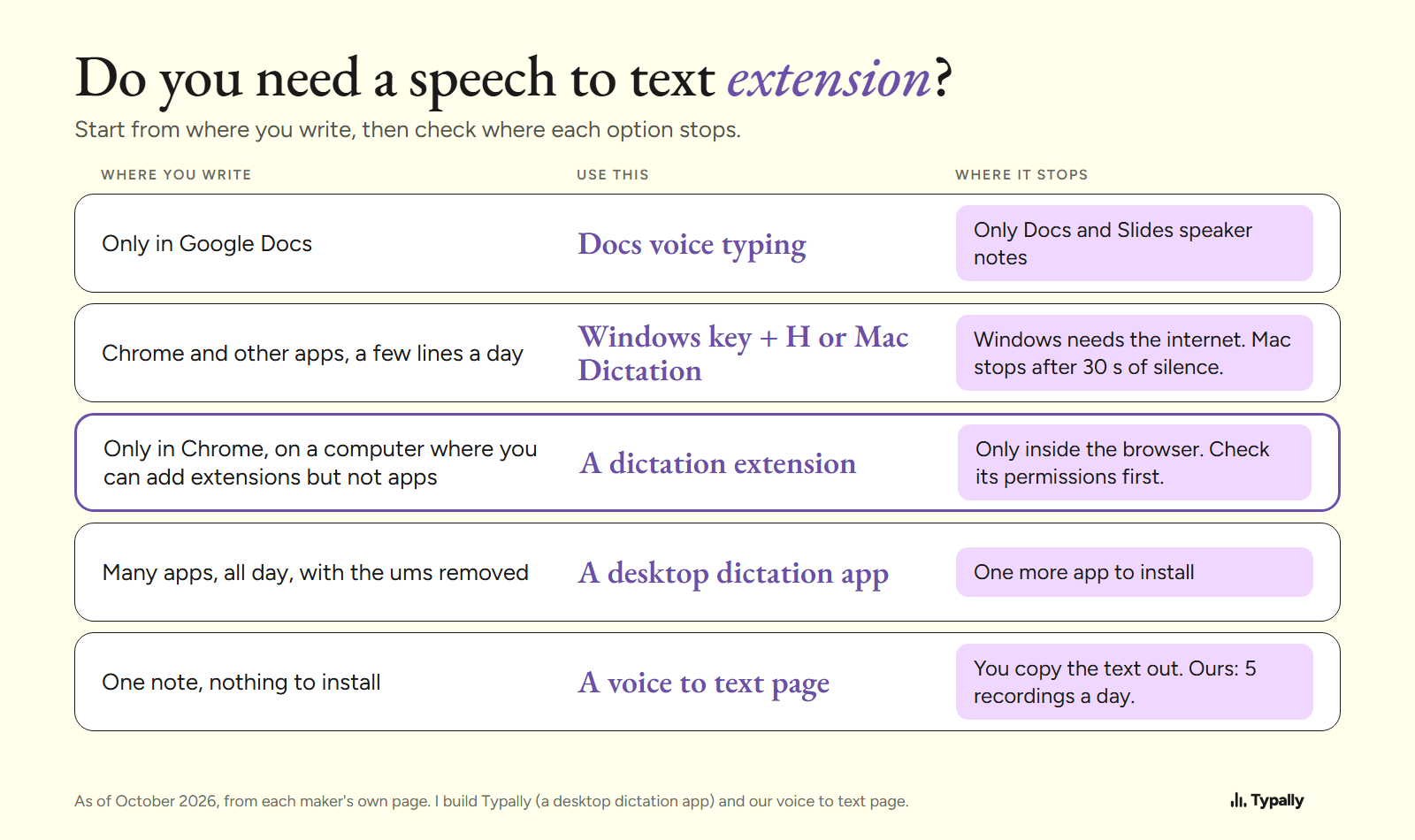
A speech to text Chrome extension types only inside Chrome. Windows key + H and Mac Dictation type into Chrome too, free. 6 checks before you add one.
How to Write a Prompt for AI: 7 Parts and a Worked Example
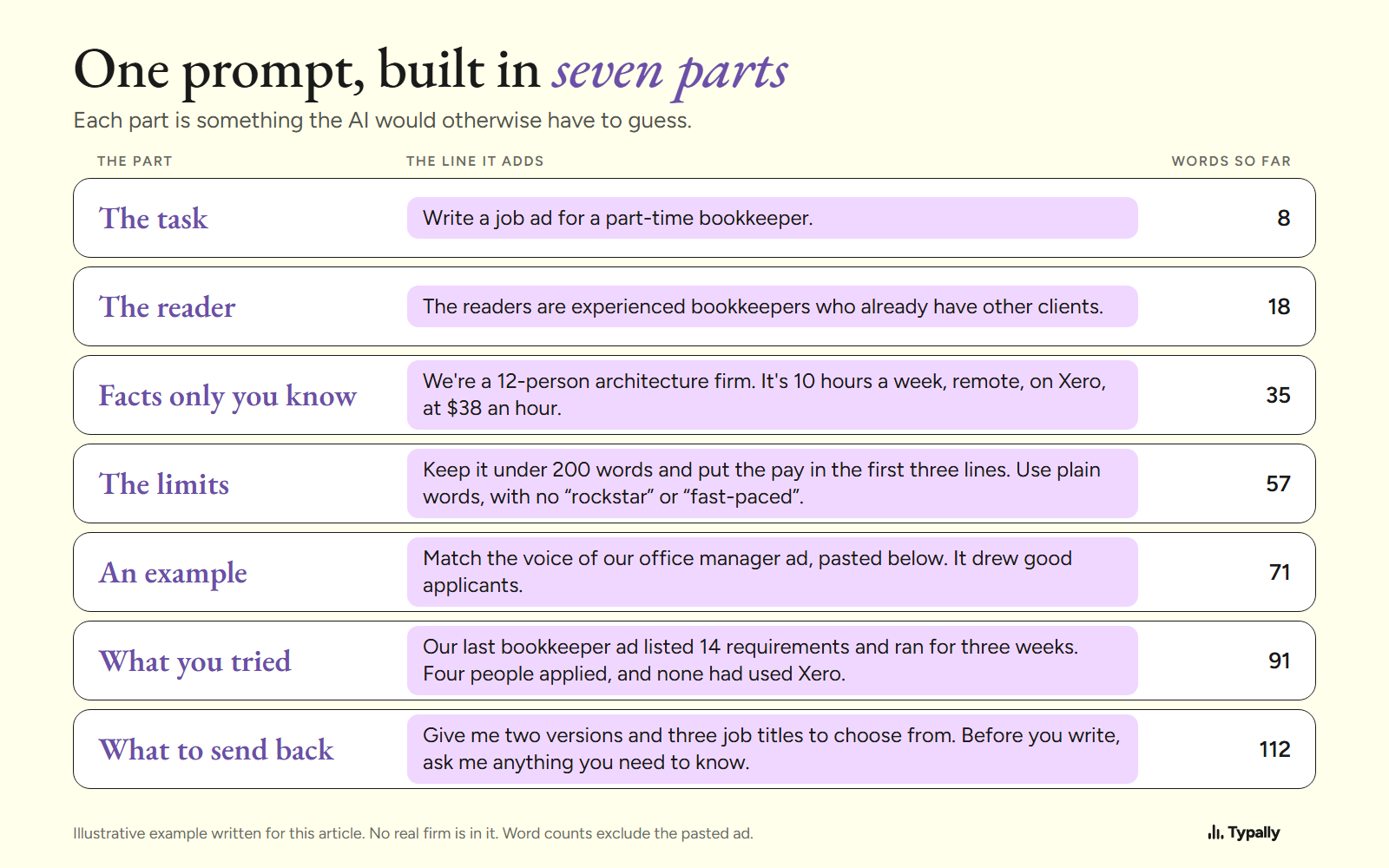
How to write a prompt for ChatGPT, Claude, Gemini or Copilot: the 7 parts, one 112-word example built part by part, and what each maker's own page says.
How to Dictate a Book: Method, Tools and the Edit After
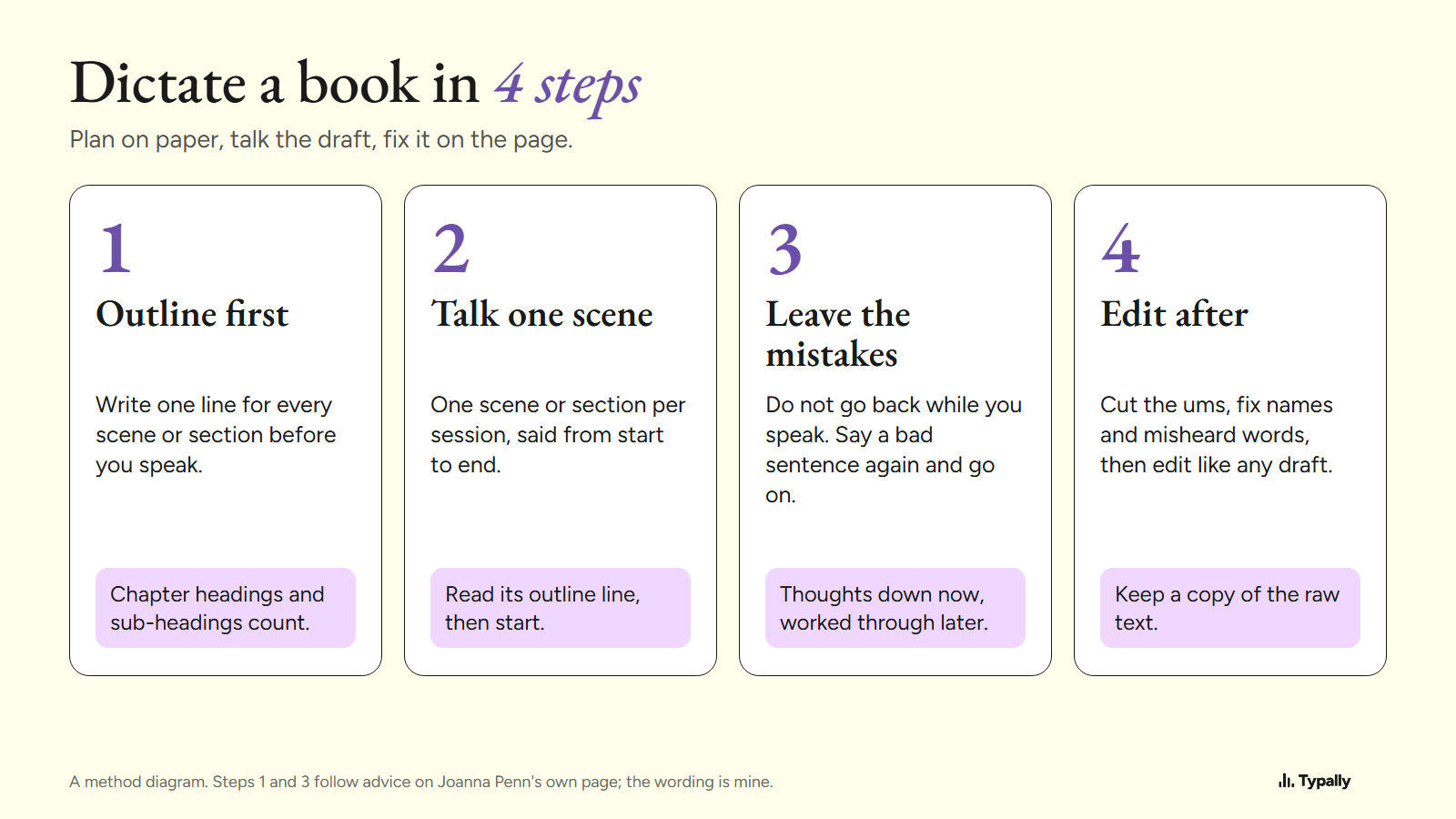
How to dictate a book in 4 steps: outline, talk one scene, leave the mistakes, edit after. Free built-in tools, and the time math for a 60,000-word draft.
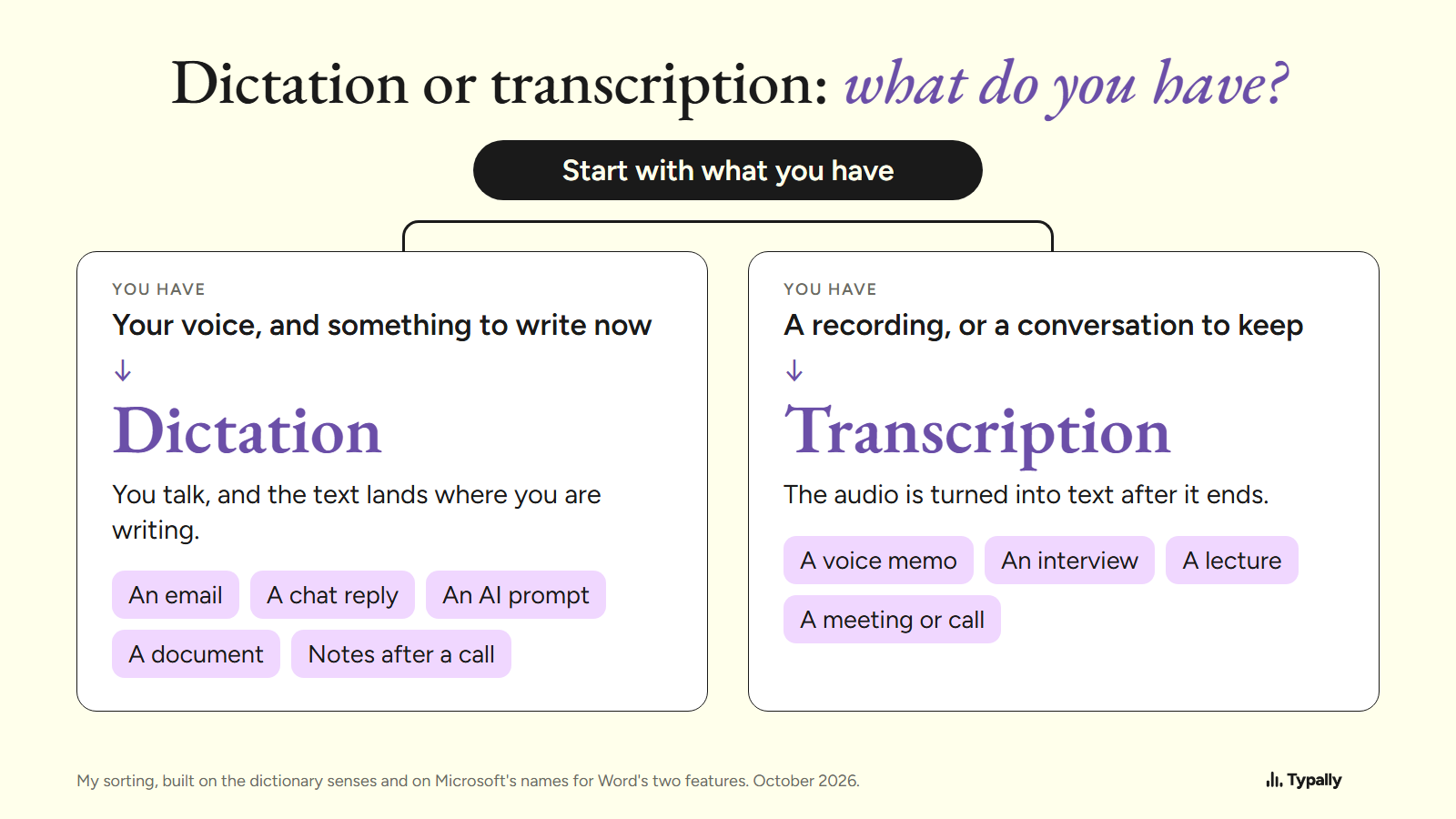
Dictation vs Transcription: Meaning and Which One You Need
Dictation types as you talk; transcription turns a recording into text. Dictionary definitions, Word's Dictate vs Transcribe by Microsoft, and a choice by job.
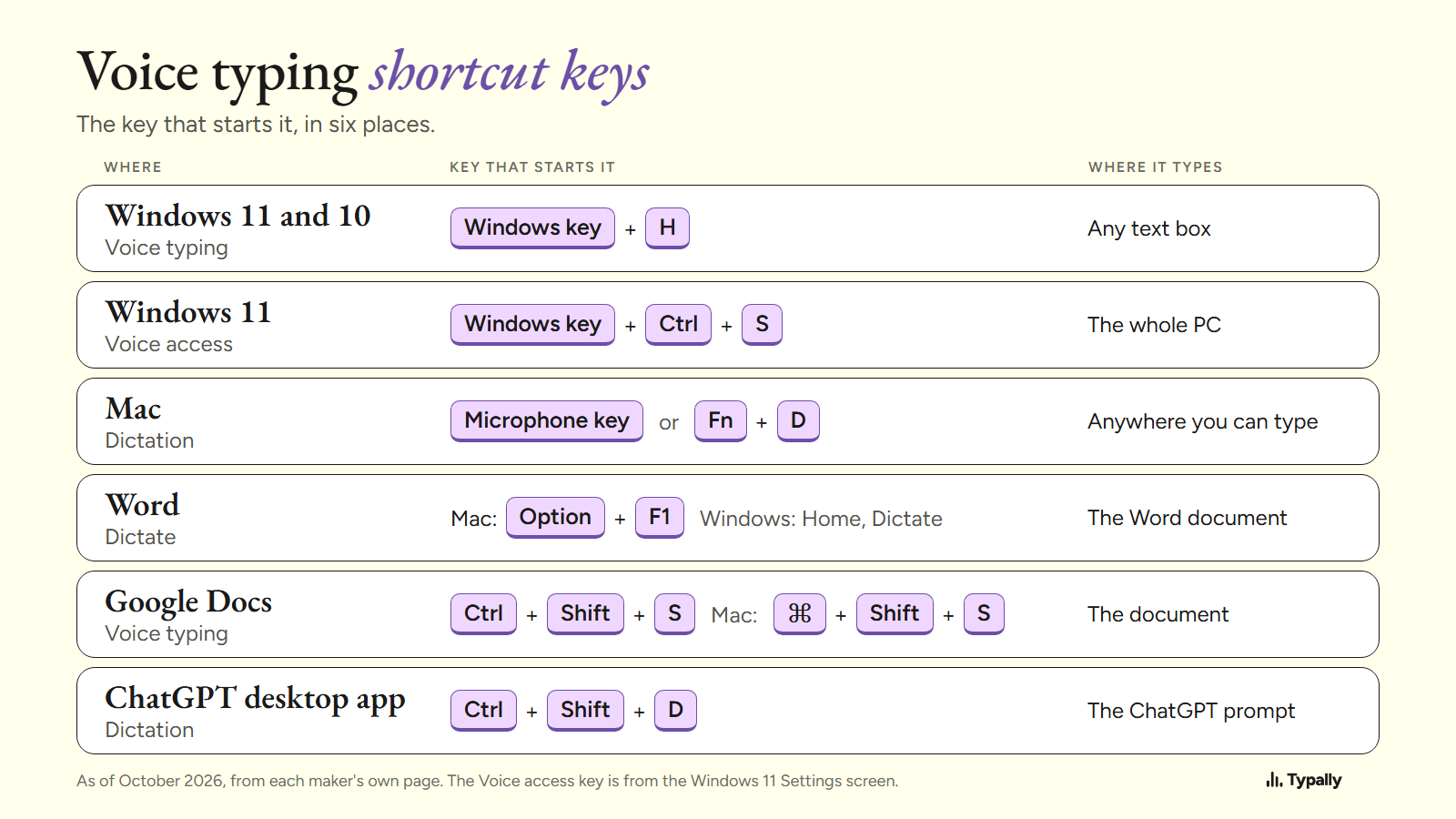
Voice Typing Shortcut Keys: Windows, Mac, Word and Docs
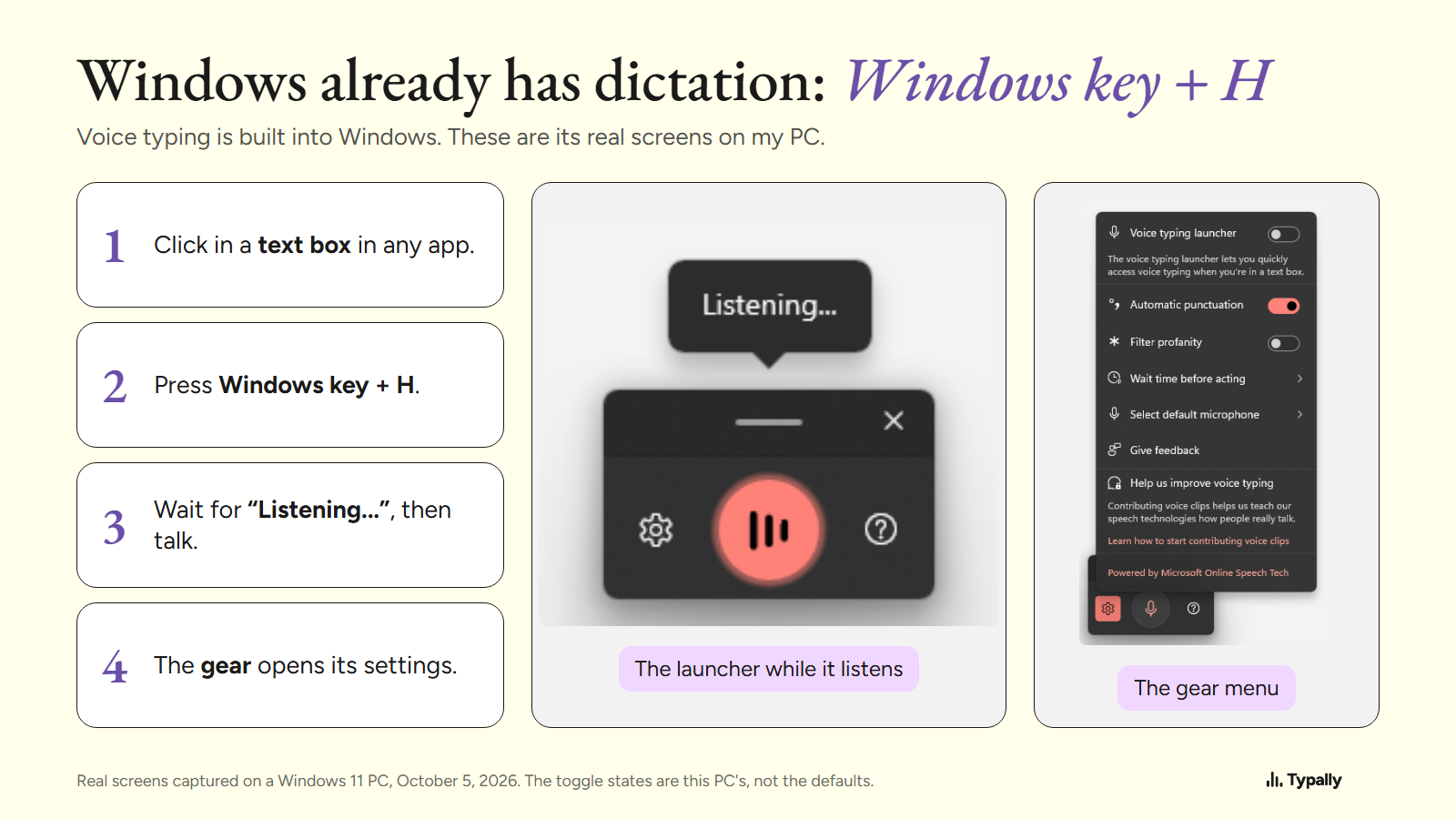
Windows key + H starts voice typing on Windows 11 and 10. The Mac, Word, Google Docs and ChatGPT keys too, each from its maker's own page, with how to stop.
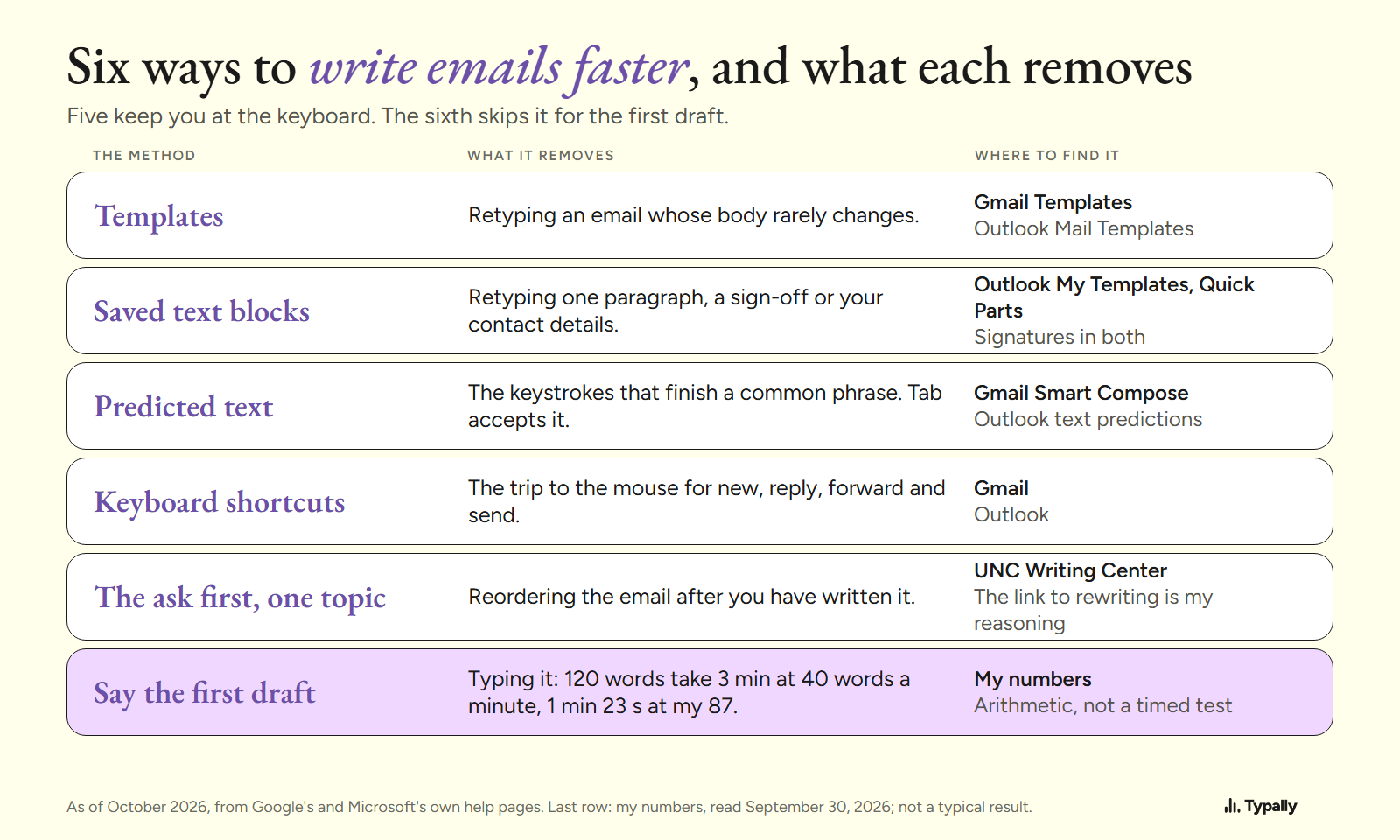
How to Write Emails Faster: 6 Methods and What Each Saves
How to write emails faster in Gmail and Outlook: templates, saved text, predicted text, 5 shortcuts, the ask first, and saying it. Steps from the makers.
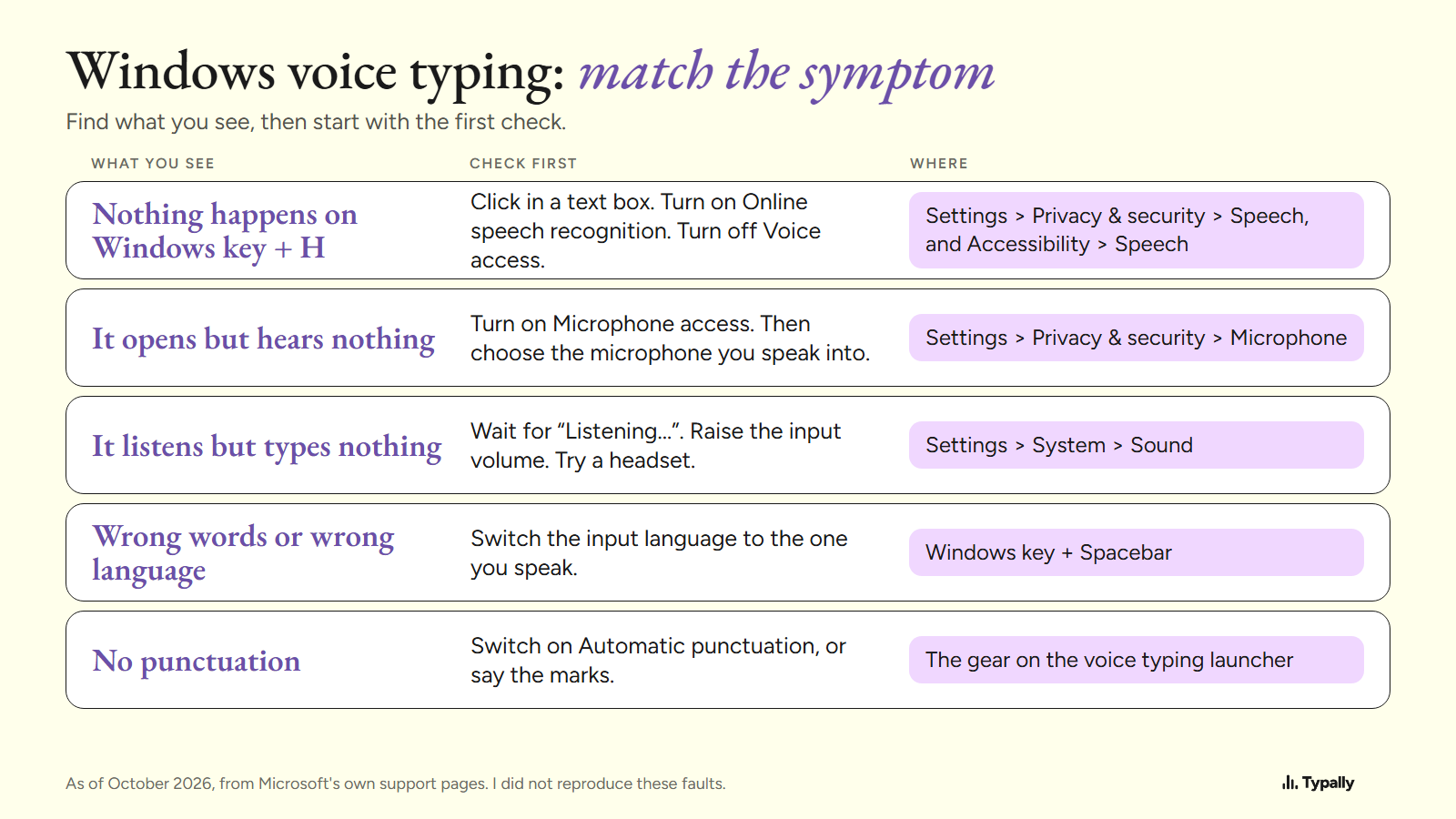
Windows Voice Typing Not Working: 5 Symptoms and Their Fixes
Windows voice typing not working? 5 symptoms, from Windows key + H doing nothing to no punctuation, each with Microsoft's own fix and 3 real Windows 11 screens.
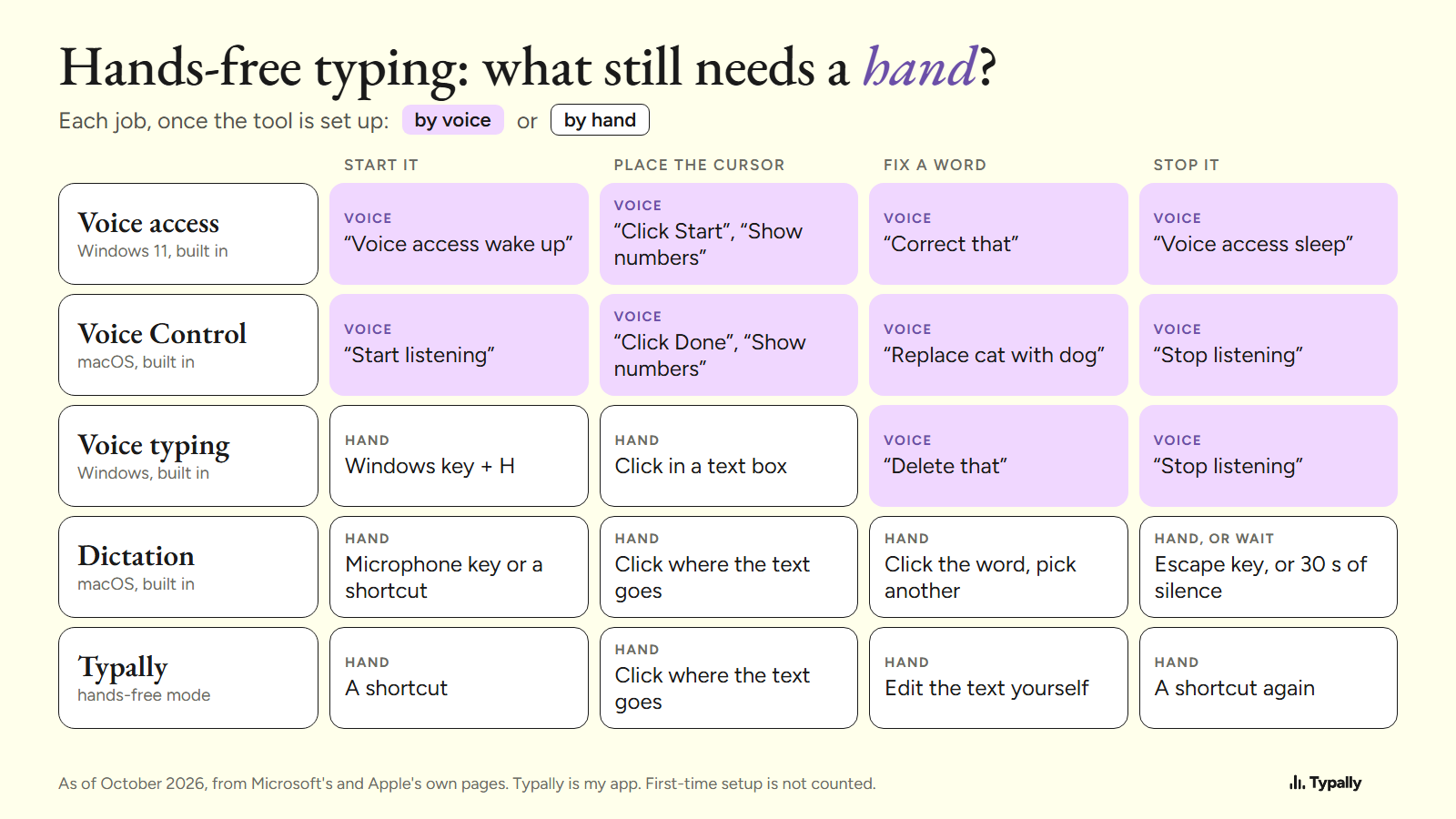
Hands-Free Typing on a Computer: What Still Needs a Hand
Hands-free typing, sorted: Windows 11 Voice access and macOS Voice Control click and correct by voice. Voice typing and Mac Dictation need a click and a key.
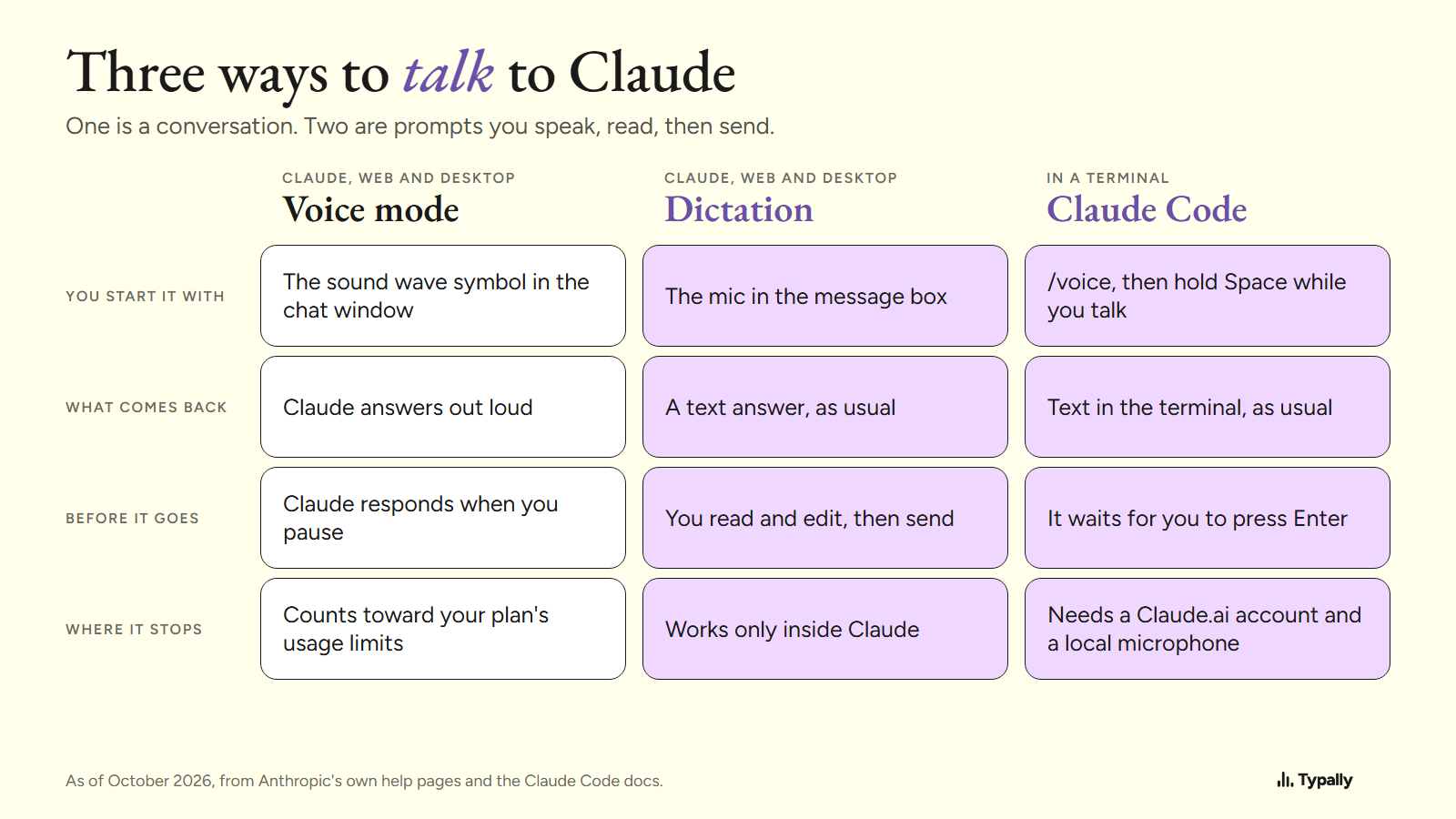
Talk to Claude: Voice Mode or a Prompt You Can Read First
Talk to Claude on a computer: the 5 steps to start voice mode, what each plan gets as of October 2026, dictation you read first, and /voice in Claude Code.
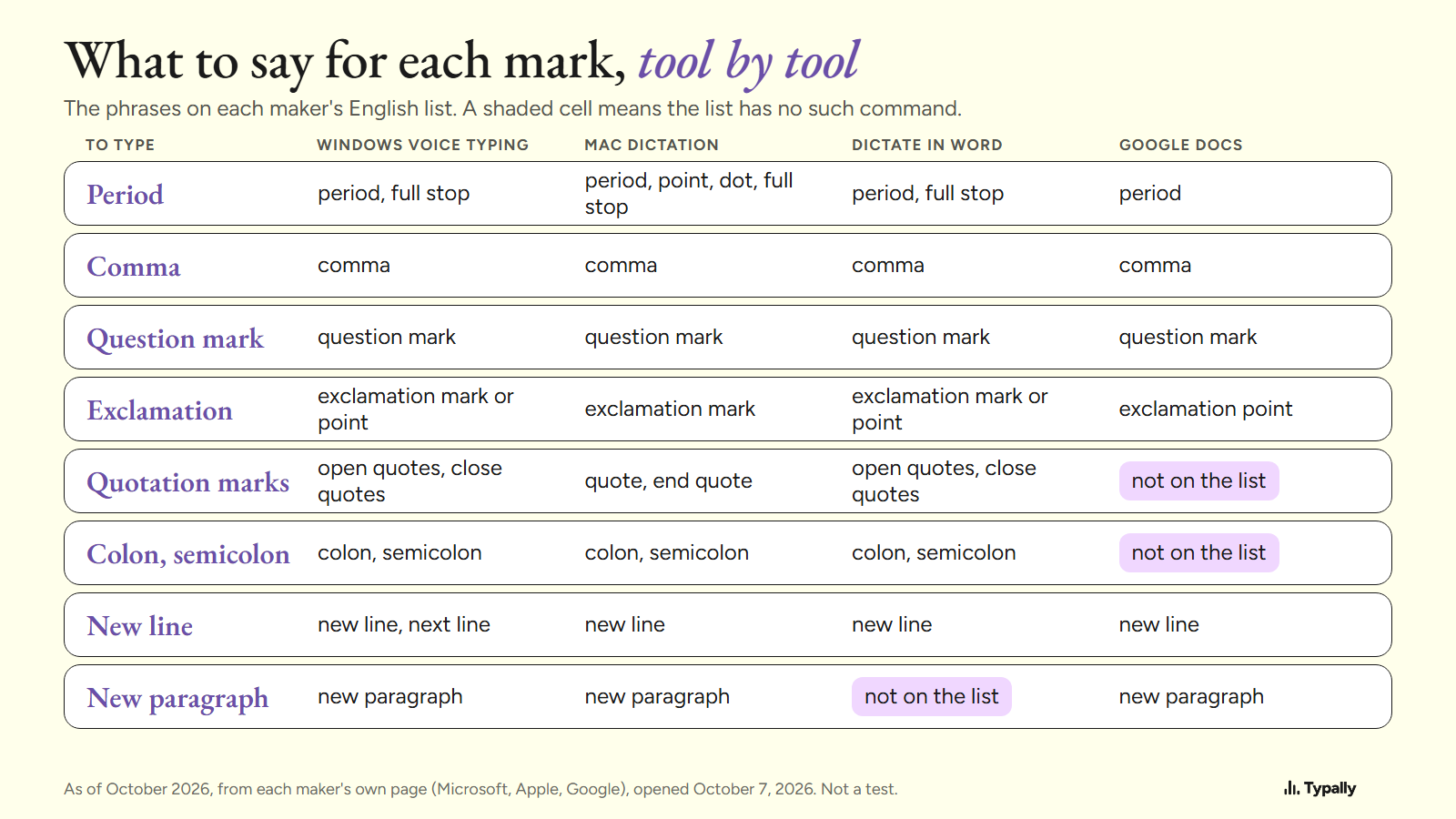
Dictation Commands for Windows, Mac, Word and Google Docs
Dictation commands side by side for Windows voice typing, Mac Dictation, Word and Google Docs: punctuation, new line, delete and undo, from each maker's page.
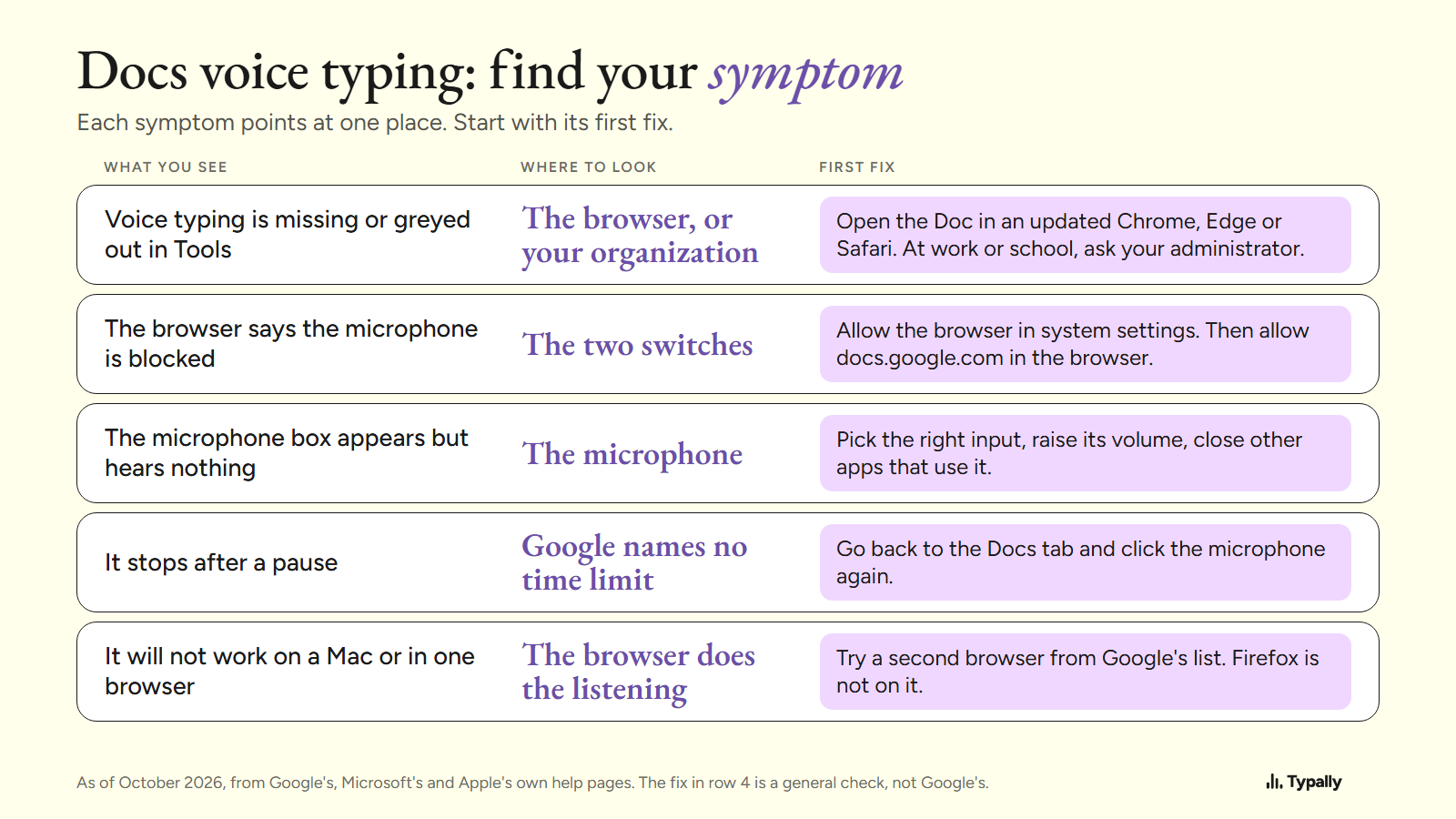
Google Docs Voice Typing Not Working: Fixes by Symptom
Google Docs voice typing not working? Fixes by symptom: missing in Tools, microphone blocked, hears nothing, stops after a pause. Chrome, Edge, Safari.
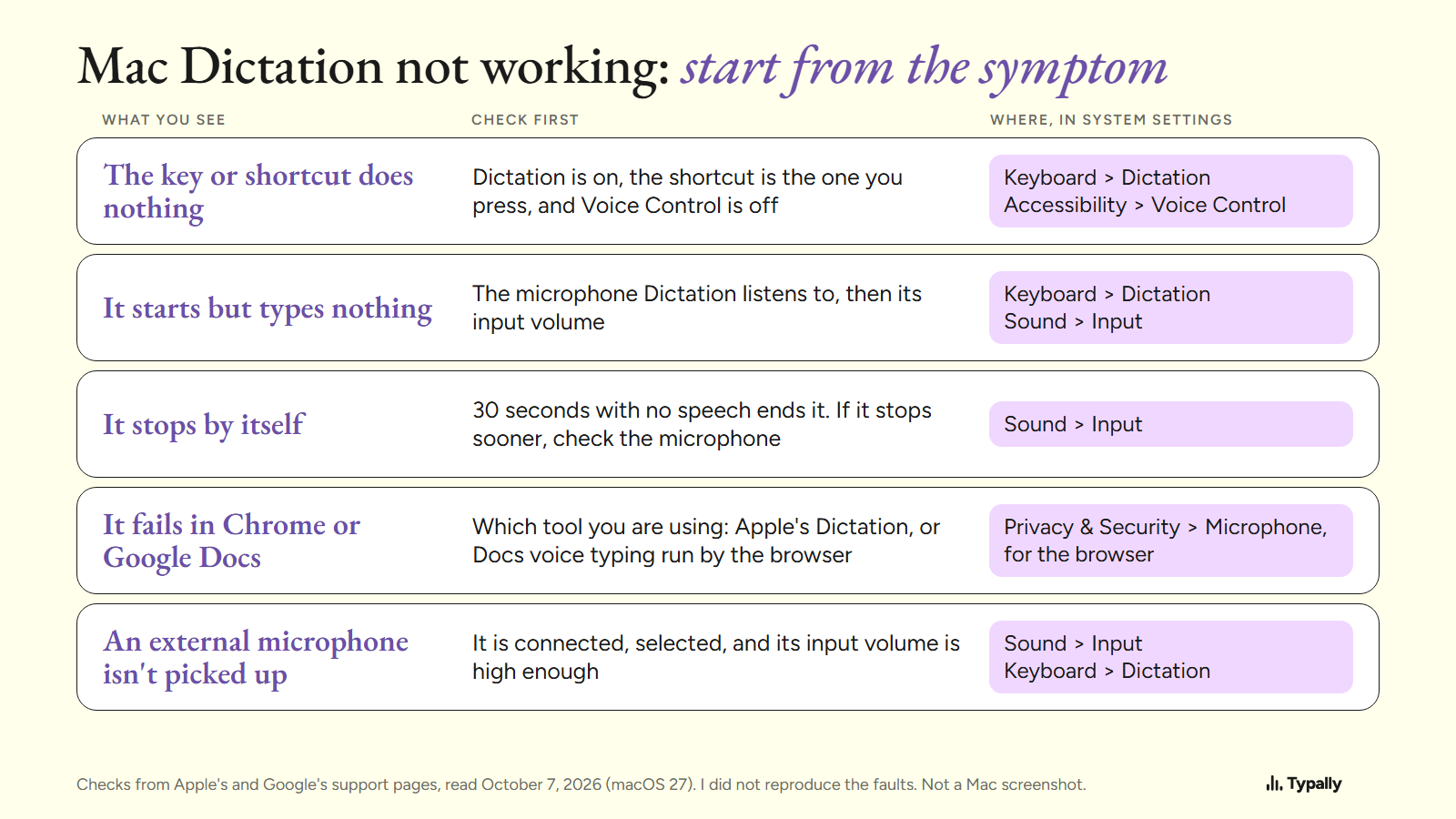
Mac Dictation Not Working: Apple's Fixes, Sorted by Symptom
Mac Dictation not working? Apple's checks for macOS 27 by symptom: a key that does nothing, no text, early stops, Chrome, Google Docs, external microphones.
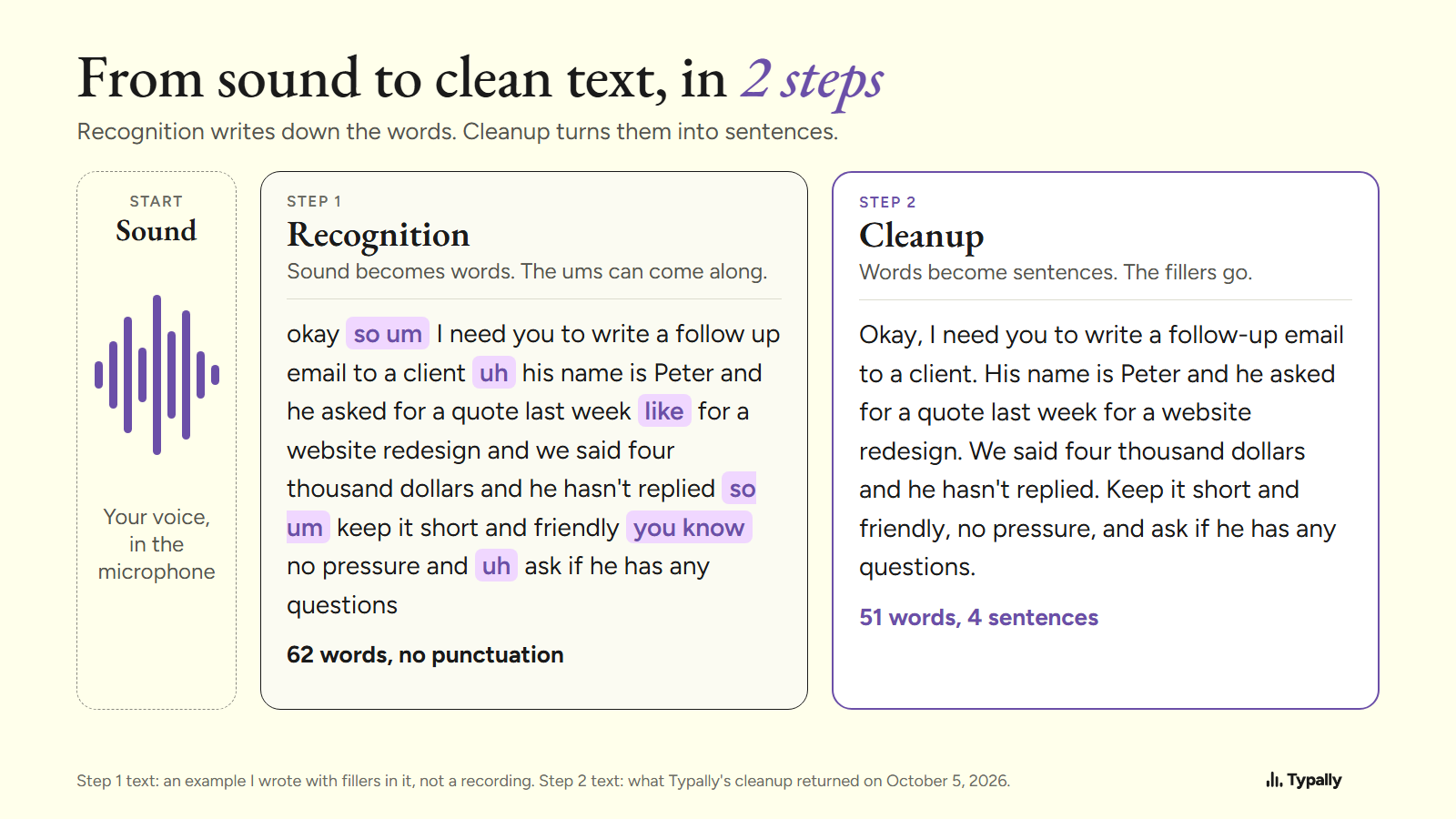
Speech Recognition Software: How It Works and What to Use
How speech recognition software turns sound into words, why a distant microphone scored 36.4% errors against 16.9% in OpenAI's tests, and what to use.
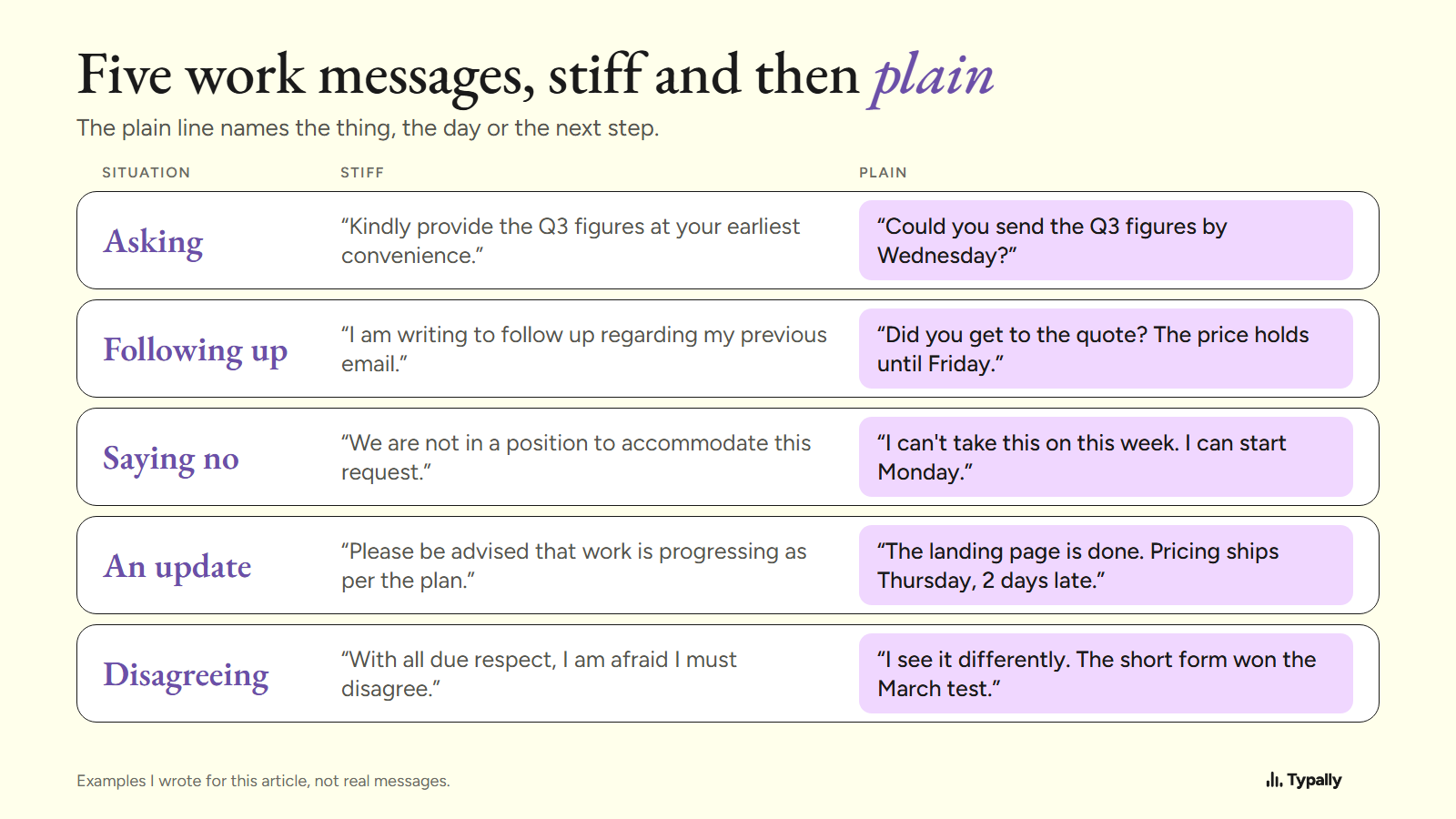
Business English for Emails and Chat: 5 Messages Made Plain
Business English for emails, chat and updates: put the ask first, keep one topic, use plain verbs. 5 before-and-after messages, with dictionary labels.
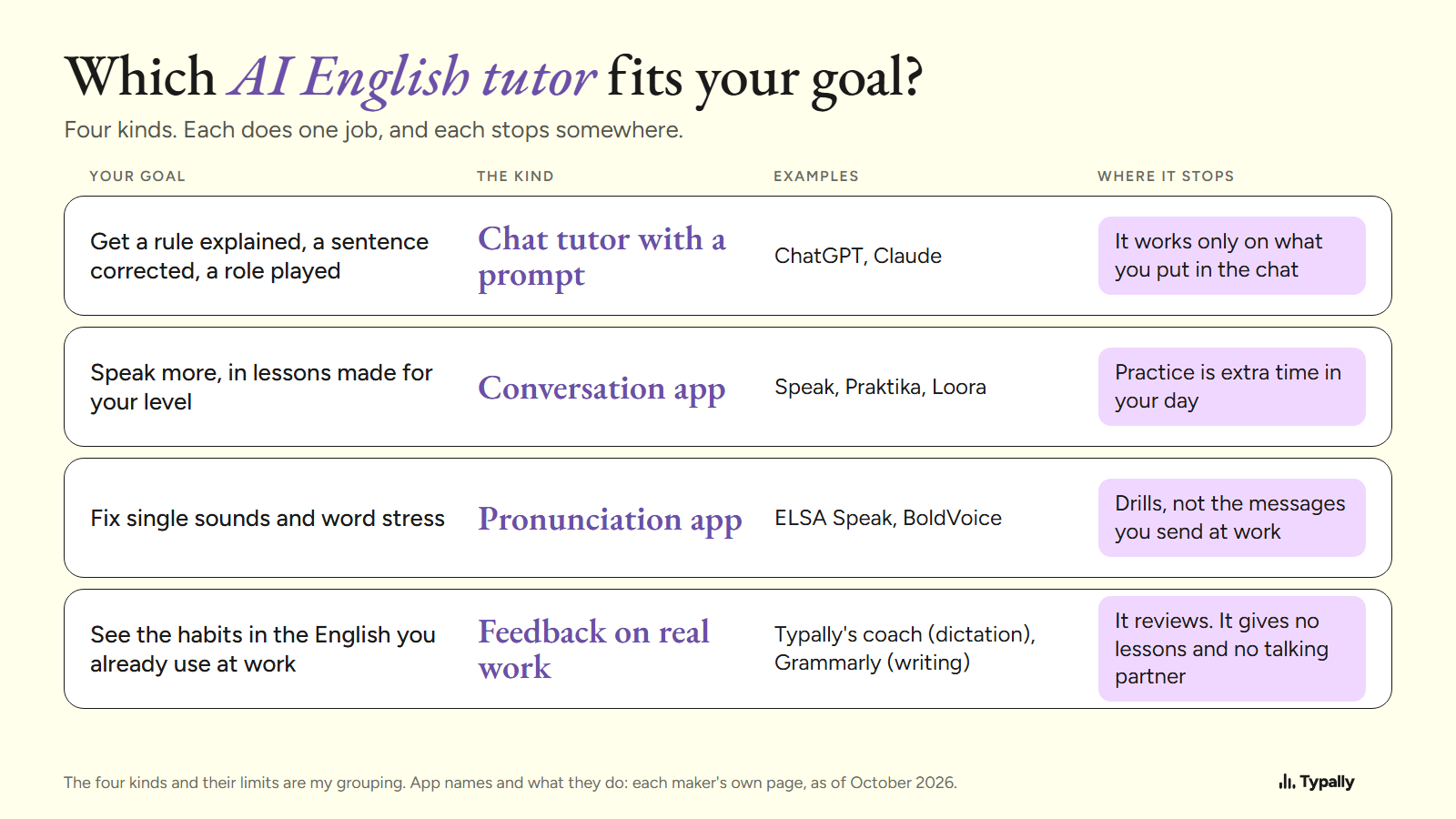
AI English Tutor: 4 Kinds and What Each Can and Can't Do
The 4 kinds of AI English tutor: a ChatGPT or Claude prompt, conversation apps, pronunciation apps, feedback on real work. Which are free, and one prompt.
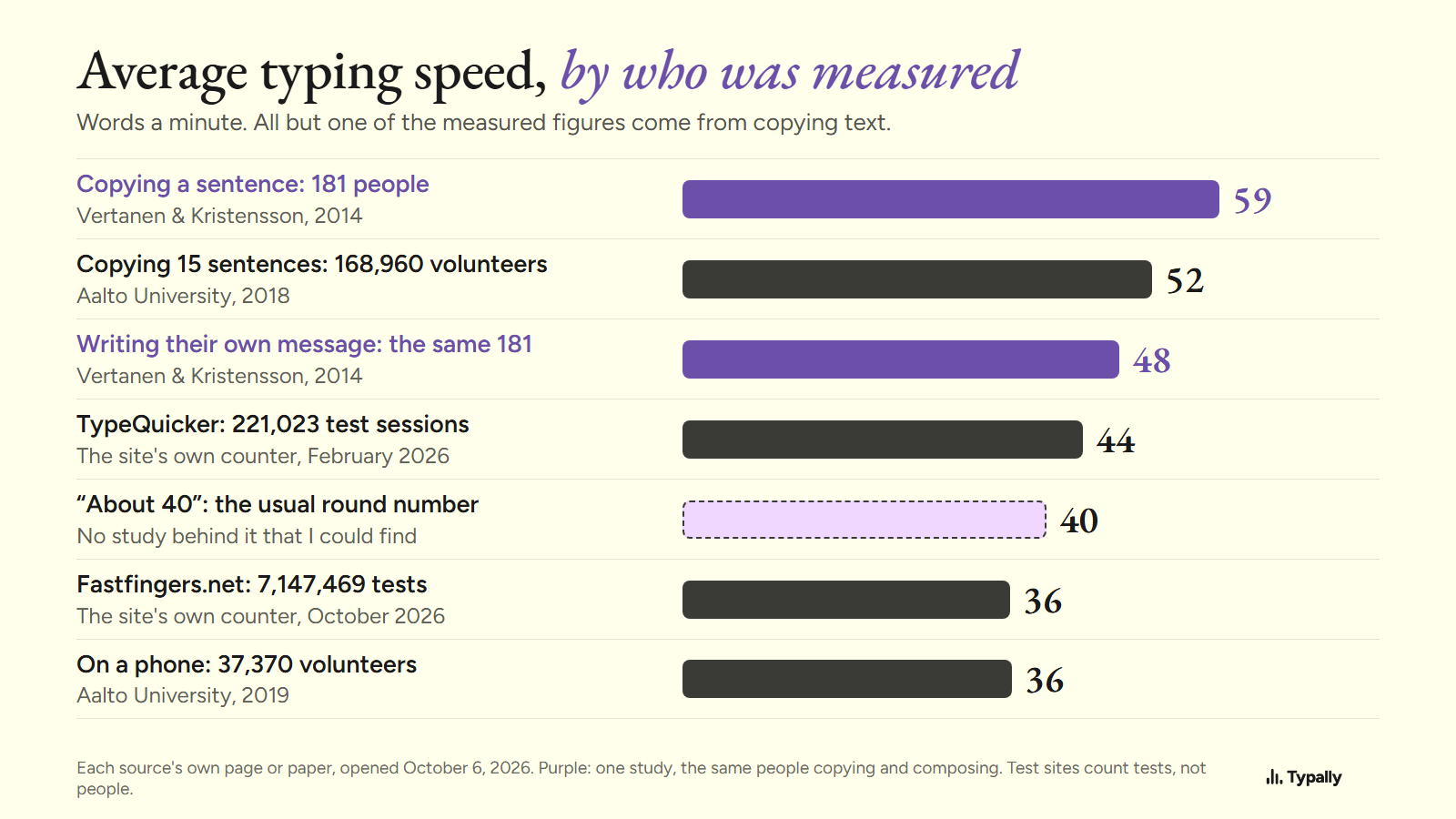
Average Typing Speed: What Counts as a Good WPM, by Source
Average typing speed by source: 52 WPM in a study of 168,960 volunteers, 36 to 44 on two test sites. A good WPM for a job: 40, the US federal standard.
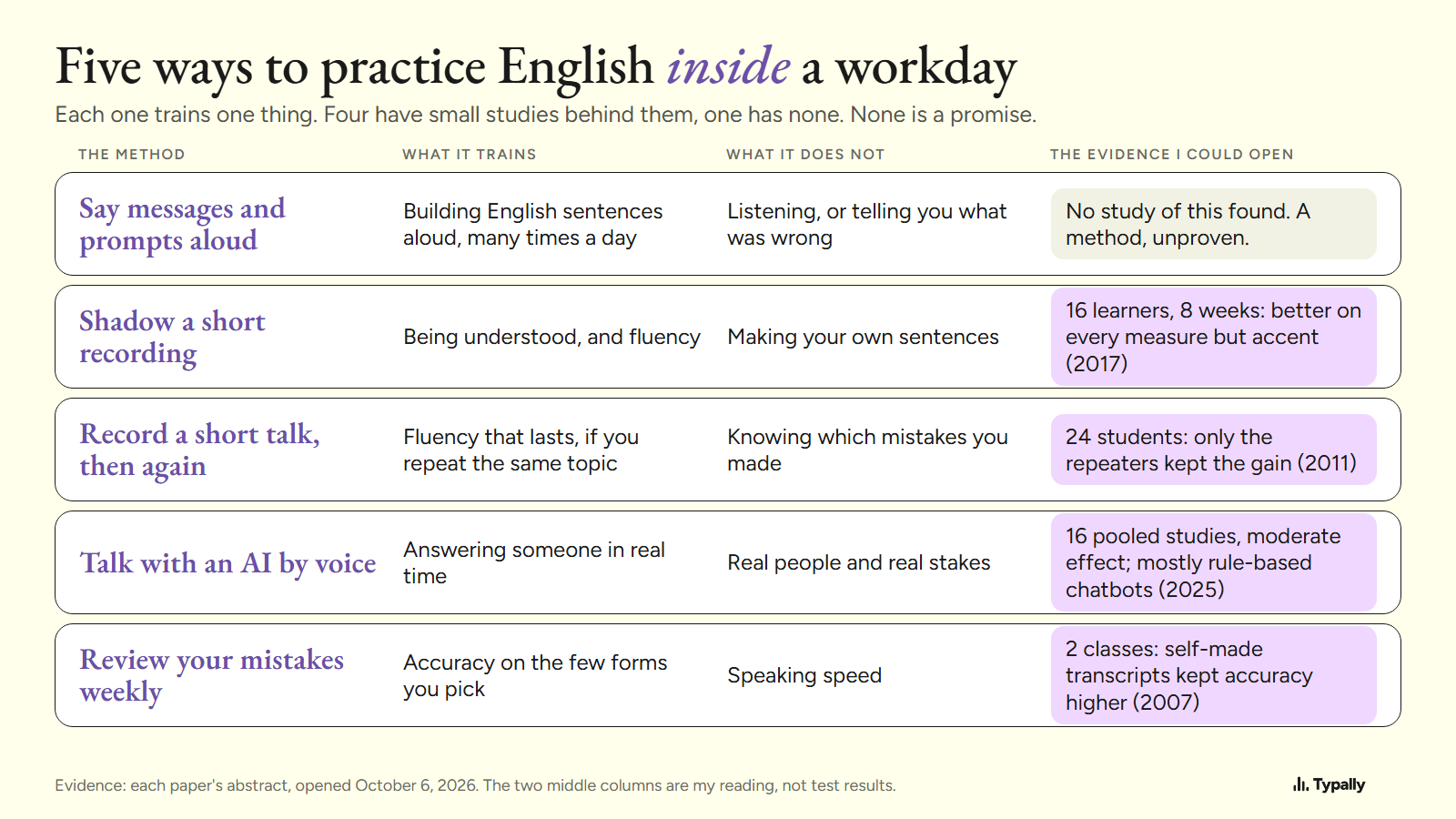
English Speaking Practice at Work, Without Extra Time
English speaking practice inside a working day: 5 methods, what each trains, and the study behind 4 of them (16 learners, 24 students, 2 classes, 16 studies).
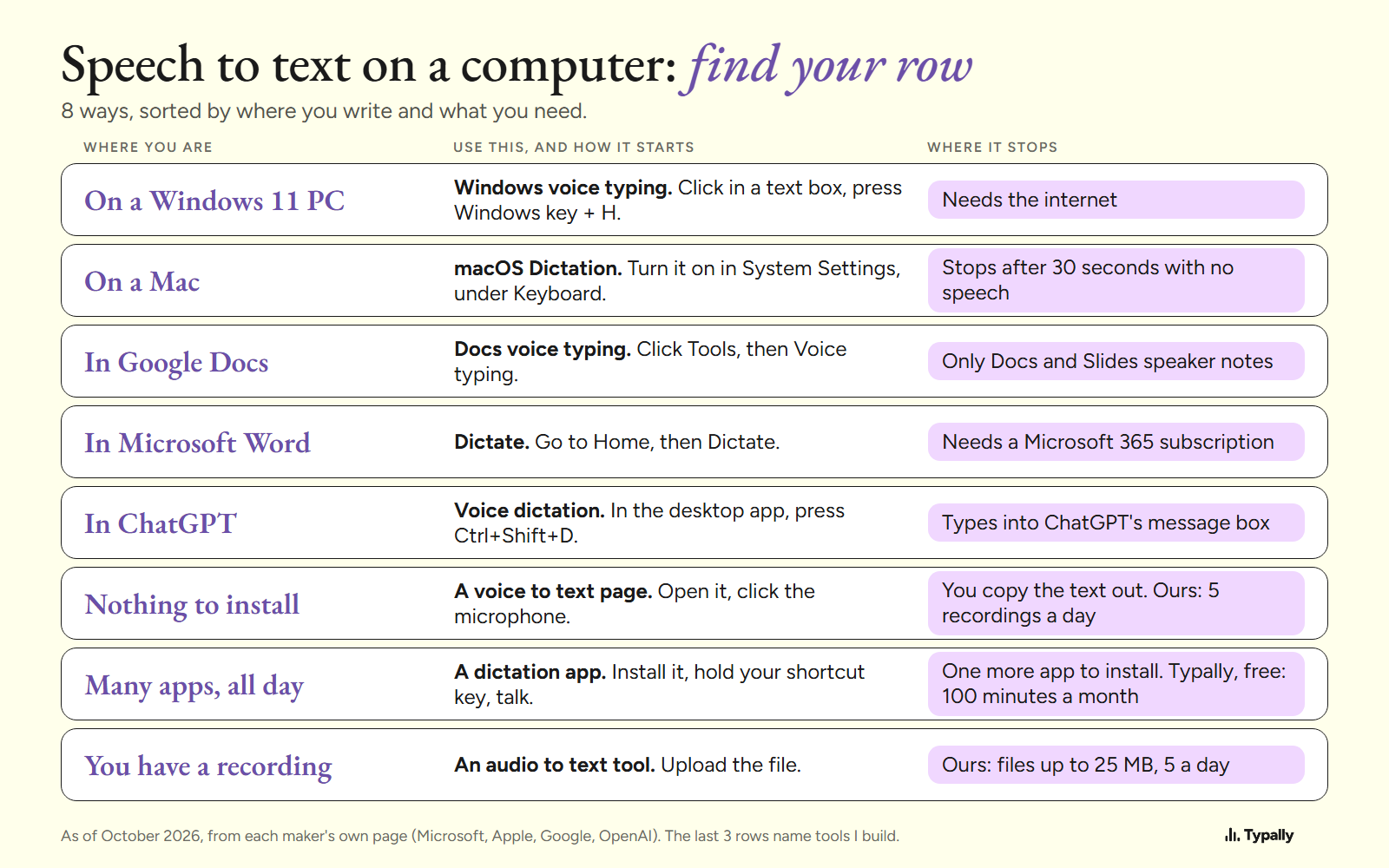
Speech to Text on a Computer: 8 Ways and Where Each Stops
Speech to text on a computer, 8 ways: Windows key + H, Mac Dictation, Google Docs, Word, ChatGPT, a browser page, a dictation app and files typed out.
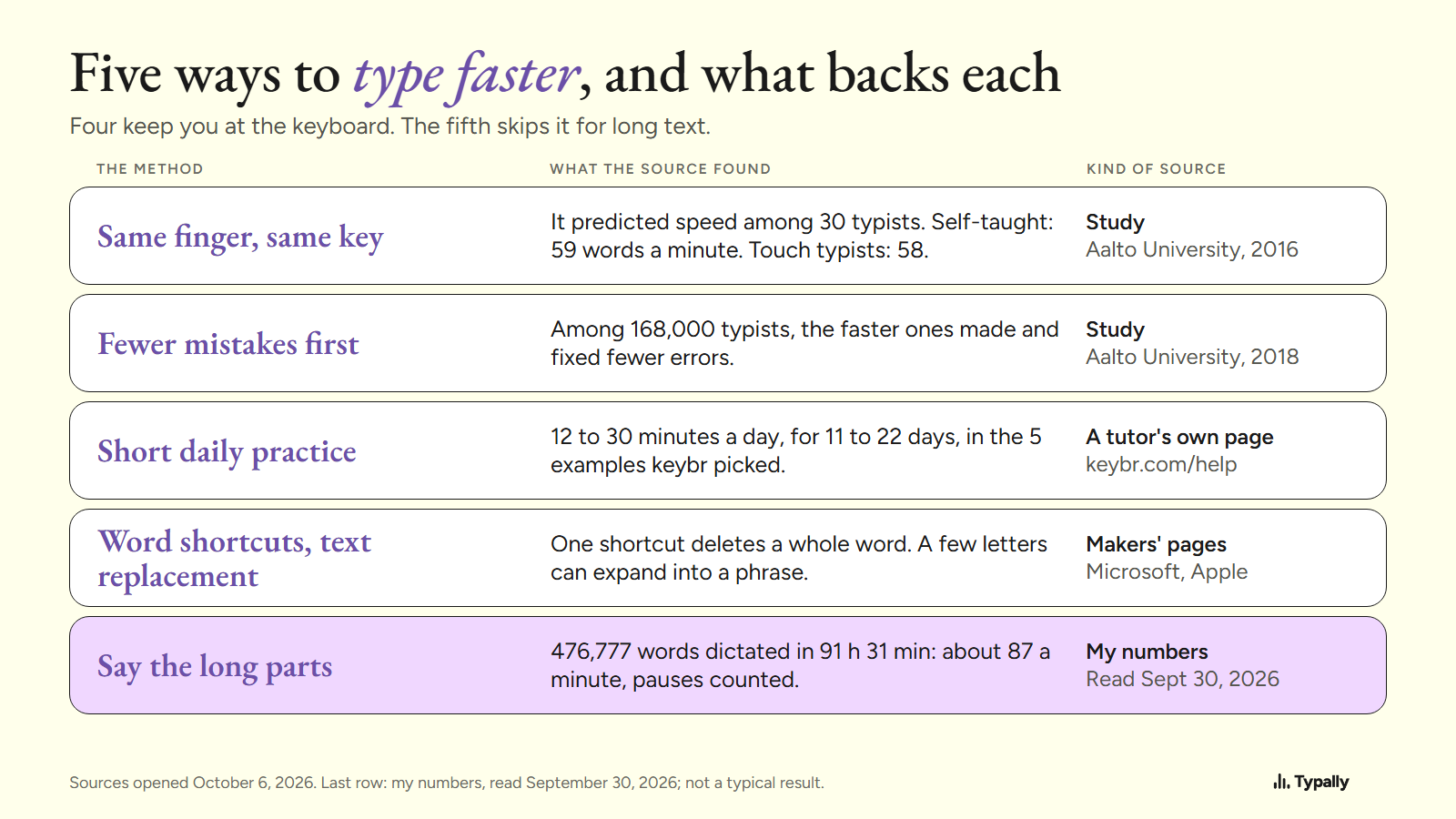
How to Type Faster: What Works, and What to Stop Typing
How to type faster, with sources: fewer errors first (168,000 typists, Aalto 2018), one finger per key, 12 to 30 minutes of practice a day, and dictation.
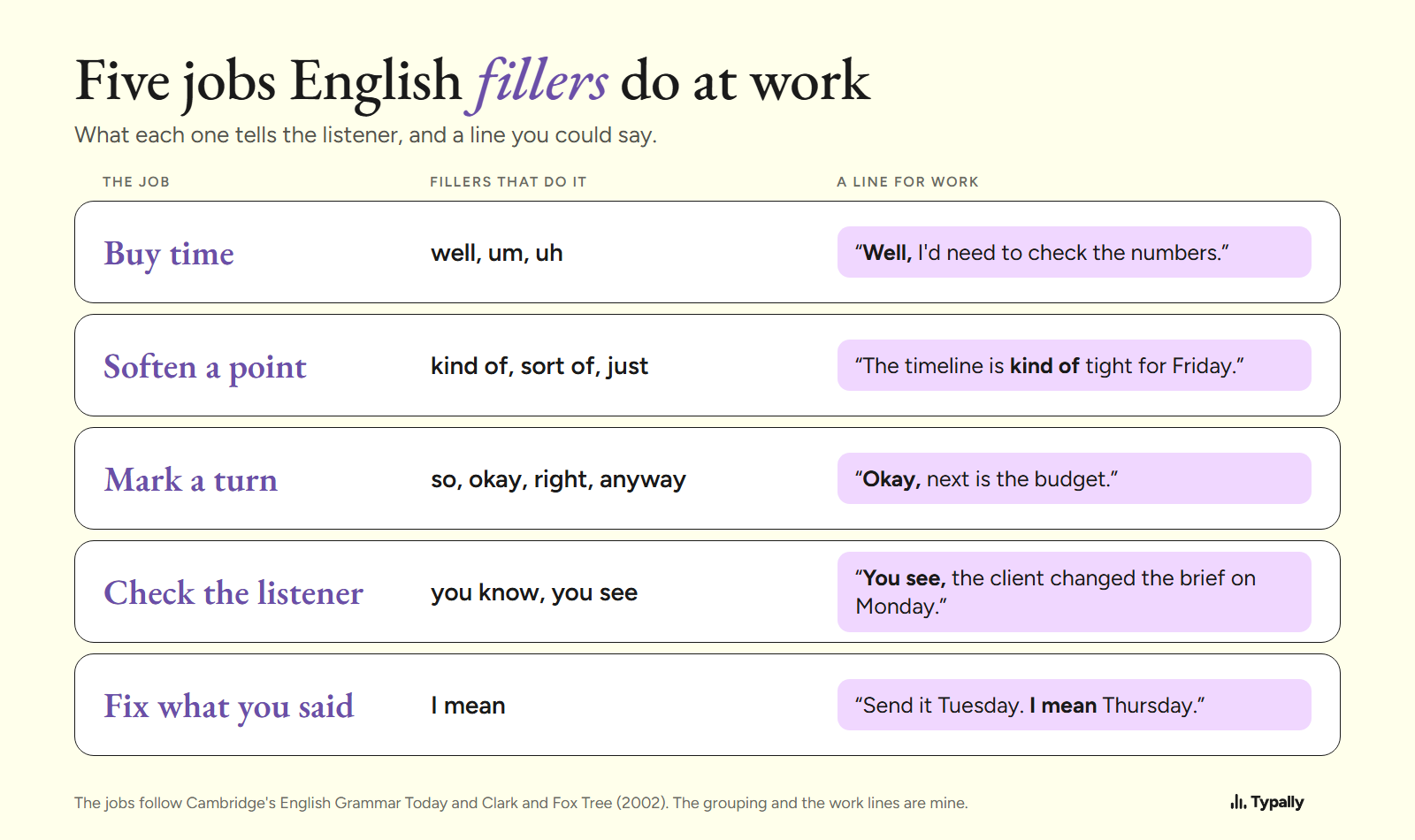
English Filler Words and Phrases: What Each Signals at Work
English filler words by job: well buys time, kind of softens, so marks a turn. Each one sourced from Cambridge's grammar, with work lines and my own counts.
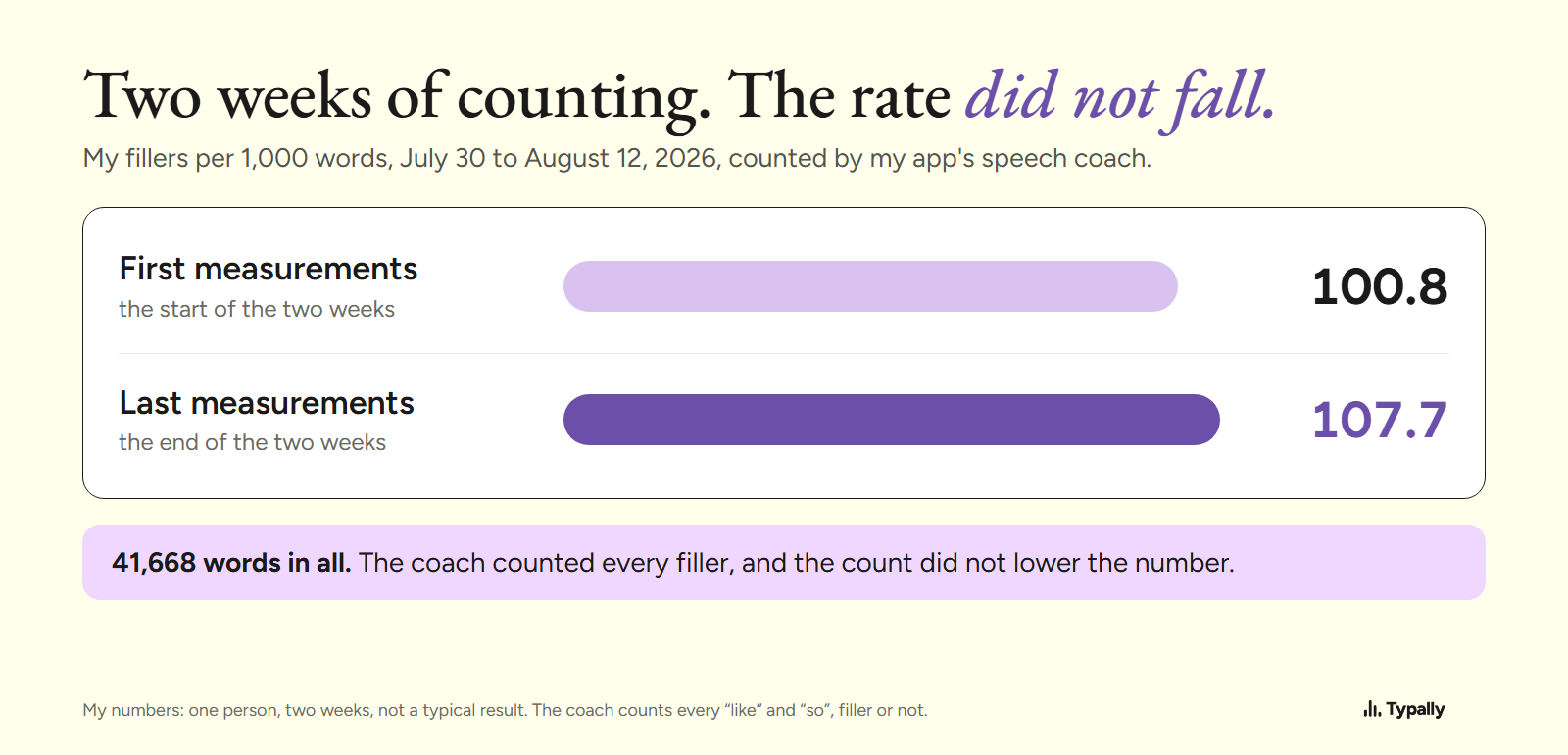
How to Stop Saying Um: Filler Words in Speech, Measured
How to use fewer filler words in speech: what 8 small studies trained (notice, then pause), how to count fillers per 1,000 words, and my own two-week count.
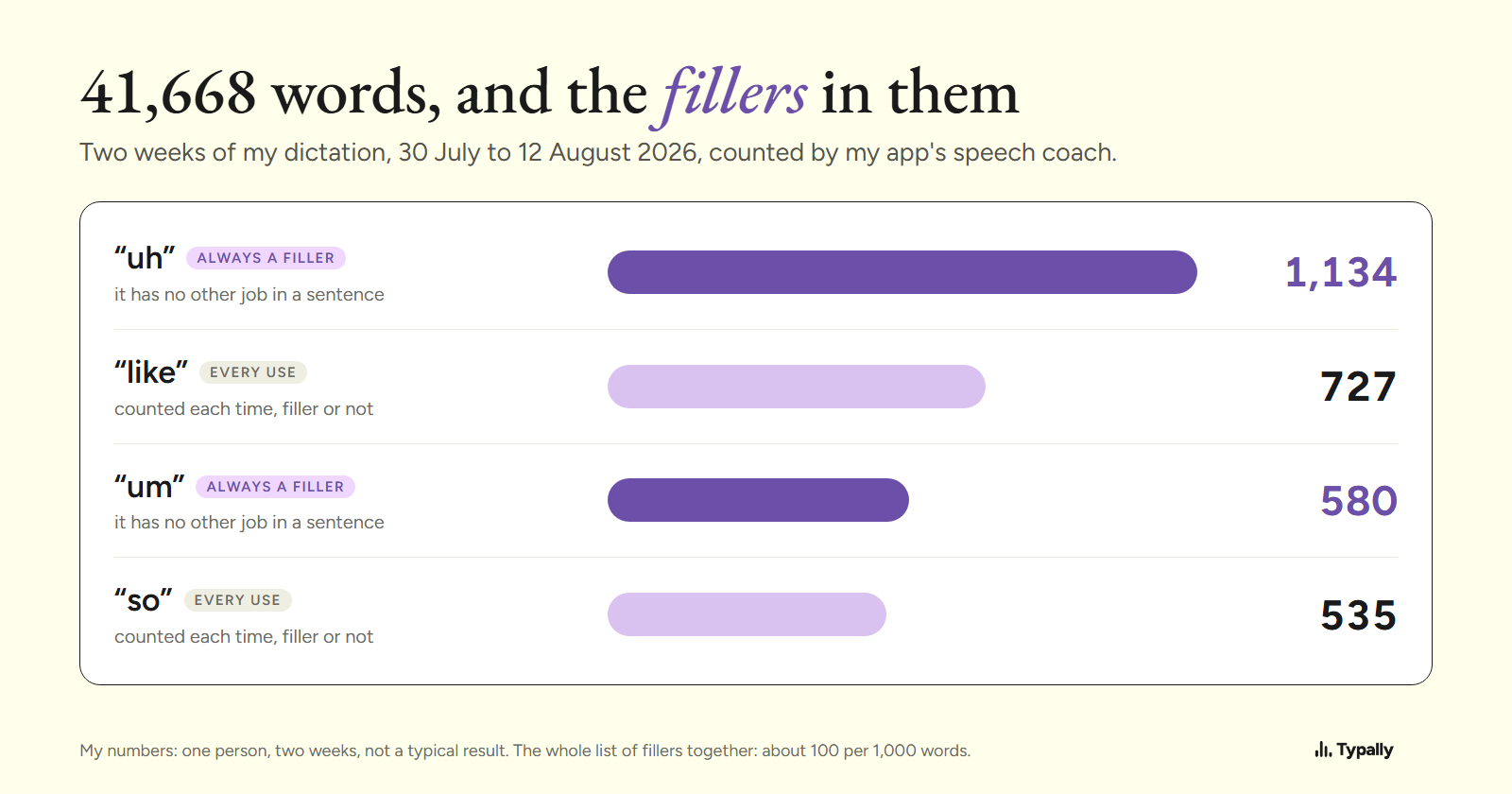
Filler Words: Meaning, Examples, a List of 37 and My Count
What filler words mean, real examples in sentences, and a list of 37 in 5 groups. Plus one count: uh and um were 1 word in 24 of 41,668 dictated words.
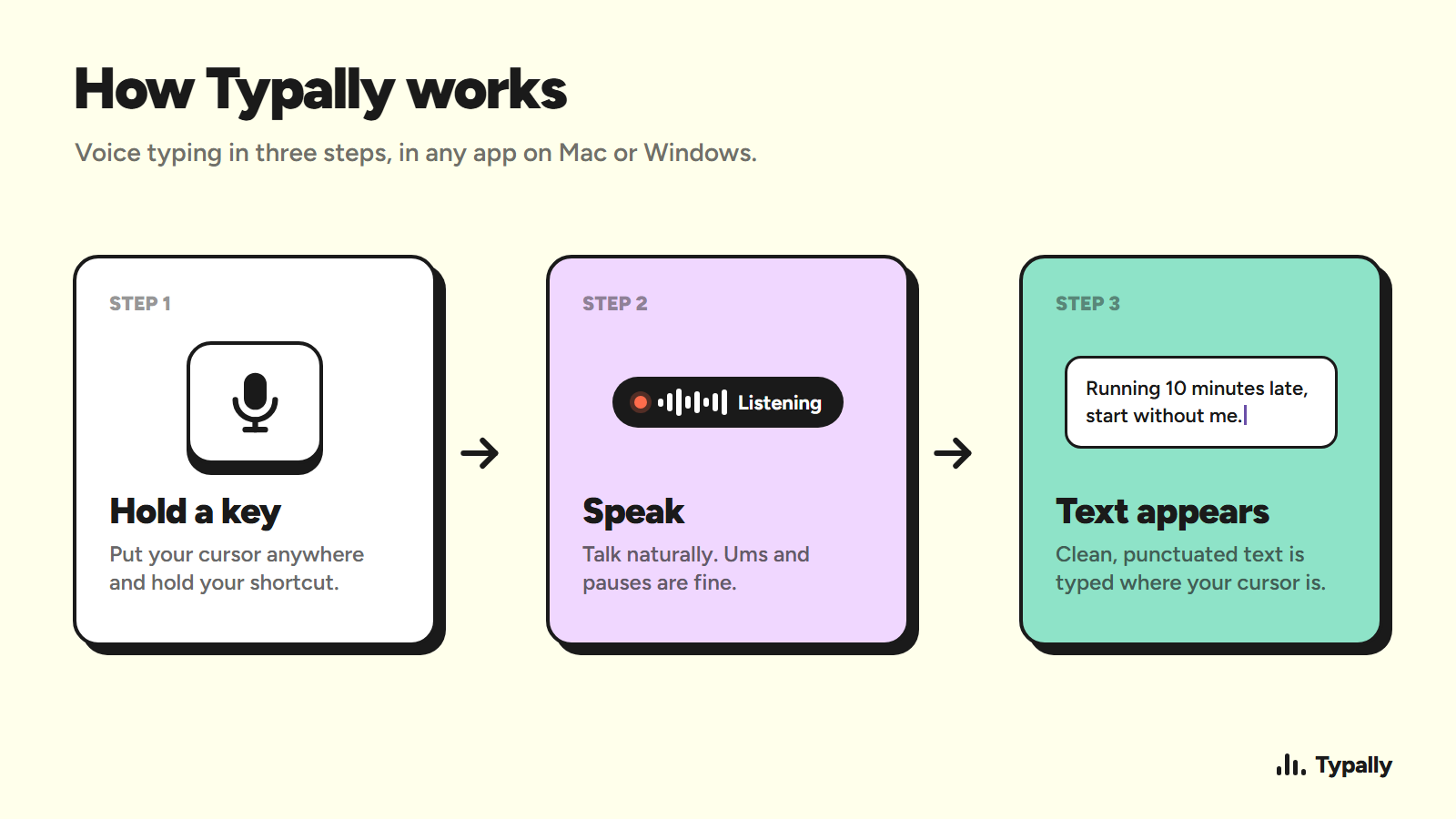
How to Use Speech to Text on Windows and Mac
Learn how to use speech to text on Windows and Mac, set up your mic, dictate punctuation, fix errors, and turn recordings into text.
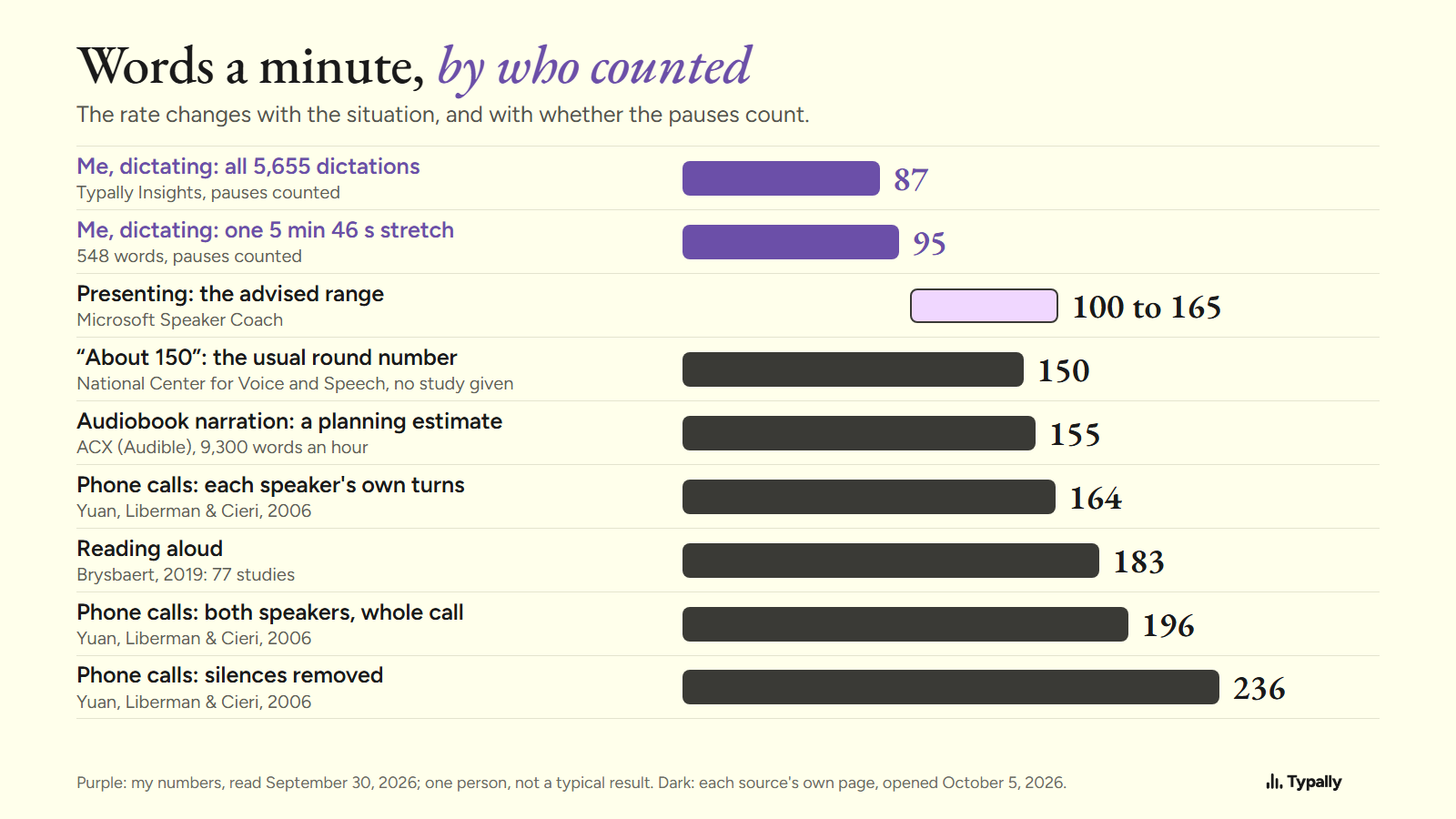
Words per Minute Speaking: Sourced Averages and My Own 87
Words per minute speaking, by situation: 164 to 236 in phone calls, 100 to 165 advised for presenting, about 155 for audiobooks. Each figure sourced.
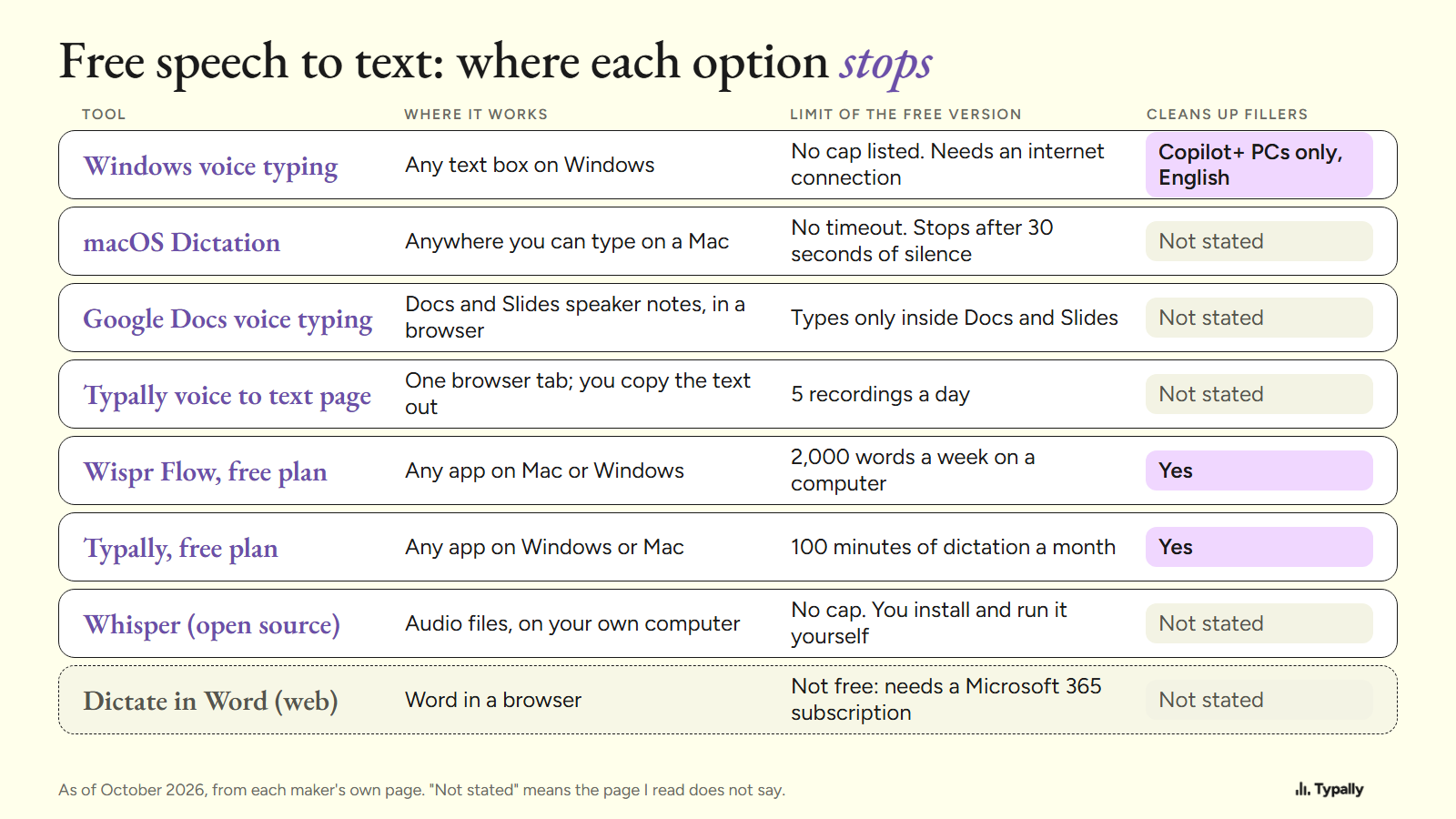
Free Speech to Text Software: 7 Options and Their Limits
Free speech to text on a computer: Windows voice typing, Mac Dictation, Google Docs, Whisper and two free app plans, each with the limit its maker states.
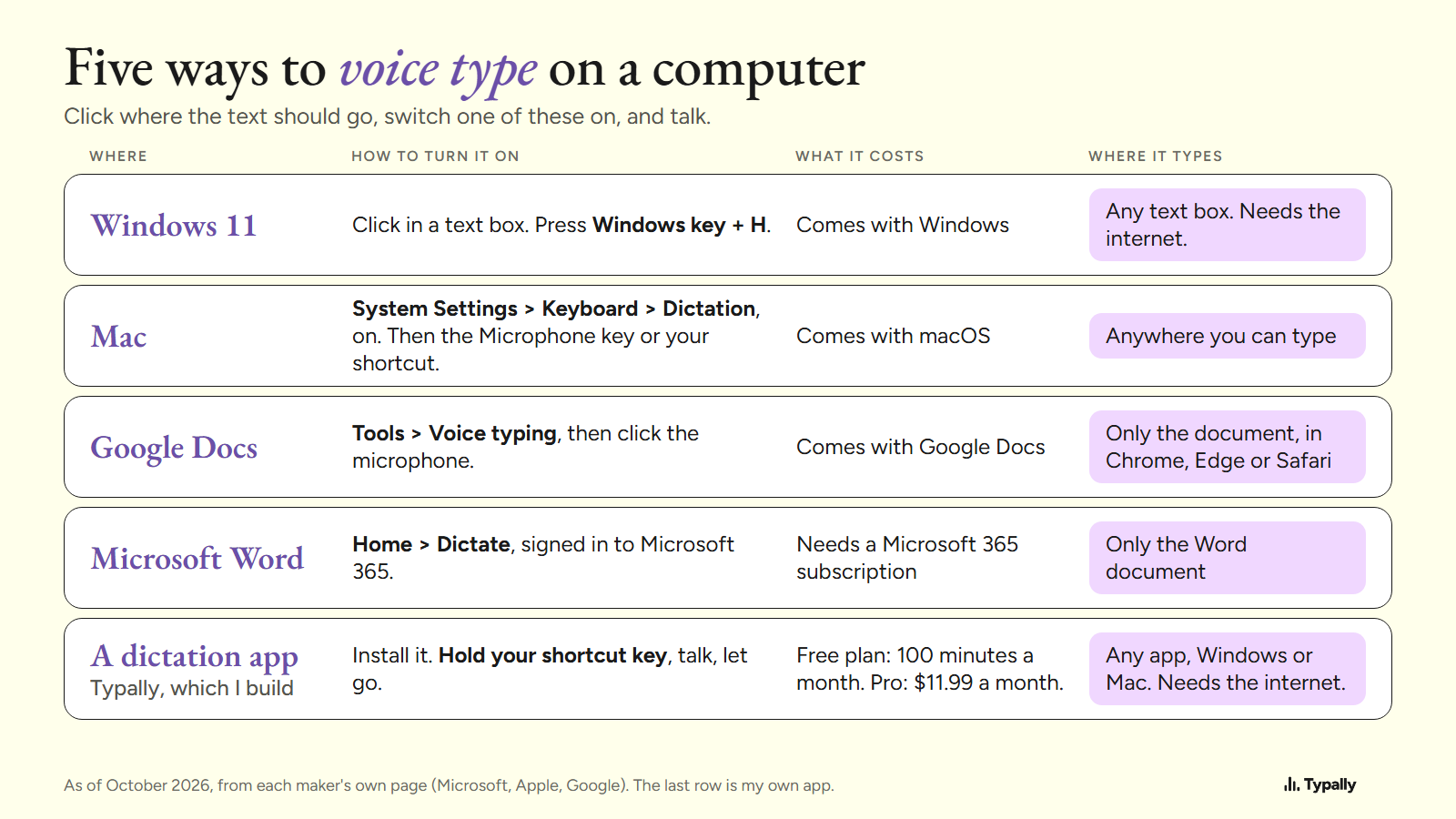
How to Voice Type on a Computer: 5 Ways and How to Speak
How to voice type on Windows 11 (Windows key + H), Mac, Google Docs and Word, from each maker's page in October 2026, and how to speak so it comes out right.
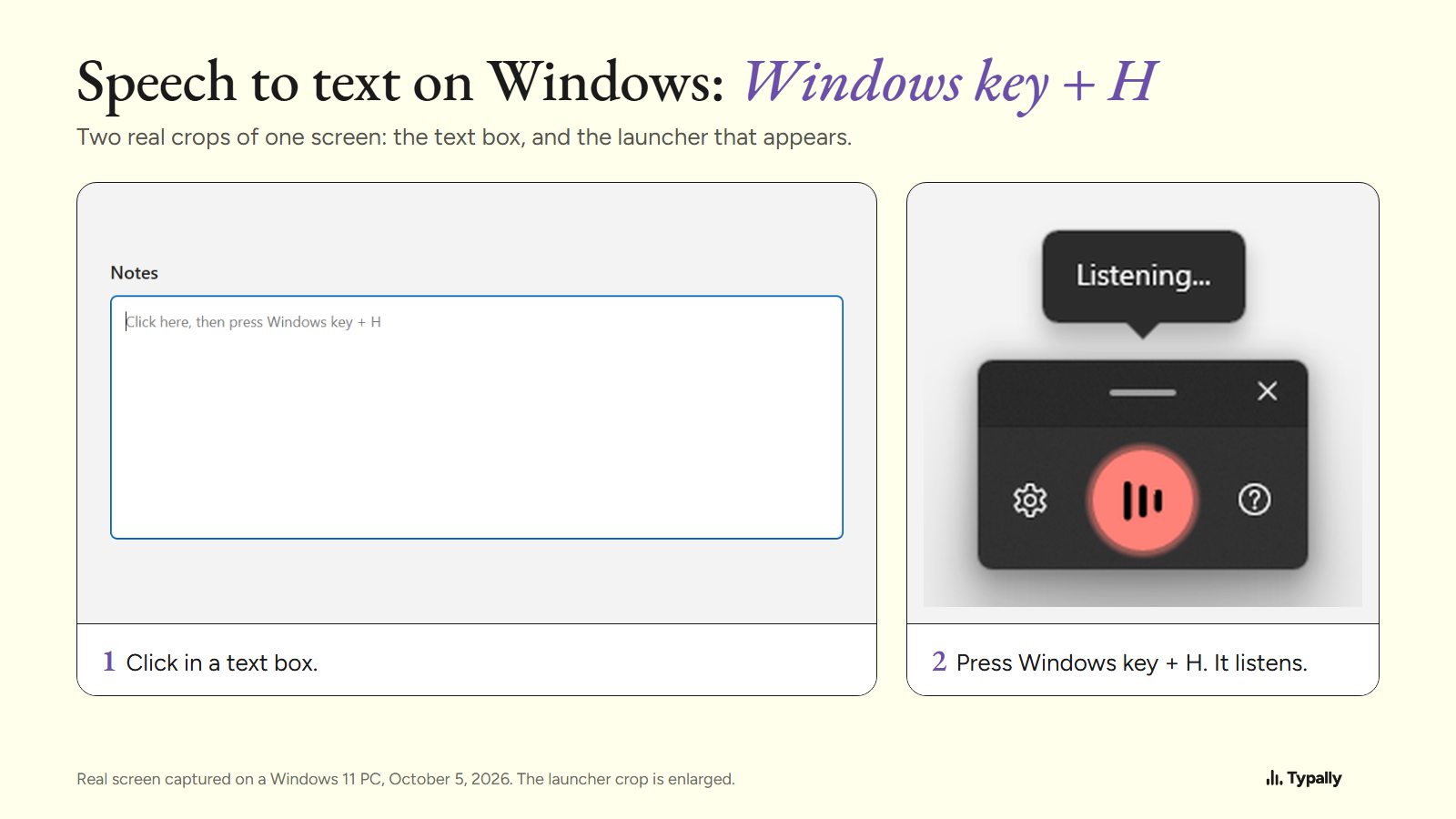
Speech to Text on Windows 11: Steps, Commands and Fixes
Press Windows key + H in a text box to start speech to text on Windows 11. Real screens, the spoken commands, 46 languages, Voice access and the fixes.
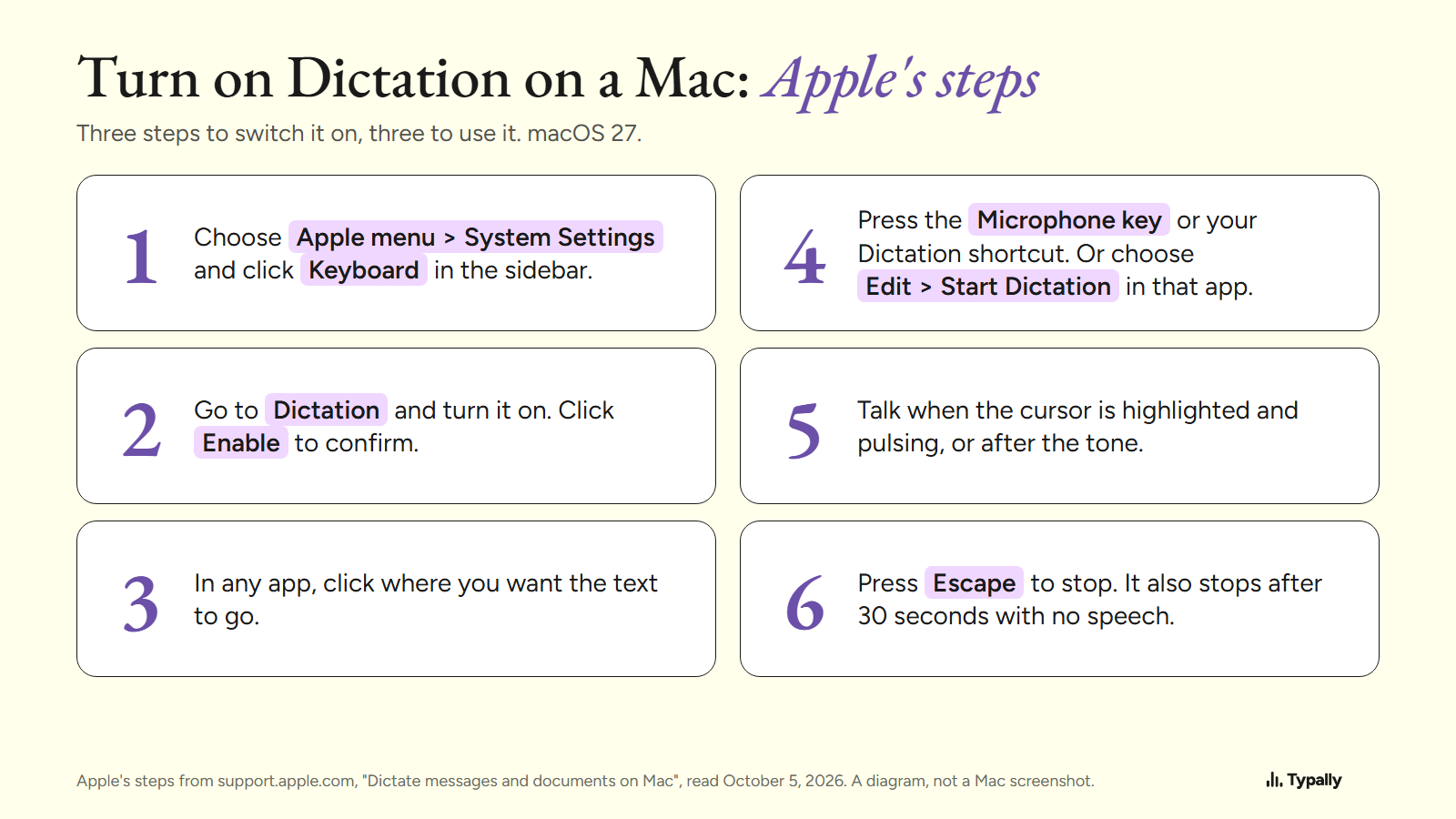
How to Dictate on a Mac: Apple's Steps, Commands and Limits
Turn on Dictation in System Settings under Keyboard, then press the Microphone key. Apple's steps for macOS 27, 12 spoken commands, fixes and limits.
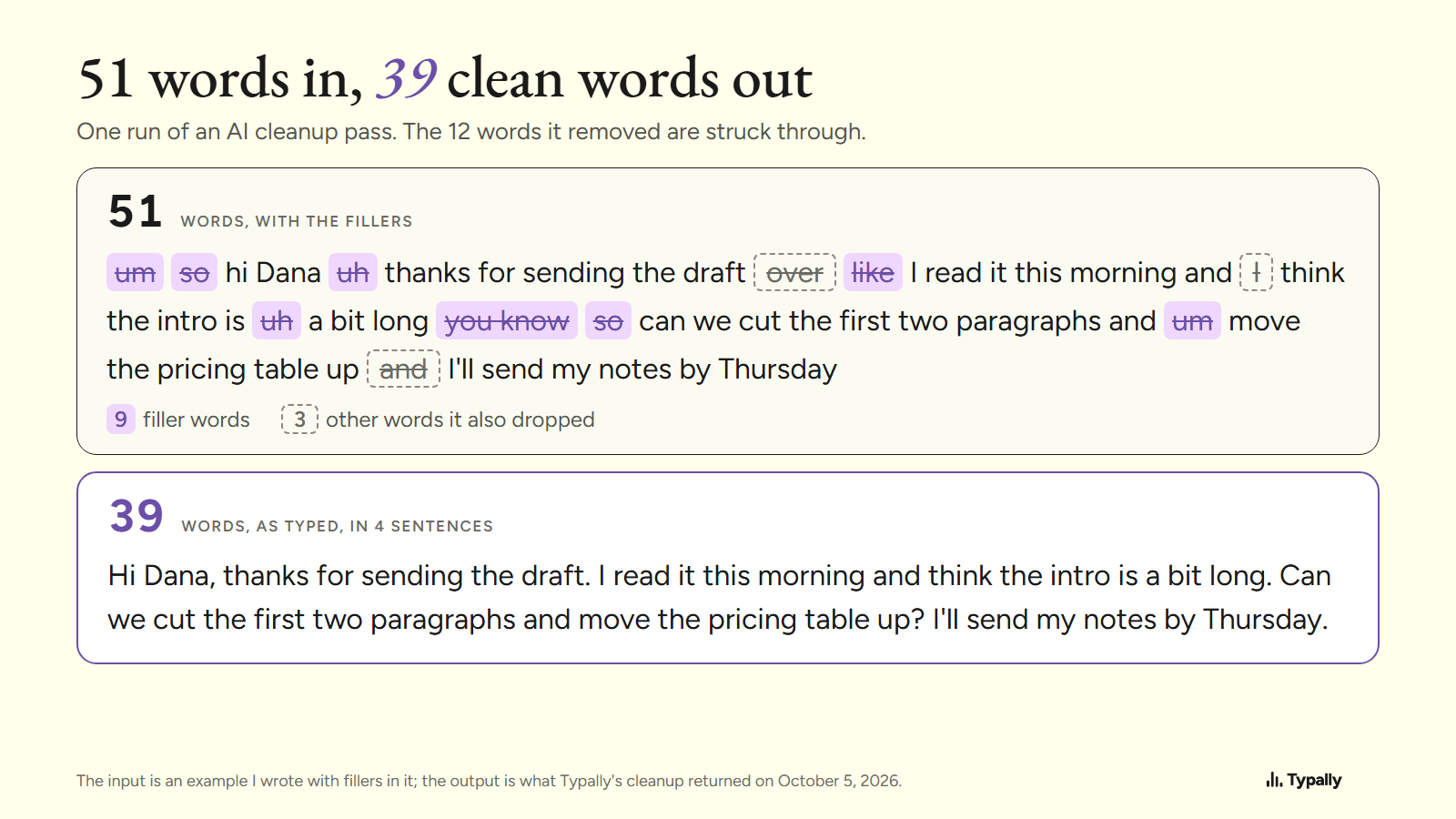
AI Dictation: What It Is and How It Cleans Up 51 Words
AI dictation is a speech model plus a language model that removes the ums and adds punctuation. One real cleanup run: 51 words in, 39 out, 3 real words lost.
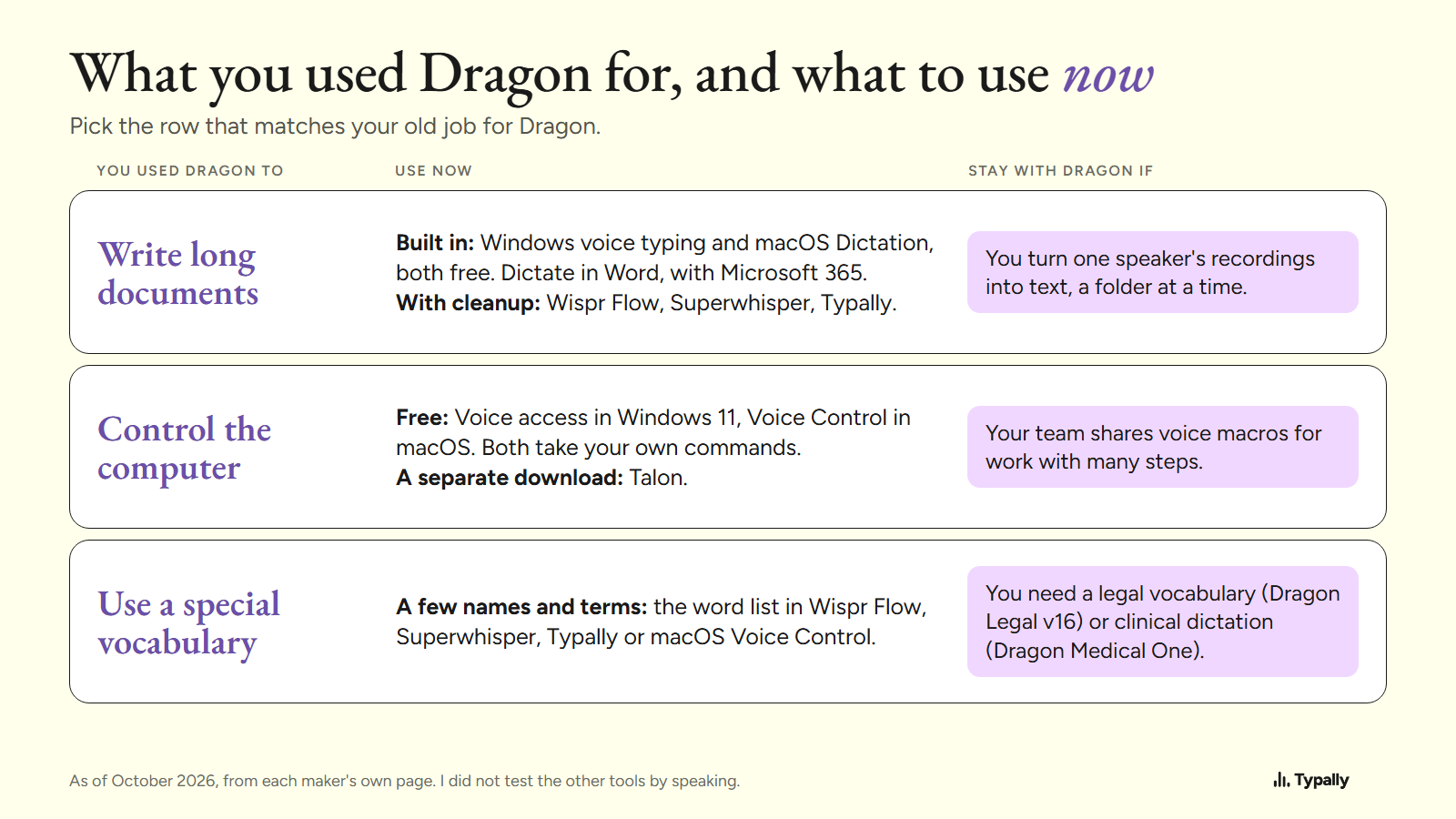
Dragon NaturallySpeaking Alternatives and When to Keep It
Dragon is now Dragon Professional v16: Windows only, $699.00 at Staples. What replaces it for dictation, voice control and vocabulary, and who should stay.
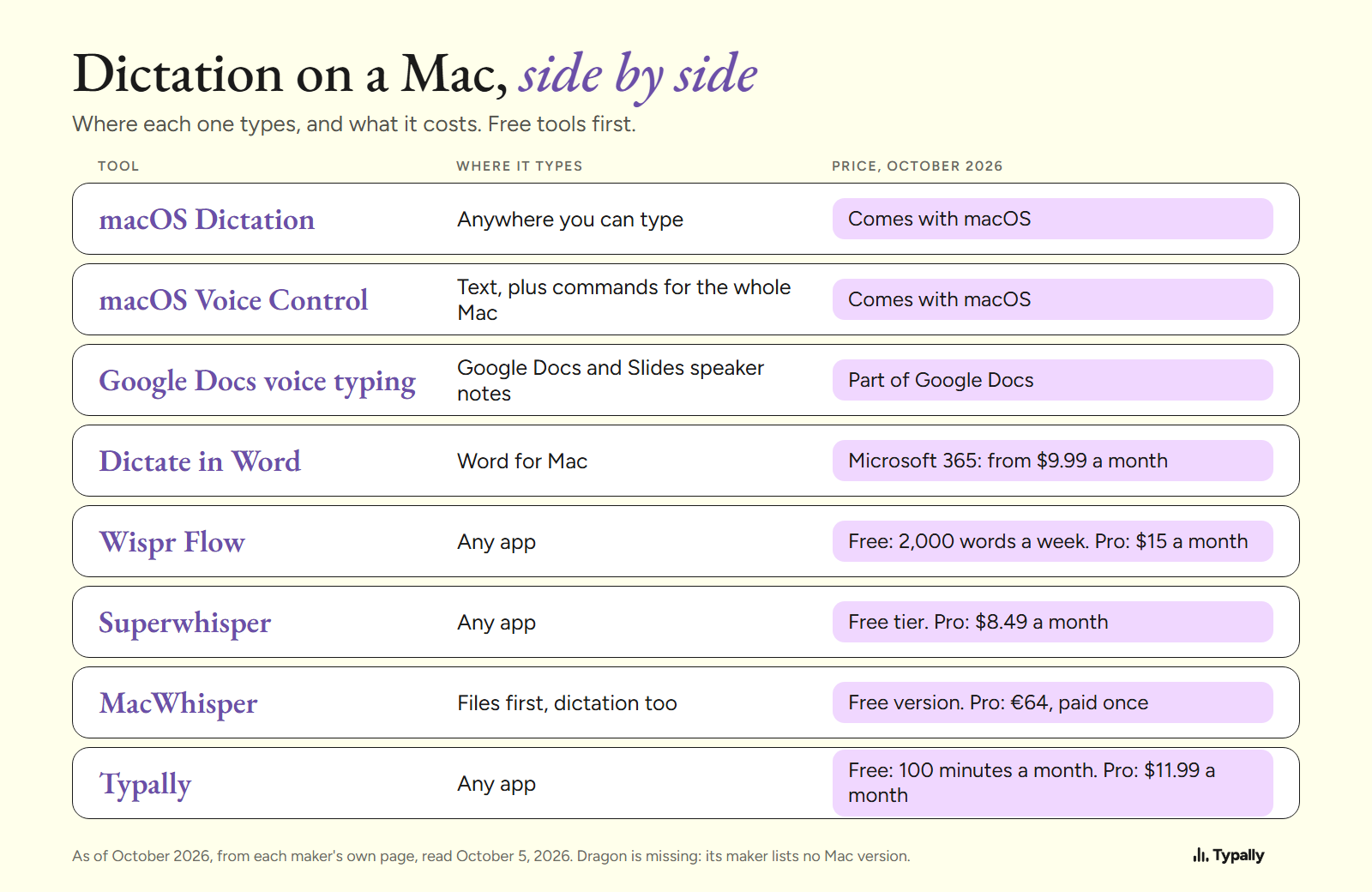
Dictation Software for Mac: 8 Options, Free Ones First
Dictation software for Mac, free first: Apple's Dictation and Voice Control, Google Docs, Word, Wispr Flow, Superwhisper, MacWhisper and Typally, with prices.
Dictation Software for Windows: 8 Tools, Free Ones First
Dictation software for Windows 10 and 11: Windows key + H, Voice access, Google Docs, Word, Handy, Wispr Flow, Typally and Dragon, with October 2026 prices.
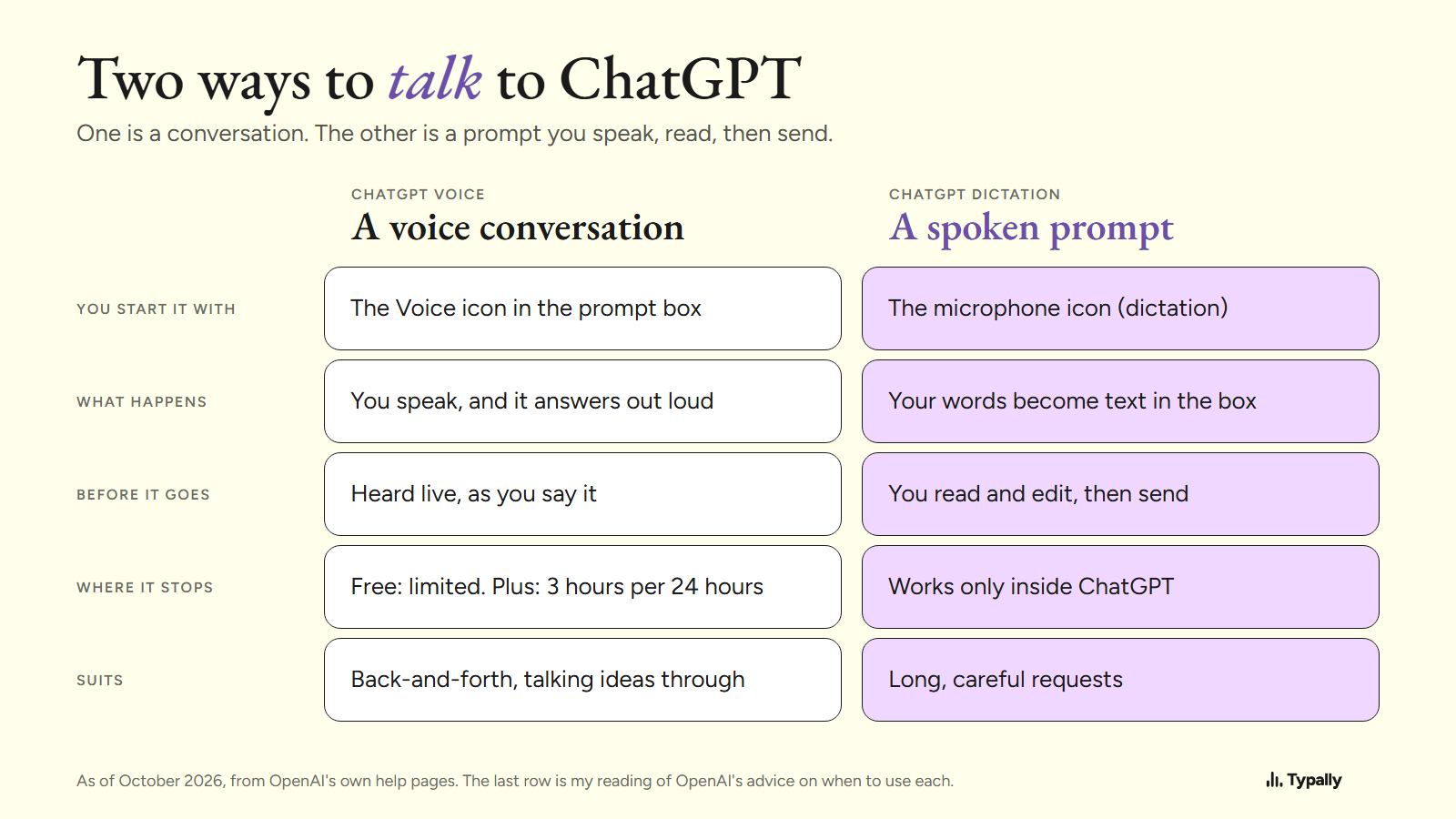
Talk to ChatGPT: Voice Mode or a Prompt You Can Read First
Talk to ChatGPT on a computer: the 4 steps to start voice mode, its limits by plan as of October 2026, and when to speak a prompt you can read first.
Why Does ChatGPT Give Generic Answers? 5 Gaps and the Fixes
ChatGPT gives generic answers when your prompt leaves gaps. The 5 missing pieces, the mark each leaves, and fixes from OpenAI's own pages and 2 studies.
How Long Should a ChatGPT Prompt Be? 12, 60 or 250 Words
A ChatGPT prompt should hold every fact that changes the answer. OpenAI's limits as of October 2026, and one task written at 12, 60 and 250 words.
Is Speaking Faster Than Typing? Studies vs My Own Numbers
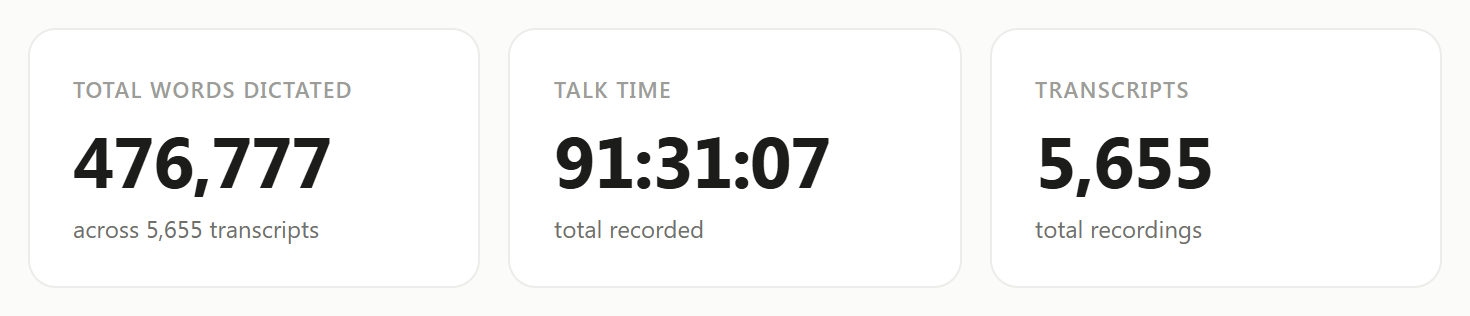
Common averages say 150 words a minute spoken, 40 typed. Two studies, my own 476,777 dictated words, and what the gap means for long AI prompts.
How to Give ChatGPT More Context Without Typing It All
ChatGPT only knows what you tell it. The facts that change an answer, where custom instructions, memory and Projects keep them, and how to say them aloud.
Best Dictation Software for Writers: 7 Top Picks
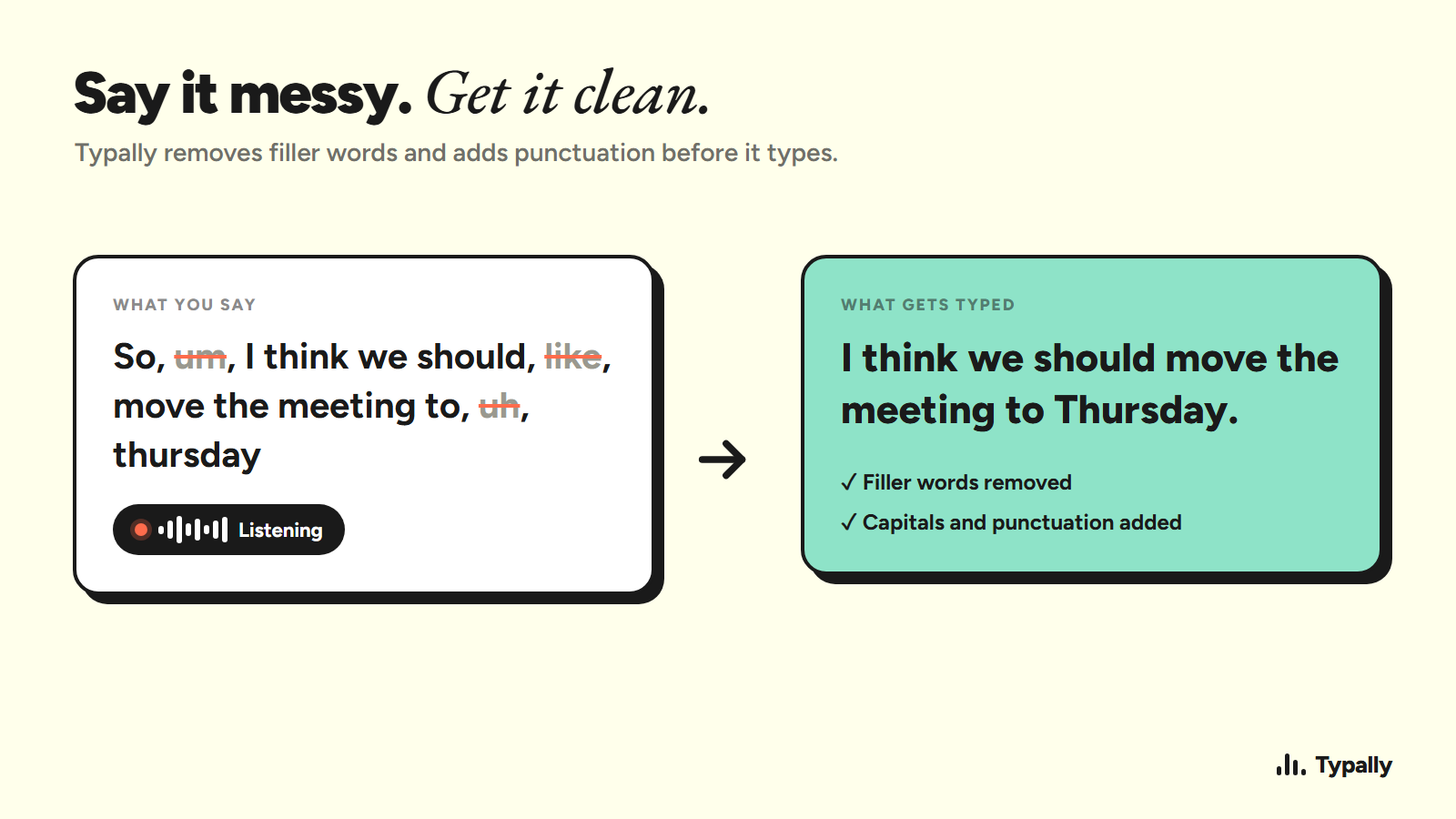
Compare the best dictation software for writers, including cross-app tools, free browser typing, offline apps, and options for Windows or Mac.
Voice Prompting: How I Speak My ChatGPT and Claude Prompts
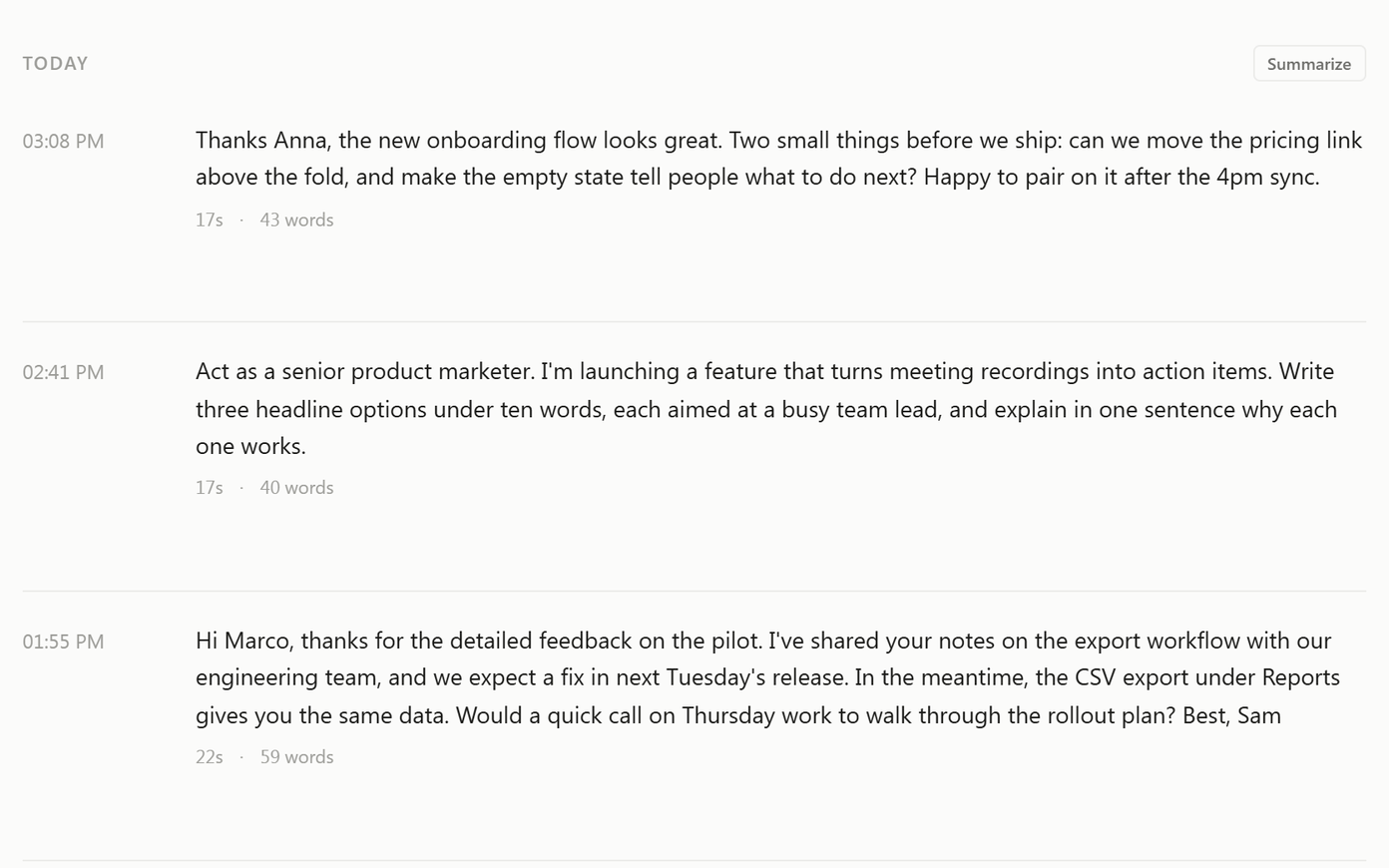
Typed prompts come out short: people type about 40 words a minute and speak about 150. How to speak a prompt in four parts, one example, free tools.
Best English Pronunciation Apps: 10 Picks for 2026
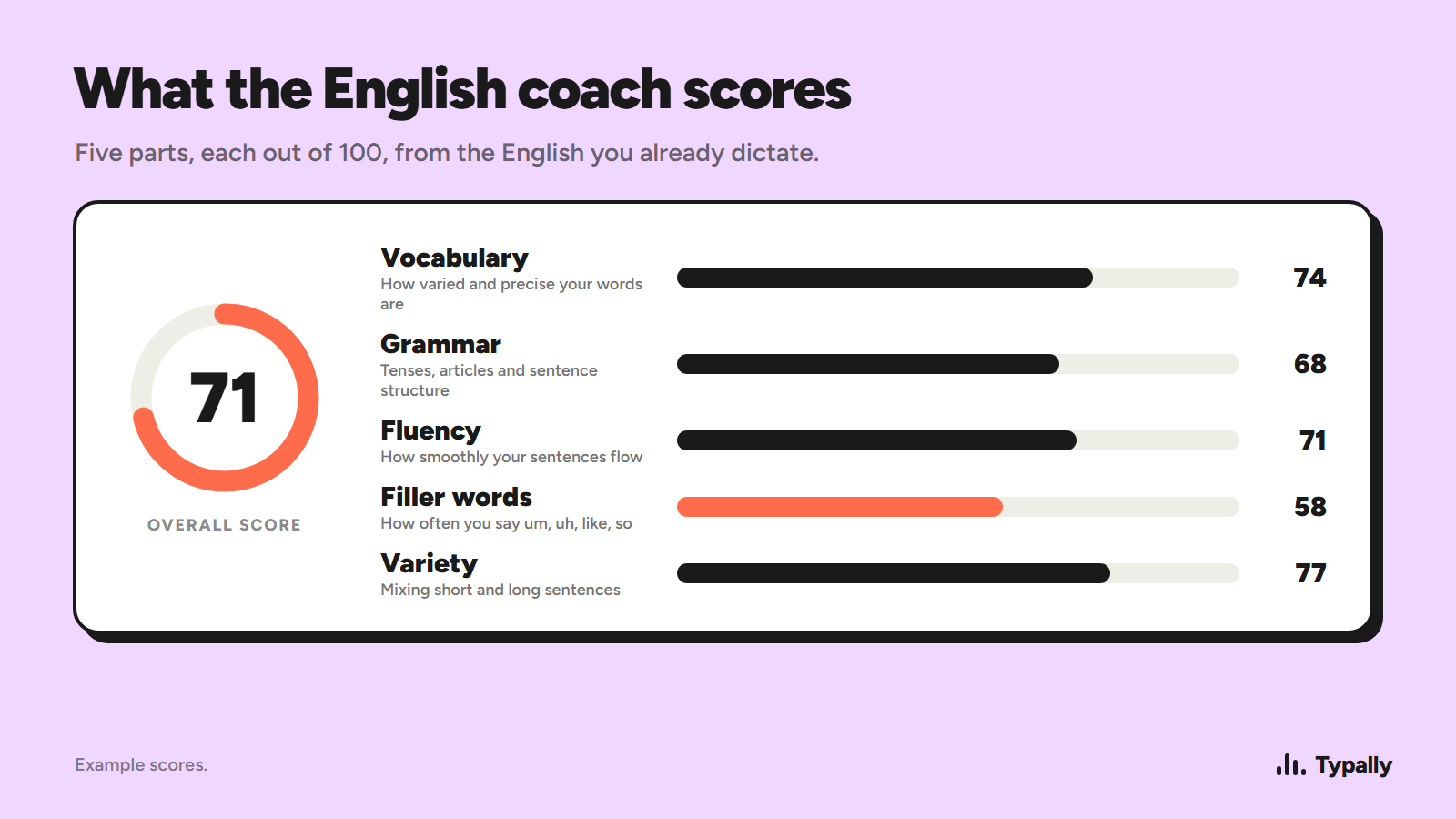
Compare 10 English pronunciation apps for feedback, accent practice, speaking lessons, and pricing. Find the right fit for your goals.
Coding by Voice: A Practical Setup Guide
Learn coding by voice: set up speech input, use commands, dictate to AI assistants, and avoid common accuracy and safety problems.

Best AI Meeting Notes Tools
Compare the best ai meeting notes tools for transcription, summaries, action items, integrations, privacy, and searchable meeting records.
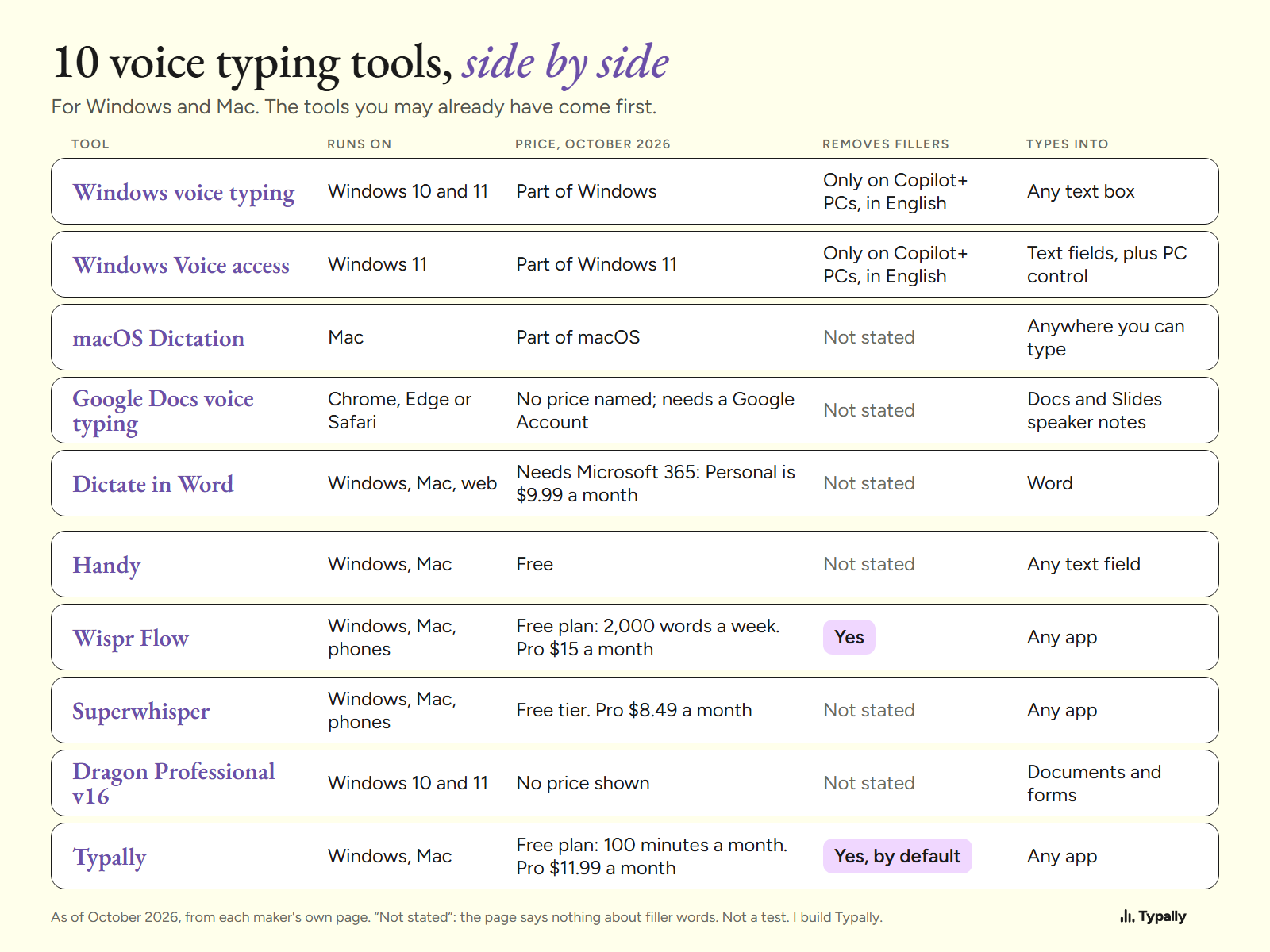
Best Voice Typing Software: 10 Dictation Tools Compared
Voice typing software for Windows and Mac, compared from each maker's own page: 10 dictation tools, October 2026 prices, filler removal, and the job each fits.