A ChatGPT prompt should be long enough to hold every fact that would change the answer, and no longer. That's about a dozen words for a lookup, and often 60 to 250 for a task with a reader and a history.
In short:
- Length follows the task: one line for a lookup, up to 250 words when the reply needs facts only you know.
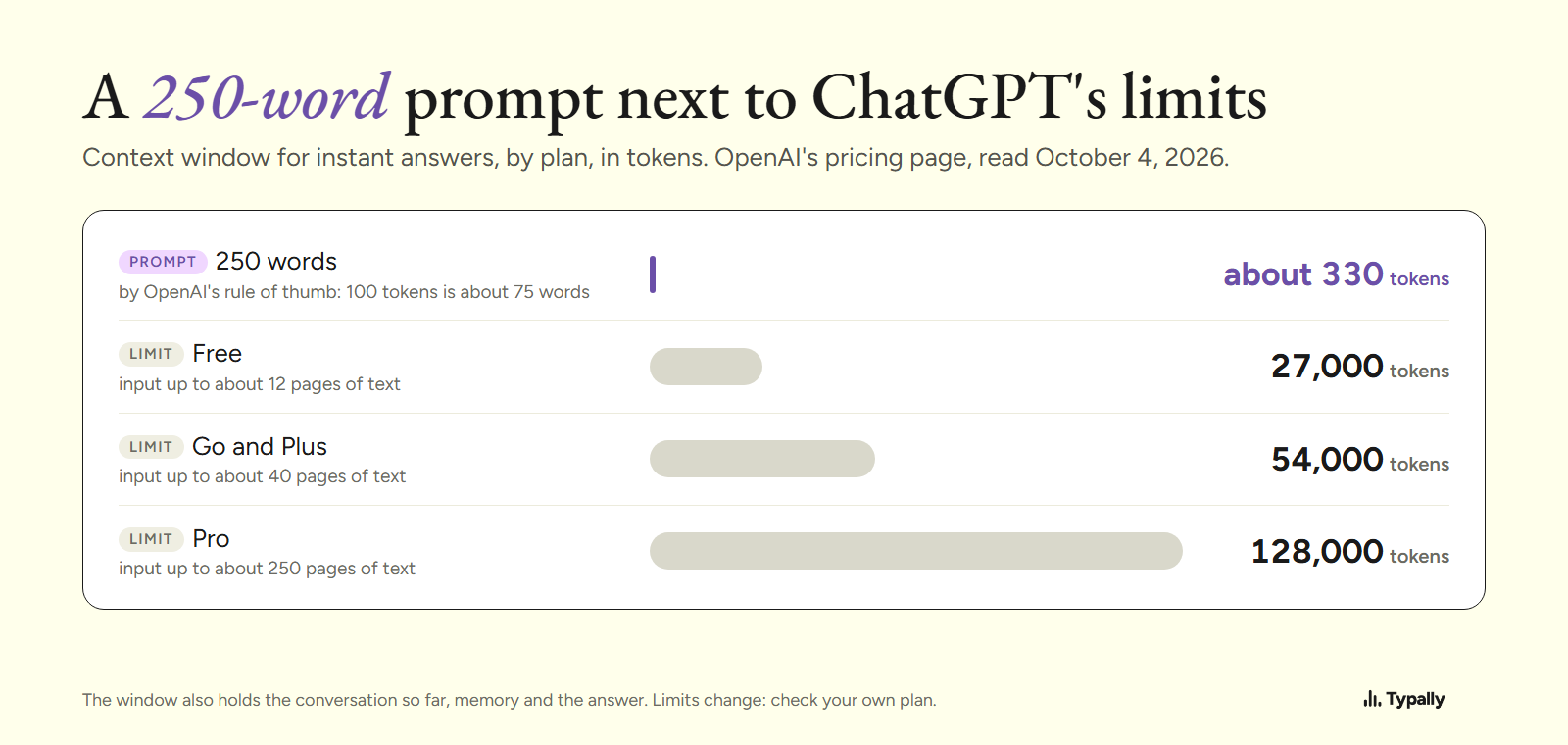
- ChatGPT's limits are far above that. As of October 2026, the smallest window (Free, instant answers) is 27,000 tokens. A 250-word prompt is about 330.
- A long prompt mostly costs typing time: 6 minutes 15 seconds for 250 words at a common 40 words a minute. Said at my pace, it takes under 3.
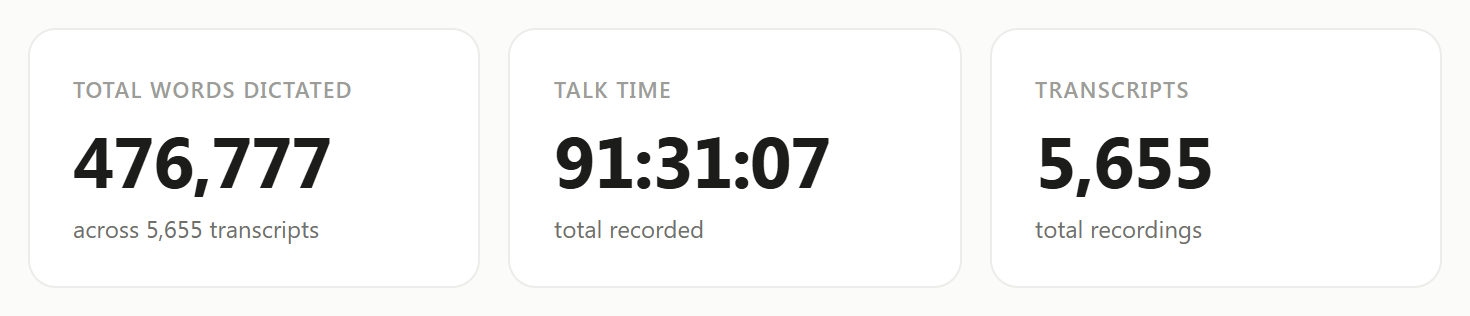
I talk to ChatGPT and Claude instead of typing to them. On September 30, 2026, my Typally Insights screen showed 476,777 words across 5,655 dictations. That's about 84 words each, and one I measured ran 548. I build Typally, and it comes up near the end.
The 60 and 250 come from the worked example below, not a study. I found no tested word count.
How long can a ChatGPT prompt be?
Far longer than anyone types. OpenAI counts the limit in tokens. Its own rule of thumb: 100 tokens is about 75 words.
OpenAI's pricing page, read October 4, 2026, lists the context window for instant answers by plan. It's 27,000 tokens on Free, 54,000 on Go and Plus, and 128,000 on Pro. The same page puts the most you can send at about 12, 40 and 250 pages of text.
A 250-word prompt is about 330 tokens. That's a little over 1% of the smallest window.
Two smaller limits come up sooner, both from OpenAI's help pages. As of August 2026, on every plan, a paste of more than 10,000 characters turns into an attachment. That's roughly 1,900 words. Custom instructions hold 1,500 characters on Free and Go, and 5,000 on Plus and Pro.
The window is shared. Per OpenAI's note, it also holds system instructions, memory, the conversation so far and the answer. These numbers change, so check your own plan.
When is a short prompt the right length?
When ChatGPT already has the context, or needs none. That covers four cases:
- A lookup or a conversion. "What's 18% of 2,400?" has no background to give.
- Pasted material. Paste the text and say "fix the typos". The text is the context.
- Follow-ups in the same chat. "Shorter, and drop the second paragraph" works because the earlier messages are still in the window.
- Stored context. Custom instructions or a Project already hold the facts. See How to Give ChatGPT More Context Without Typing It All.
What does one task look like at 12, 60 and 250 words?
The example below is illustrative. I wrote it for this article, and no real customer is in it.
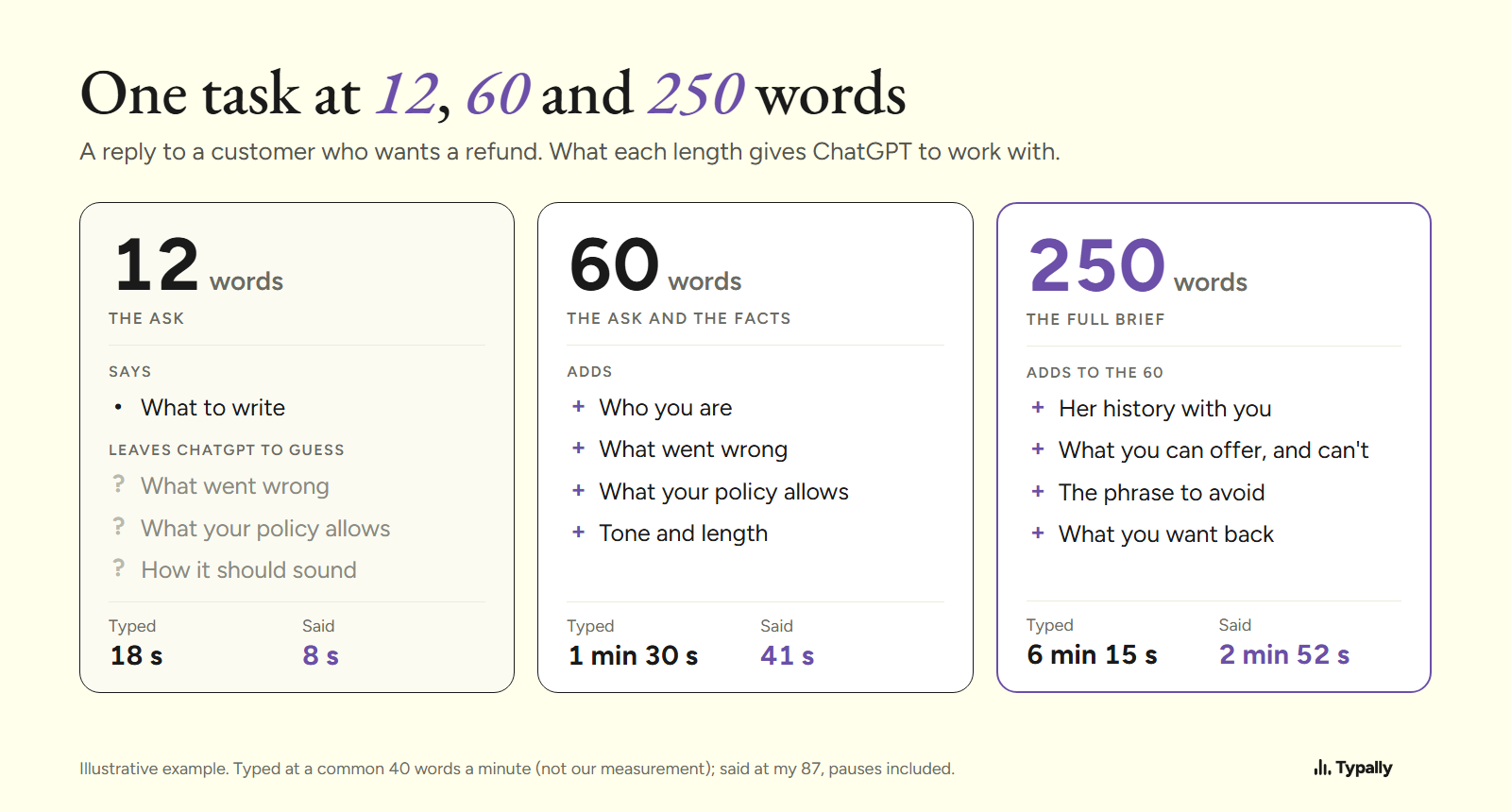
12 words: the ask
Reply to a customer who wants a refund for a late delivery.
ChatGPT has to guess what went wrong, what your policy allows and how you talk to customers.
60 words: the ask and the facts
I need a reply to a customer who wants a refund. We're a small online shop that sells coffee beans. Her order arrived six days late because the courier lost the first parcel. Our policy refunds the shipping, not the order, when a delivery is late. Keep it warm and plain, under 120 words, and please don't blame the courier.
For a routine message, I'd stop here.
250 words: the full brief (the 60, plus these 190)
More background. This is her second late order from us this year, and she says so in her message. She has bought from us every month for two years, so I'd rather lose the money than lose her.
Here is what I can offer: a full refund of this order, or she keeps the beans and gets the next bag free. I'd prefer the second, but she chooses. I can't promise it won't happen again, because we're with the same courier until January. You can say that every parcel now ships with tracking, which has been true since last week.
On tone: write the way I'd talk to a regular at a market stall. Never use "we apologize for any inconvenience". Say sorry once, in the first line. Use her first name, Dana, and sign with mine.
Give me two versions. One leads with the refund, the other with the free bag. Put a subject line on top of each, and keep both under 120 words. After them, tell me in one line which you'd send and why. If anything about the policy is unclear, ask me before you write.
The extra 190 words are things only you know, and each one would change the reply. None of it is padding.
The long version pays when the result goes to a real person and a wrong guess means a rewrite. To say a brief that long without wandering, I use the four parts in Voice Prompting: How I Speak My ChatGPT and Claude Prompts.
Can a ChatGPT prompt be too long?
Yes, and padding is the usual cause. Before you send a long prompt, cut three things:
- Facts that wouldn't change the reply. The order number and the courier's name do nothing for the tone of an email.
- Instructions that pull against each other. "Be thorough" next to "keep it short" forces a guess.
- How you got here. Keep what happened to the customer. Drop what happened to your morning.
Length itself has a cost too. In a July 2025 report, Chroma tested 18 models and found that "model performance degrades as input length increases". Its tests were retrieval and text copying, not everyday prompts. So every added fact should earn its place.
Why do typed prompts come out short?
Because a long prompt costs minutes at a keyboard. At a commonly cited 40 words a minute (not our measurement), the 250-word brief takes 6 minutes 15 seconds to type. The 12-word line takes 18 seconds.
Real prompts run short. LMSYS-Chat-1M is a public set of one million chatbot conversations, collected from April to August 2023. Its prompts average 69.5 tokens, roughly 50 words by OpenAI's rule of thumb. It comes from another chatbot site, in many languages, and can't say why they were short.
My spoken ones average about 84 words per dictation, and a prompt can be more than one dictation. With every pause counted, I speak about 87 words a minute, so the 250-word brief takes me under 3 minutes. Is Speaking Faster Than Typing? has the speed numbers.
I haven't measured whether longer prompts got me better answers. The argument is narrower: when a fact costs seconds to say, there's less reason to leave it out.
Which free tools let you say a long prompt?
Three free options, as of October 2026:
- ChatGPT's dictation button puts your words in the message box to read before sending. It works only inside ChatGPT.
- Windows voice typing (Win+H) types into most text boxes. The ums stay in, and a session can stop when you pause. More in Typally vs Windows voice typing.
- macOS Dictation works in any text field on a Mac. It types what you said, restarts included.
For a 60-word prompt inside ChatGPT, its own button may be all you need.
Where does Typally fit?
Typally, voice typing for Mac and Windows, is what I use for my prompts. Hold your shortcut key, say the whole brief, let go, and clean text appears where your cursor is: ChatGPT, Claude, Gemini or Claude Code. It records for as long as you hold the key, removes the ums and false starts, and fixes the punctuation.
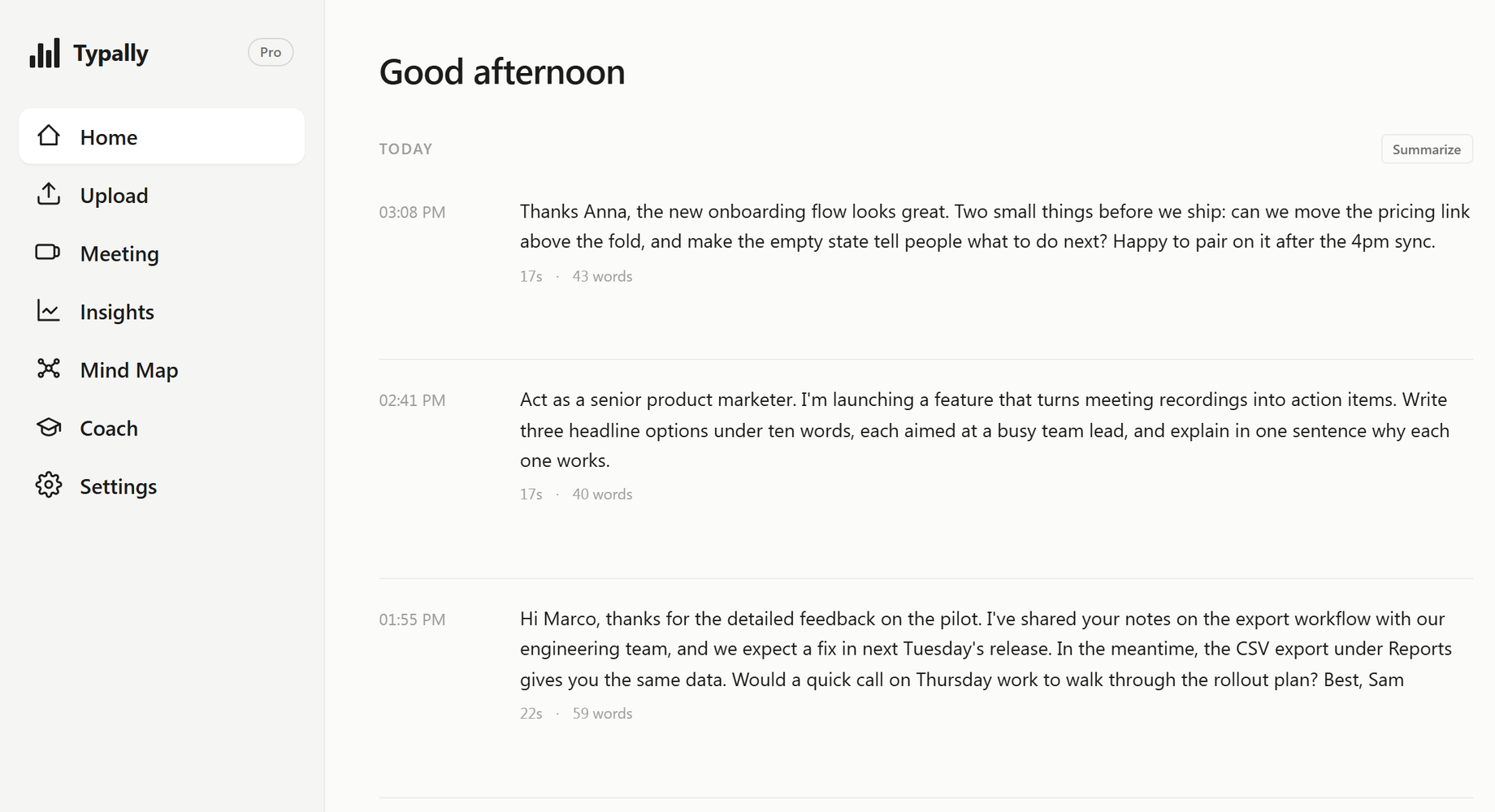
Each dictation in the app shows its word count, so you can see how long your prompts run.

It listens only while you hold the key. The audio is discarded after transcription, and your history stays on your computer.
Say your next prompt at full length and count the words. Download Typally free at typally.com for Windows or Mac. The free plan gives you 100 minutes a month and doesn't ask for a card.
What else do people ask about ChatGPT prompt length?
Is there a character limit for ChatGPT prompts?
OpenAI states the limit in tokens and pages, not characters. As of October 2026, that's about 12 pages of text per input on Free and 40 on Plus. A paste over 10,000 characters becomes an attachment.
Do longer prompts give better answers?
Not by length alone. A prompt improves when it adds a fact that would change the reply. OpenAI's own guide names no word count; it says to "provide enough context for the model to understand what you are asking."
Is Typally free?
There's a free plan with 100 minutes of dictation a month, forever, and it doesn't ask for a card. Pro has a 14-day free trial, and the trial needs a card.