To dictate a book, outline it first, talk through one scene or section at a time, and leave the mistakes alone. Edit after, on the page.
In short:
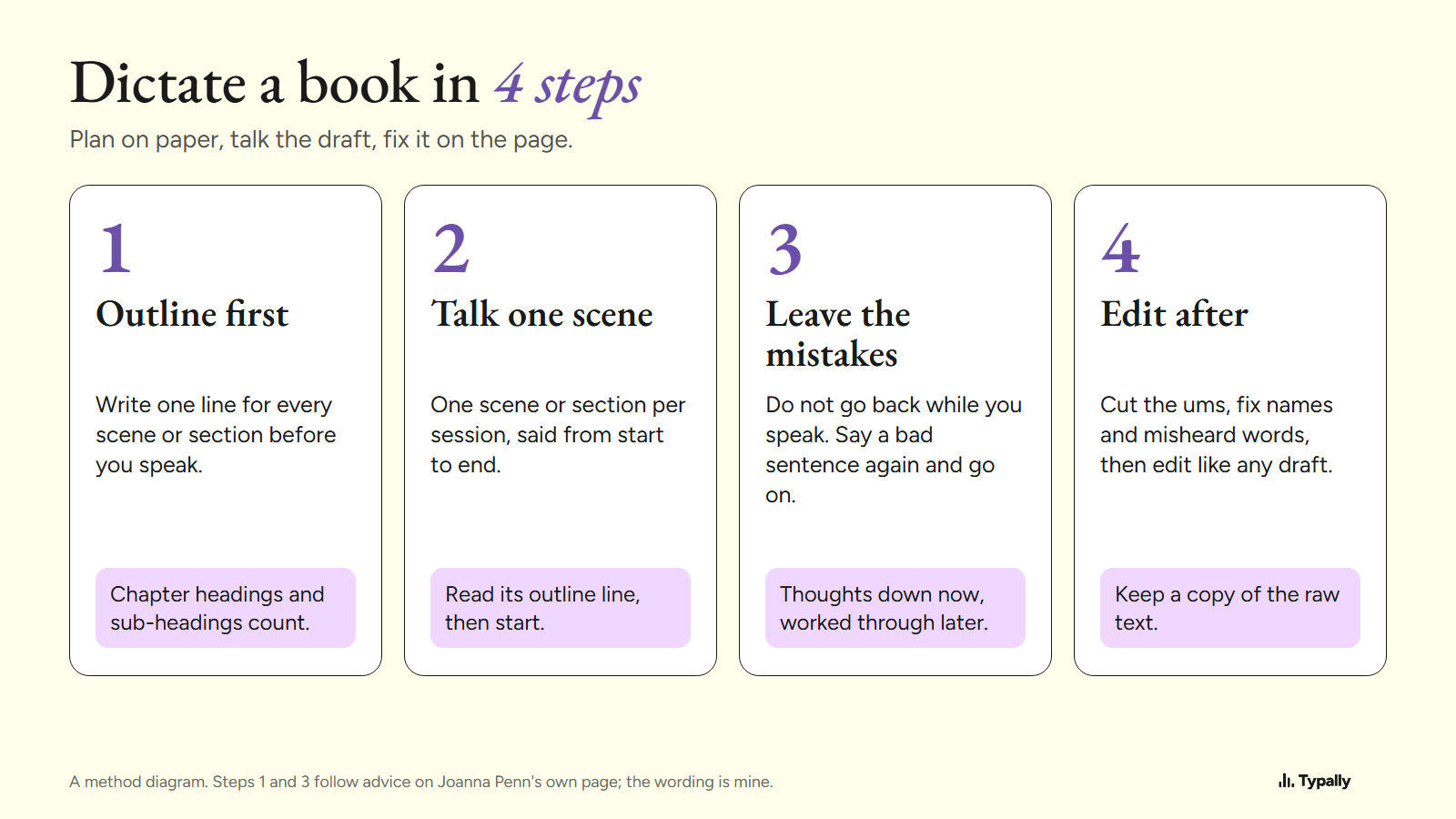
- The method has 4 steps: outline first, talk one scene or section per session, do not edit while you speak, clean up after.
- Free built-in tools can carry a whole draft. Apple's page says Mac Dictation takes "text of any length without a timeout". Windows voice typing and Google Docs voice typing are free too.
- At my own dictation pace, about 87 words a minute, a 60,000-word draft is about 11.5 hours of talking. That is arithmetic for planning, not a promise.
I build Typally, a voice typing app, and it comes up near the end. I have not dictated a book. I dictate prompts for AI tools, and the app counts my words, so the time math below uses a real pace.
Can you dictate a book?
Yes. Two working authors describe doing it on their own sites.
Kevin J. Anderson wrote on his blog in December 2010: "For myself, I prefer to do my initial writing with a hand-held recorder." He talks while hiking, and a typist types up the files. His record then was "45 pages (once they were transcribed) of finished prose in a single, very long, hike".
Joanna Penn, in her guide How To Dictate Your Book, says she used dictation for some of her first drafts. Her page, read October 7, 2026, says: "I use it occasionally, just not for every book." So yes, and not every page has to be dictated.
How do you dictate a book, step by step?
Plan on paper, draft by voice, and fix on the page, in 4 steps.
- Outline first. Write one line for every scene or section before you speak. Penn's page: "If you have a structure with chapter headings and even sub-headings, you can use those to talk about each topic".
- Talk one scene or section per session. Read its outline line, say the scene from start to end, then stop.
- Do not edit while you speak. When a sentence comes out wrong, say it again and go on. Penn: "You also don't have to dictate a perfect draft. You can just get your thoughts down and work through them later."
- Clean up after. Cut the ums, fix the names and misheard words, then edit as you would any draft.
How long does it take to dictate a book?
At about 87 words a minute, a 60,000-word draft takes about 11.5 hours of talking. The pace is mine, so swap in your own.
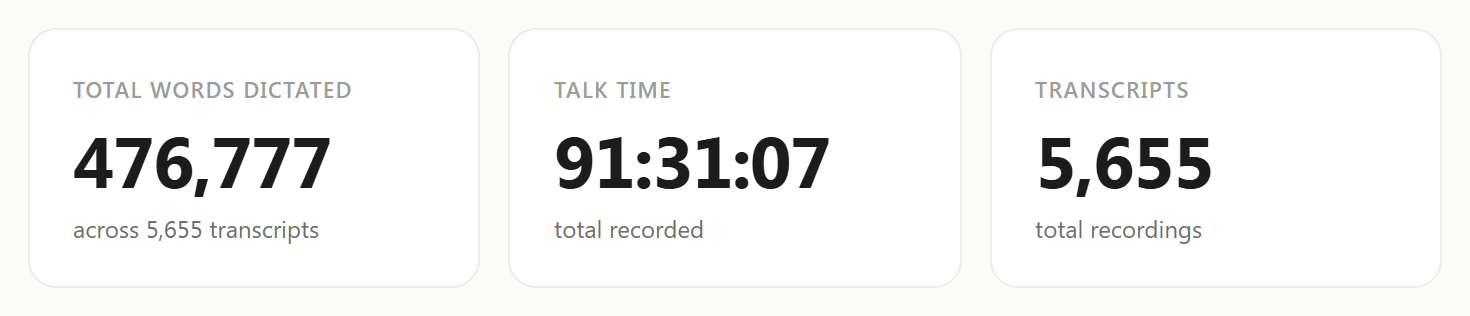
On September 30, 2026, my Typally Insights screen showed 476,777 words in 91 hours 31 minutes of talk time. That is about 87 words a minute with every pause counted.
Take 60,000 words as the example. Divided by 87, that is about 690 minutes, or 11.5 hours. At 30 minutes a day, that is about 2,610 words a session and 23 days. Typed at a commonly cited 40 words a minute (an average, not my measurement), the same words take 25 hours.
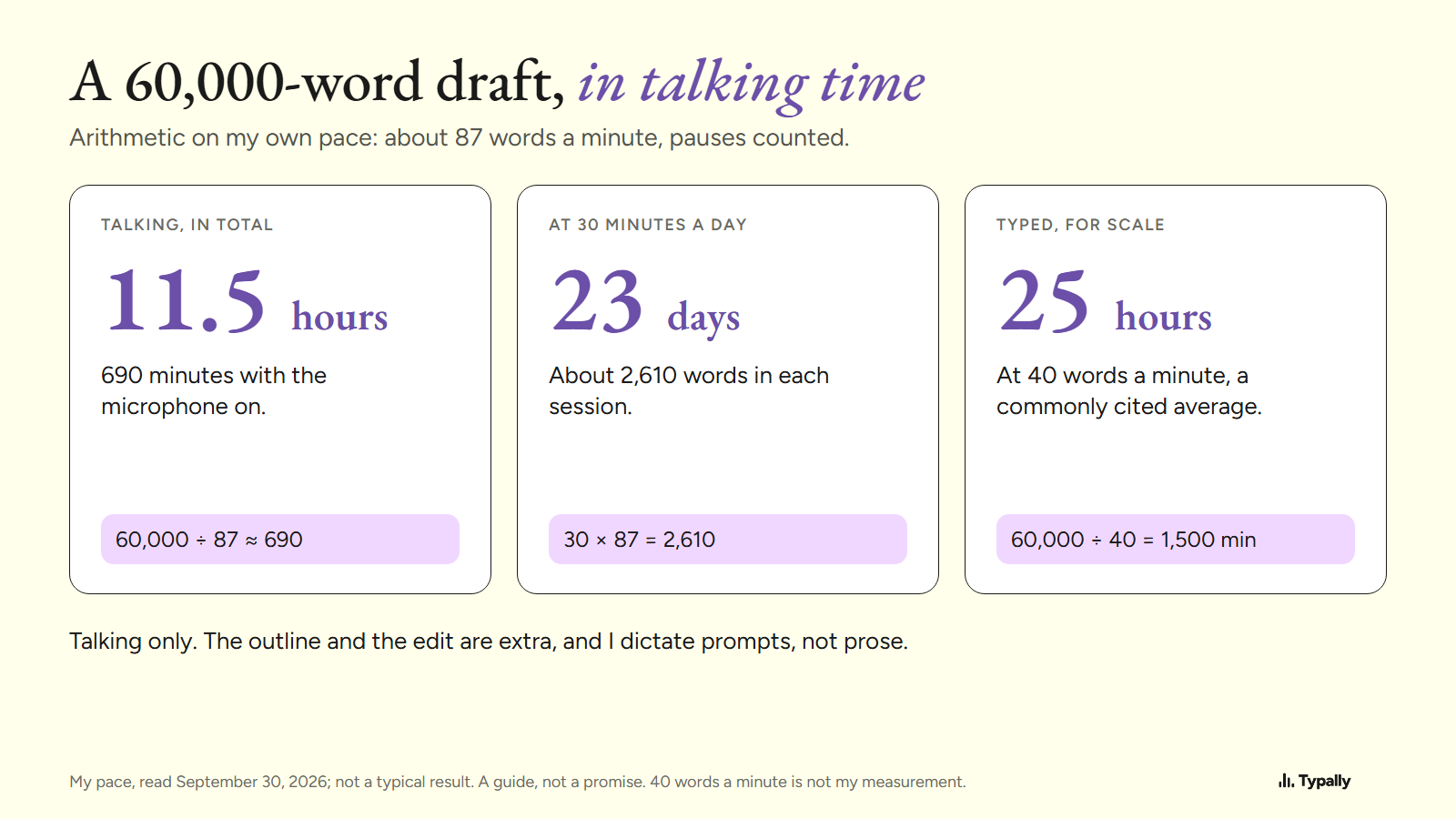
My words are prompts, not prose, and a scene may come slower. The sum also counts talking only: the outline and the edit are extra. Is Speaking Faster Than Typing? has the published speed numbers.
What software can you use to dictate a book?
You have 3 routes: the tool built into your computer, a dictation app, or a recorder plus a transcript. For a tool-by-tool comparison, read Best Dictation Software for Writers. The free built-in tools, from each maker's own page, as of October 2026:
- Mac Dictation. Apple's page says: "You can dictate text of any length without a timeout." It stops "when no speech is detected for 30 seconds". That is a limit on silence, not on length. How to Dictate on Mac has Apple's steps; Mac Dictation Not Working has the fixes.
- Windows voice typing. Press Windows key + H in a text box. Microsoft's page says you need an internet connection and a working microphone. On Copilot+ PCs, in English, Fluid dictation "automatically corrects grammar, punctuation, and filler words as you speak".
- Google Docs voice typing. Click Tools, then Voice typing. Google's help page lists Chrome, Edge and Safari.
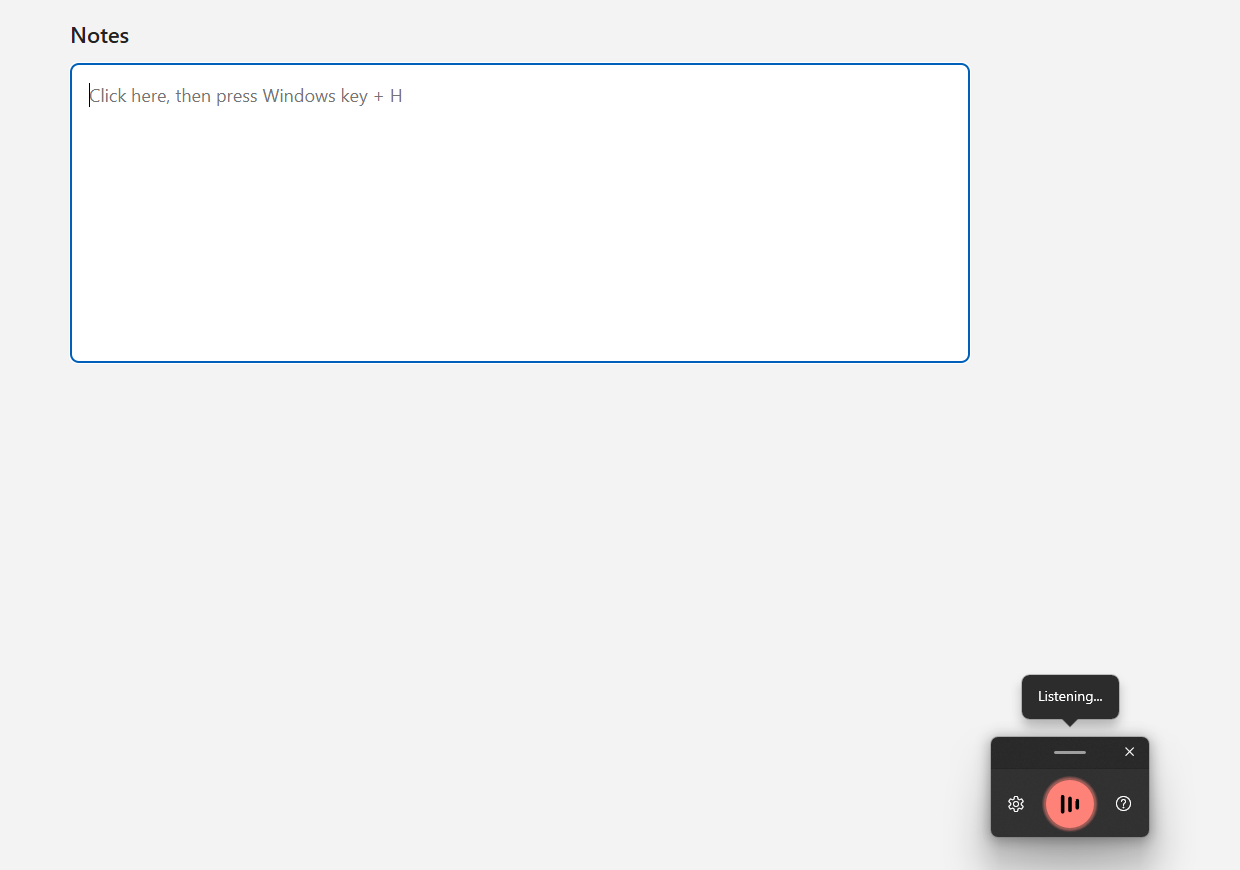
None of those 3 pages lists a monthly limit. Docs voice typing works only in Google's own editors, and Windows voice typing needs a connection. Dictate in Word is not free: Microsoft says it "is only available to Microsoft 365 subscribers".
The recorder route is Anderson's: record a chapter as an audio file, then have it typed out. Word's Transcribe gives Microsoft 365 subscribers "a maximum of 300 minutes of uploaded audio per month". Typally's free audio to text page takes files up to 25 MB with no signup. Dictation vs Transcription explains which job needs which.
How do you edit a dictated draft?
Edit in 3 passes: the fillers and punctuation, then the names, then the writing itself.
Pass 1: fillers and punctuation. Software can do this pass. Here is a real run of Typally's cleanup on a short note. I wrote the input with fillers in it; it is not a recording. It began:
um so hi Dana uh thanks for sending the draft over like I read it this morning and I think the intro is uh a bit long
The cleanup returned:
Hi Dana, thanks for sending the draft. I read it this morning and think the intro is a bit long.
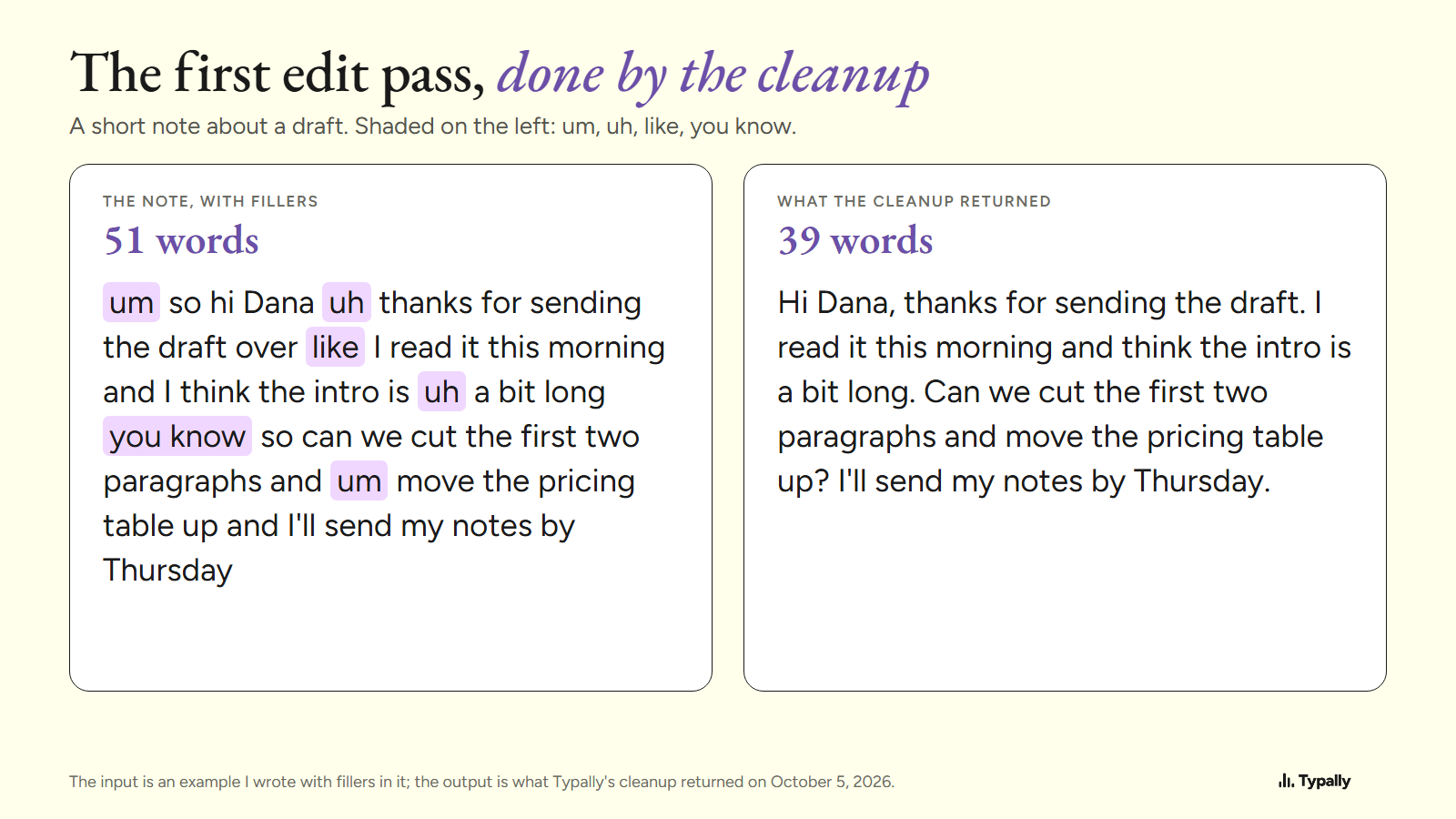
It also trimmed small words such as "so" and "over". It does not touch structure or story.
Pass 2: names and misheard words. Search for every character and place name. Anderson's 2010 post warns that with voice recognition, "a batch of science fiction terms makes the learning curve rather steep".
Pass 3: the writing. Dictation does not remove this pass. Anderson dictates finished text, "which I still polish". Penn: "You still need to edit the material, however you get it onto the page". Keep a copy of the raw text before you start.
Where does Typally fit?
Typally, voice typing for Mac and Windows, is the app route. Hold your shortcut key, talk, let go, and the text appears where the cursor is. That can be Google Docs, Word, Pages, Obsidian or any other app. A hands-free mode covers a long scene without a held key.
The cleanup is on by default: it removes the ums and fixes the punctuation and capitals. A custom vocabulary holds your character names. Audio file transcription handles chapters you recorded away from the desk. Typally needs an internet connection. It listens only while you hold the key or while hands-free mode is on, and the audio is discarded after transcription.
The free plan is 100 minutes of dictation a month. At my 87 words a minute, that is about 8,700 words, so 60,000 words would take about 7 months of free minutes. For a whole book at no cost, a built-in tool is the better pick. For a whole draft in less time there is Pro. It costs $11.99 a month with a 14-day free trial (the trial needs a card), or $96 a year.
Download Typally free at typally.com for Windows or Mac. The free plan gives you 100 minutes a month and doesn't ask for a card.
What else do people ask about dictating a book?
Can you dictate a book for free?
Yes. Mac Dictation, Windows voice typing and Google Docs voice typing are free. Dictate in Word needs a Microsoft 365 subscription.
Is voice to text good enough for writing a book?
Good enough for a first draft, not for a finished one. Penn's page says dictation "can give you a great start". It also says: "You will need to do a light edit to correct transcription issues each time".
Do you have to say the punctuation out loud?
Apple says Mac Dictation adds commas, periods and question marks in supported languages. In Google Docs you say "Period", "Comma" or "New paragraph". Dictation Commands lists the words for each tool.