Free speech to text software is already on your computer: Windows voice typing and macOS Dictation are built in. Other free options add a cap or a setup step.
In short:
- Windows voice typing (Windows key + H) and macOS Dictation type into any text box. Microsoft's and Apple's pages list no monthly cap for either.
- Free plans of dictation apps are capped. Typally gives 100 minutes a month, and Wispr Flow gives 2,000 words a week on a computer.
- Few free options remove the ums. Microsoft's filler correction needs a Copilot+ PC and English.
I build Typally, and it comes up near the end. Each limit in the 7 free options below is from the maker's own page, read October 5, 2026. I did not try the other tools by speaking into them.
This article is about typing by voice as you work: you talk, and the words land where your cursor is. Turning a recording into text is a different job, and our free audio to text converter does that in a browser.
Which free speech to text is already on your computer?
Windows has voice typing and a Mac has Dictation. Both type into the text box your cursor is in.
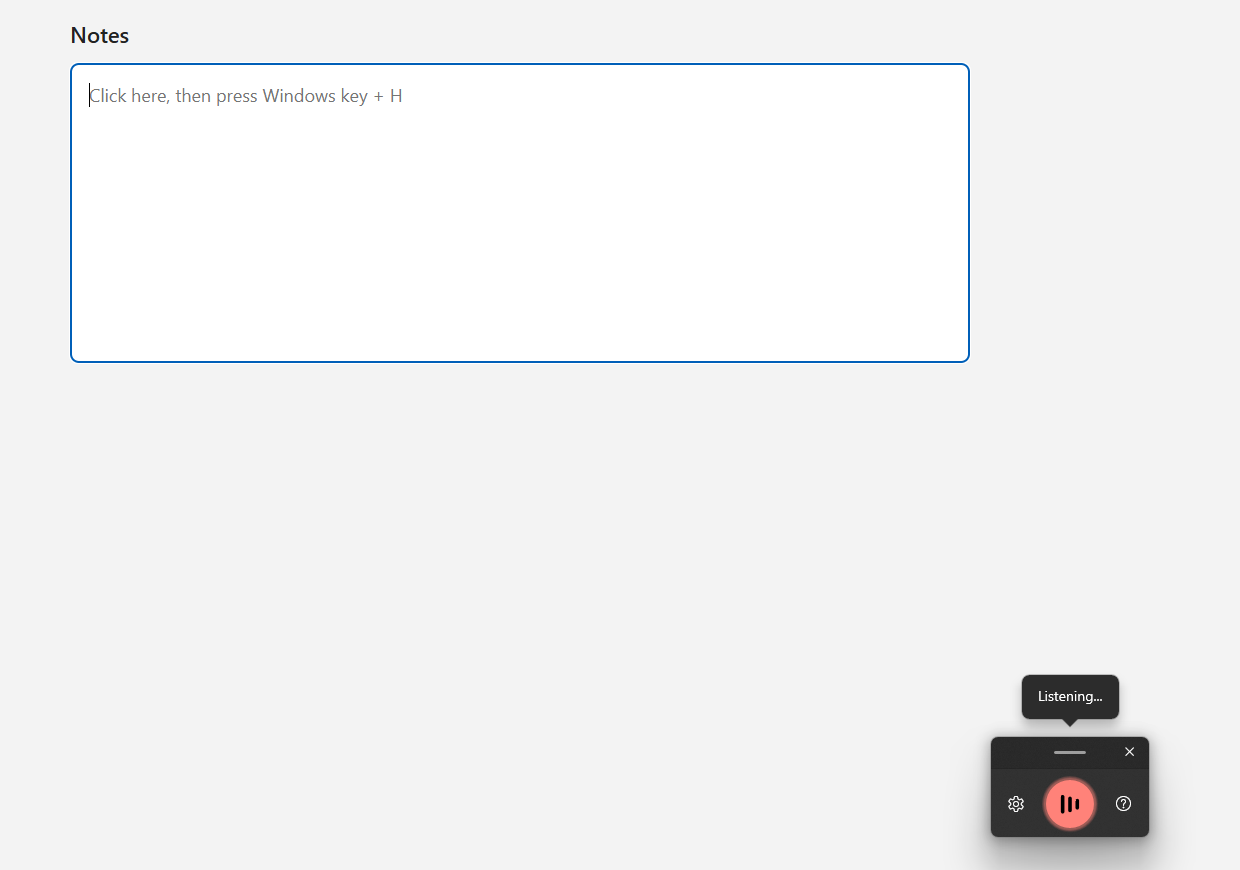
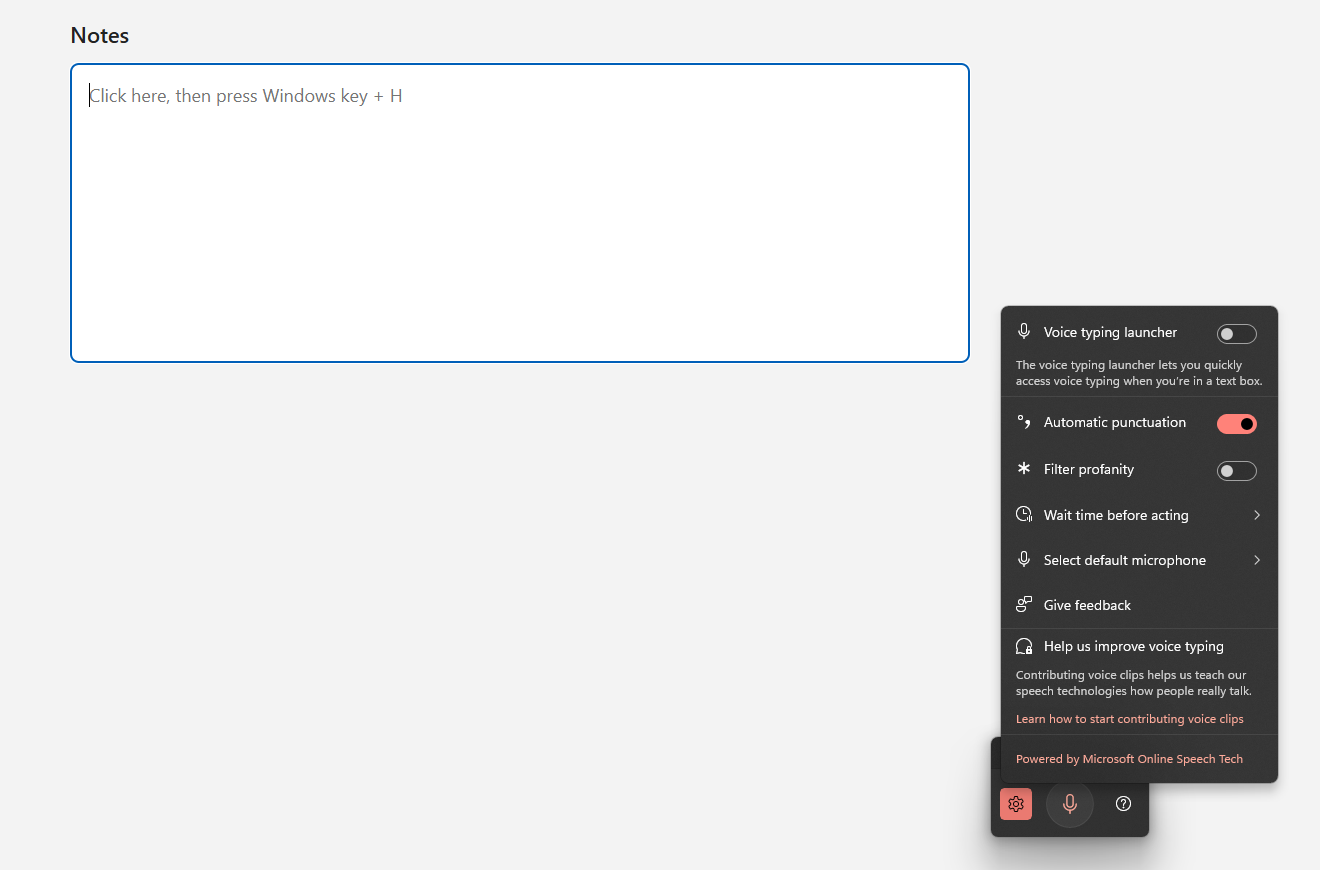
Windows voice typing. Press Windows key + H. Microsoft's page says "you'll need to be connected to the internet, have a working microphone, and have your cursor in a text box". As of October 2026 it lists 46 languages and regional variants for Windows 11, and no time or monthly cap.
Filler correction depends on your PC. Microsoft describes Fluid dictation, which "automatically corrects grammar, punctuation, and filler words as you speak". It adds: "This is a Copilot+ PC feature and is available in all English locales."
macOS Dictation. Apple's page says you can "speak to enter text anywhere you can type it" and "dictate text of any length without a timeout". Dictation "stops automatically when no speech is detected for 30 seconds". In supported languages it adds commas, periods and question marks. The page says nothing about filler words.
For the steps, see speech to text on Windows and how to dictate on a Mac.
Which free speech to text tools run in a browser?
Google Docs voice typing and Typally's voice to text page both run in a browser tab. Each types only inside its own page.
Google Docs voice typing. Click Tools, then Voice typing. Google's help page says it works with "the latest versions of" Chrome, Edge and Safari, in Docs and in Slides speaker notes. Google's Docs page says "Anyone with a Google Account can create in Docs." Our Google Docs guide covers the rest.
Typally's voice to text page. On our own free page, you click the microphone, talk, and copy the text out. The page says "5 recordings per day, no signup" and makes no claim about filler words.
How much do the free plans of dictation apps give you?
A capped amount: 2,000 words a week from Wispr Flow, or 100 minutes a month from Typally. "Free" here means capped, and the unit differs by app.
The Wispr figure is from its pricing page. As of October 2026 it lists a Free plan at $0 with a word limit of "2,000/week on desktop".
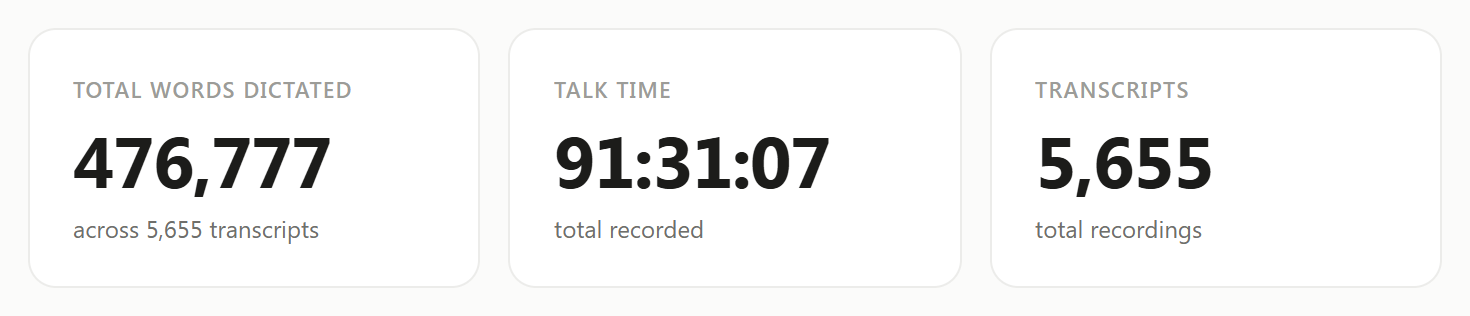
What is 100 minutes in words? At my pace, about 8,700. By September 30, 2026, I had dictated 476,777 words in 91 hours 31 minutes. That is about 87 words a minute with every pause counted. It is my pace, not a promise. Words per minute speaking has the published averages.
Wispr's 2,000 words a week is about 8,700 words a month. So at my pace the two caps are about the same size. A slower speaker gets more from a word cap, and a faster one gets more from a minute cap.
What is the limit of each free option, side by side?
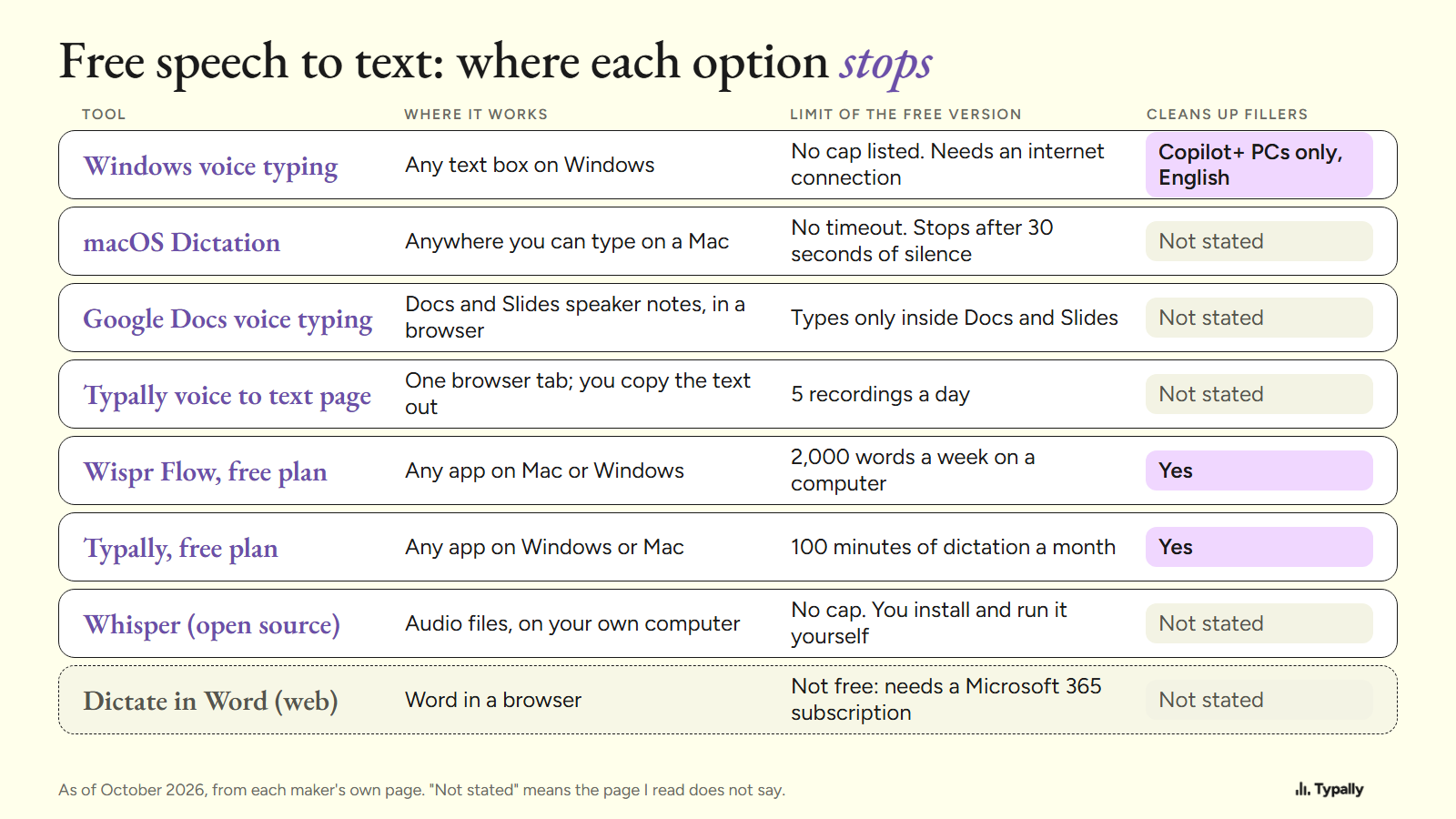
The built-in tools have no monthly cap, the browser tools stay in one tab, and the app plans cap how much you say. Every row is from the maker's own page, as of October 2026. "Not stated" means the page I read does not say.
| Tool | Where it works | Limit of the free version | Cleans up fillers |
|---|---|---|---|
| Windows voice typing | Any text box on Windows | No cap listed. Needs internet | Copilot+ PCs only, in English |
| macOS Dictation | Anywhere you can type on a Mac | No timeout. Stops after 30 seconds of silence | Not stated |
| Google Docs voice typing | Docs and Slides, in a browser | Only inside Docs and Slides | Not stated |
| Typally voice to text page | One browser tab | 5 recordings a day | Not stated |
| Wispr Flow, free plan | Any app on Mac or Windows | 2,000 words a week | Yes |
| Typally, free plan | Any app on Windows or Mac | 100 minutes a month | Yes |
| Whisper (open source) | Audio files, on your own computer | No cap. You set it up | Not stated |
| Dictate in Word (web) | Word in a browser | Not free: Microsoft 365 subscription | Not stated |
Which free speech to text tools remove the ums?
Three makers say theirs does: Microsoft (Copilot+ PCs, in English), Wispr Flow and Typally. Wispr's site says Flow "automatically removes filler words, adds punctuation, and formats your writing".
Typally's cleanup is on by default: it removes the ums and fixes the punctuation and capitals. Here is one run. I wrote the input with fillers in it. The output is what the cleanup returned on October 5, 2026.
Input (51 words)
um so hi Dana uh thanks for sending the draft over like I read it this morning and I think the intro is uh a bit long you know so can we cut the first two paragraphs and um move the pricing table up and I'll send my notes by Thursday
Output (39 words)
Hi Dana, thanks for sending the draft. I read it this morning and think the intro is a bit long. Can we cut the first two paragraphs and move the pricing table up? I'll send my notes by Thursday.
The um, uh, like and you know are gone. It also dropped "over" and one "I". Read the result before you send it.
Can you run speech to text free on your own computer?
Yes, with OpenAI's open-source Whisper model, if you are comfortable with a command line. Its README puts the code and model weights under the MIT License. Setup needs Python, the ffmpeg tool and one install command, and nothing is capped. The README's example turns audio files into text.
For a shortcut key, Handy is a free open-source app that uses Whisper. Its README says: "Your voice stays on your computer." Typally can't offer that, because it needs an internet connection.
Where does Typally fit?
Typally, voice typing for Mac and Windows, fits when you want the ums removed in every app, not in one tab. Hold your shortcut key, talk, let go, and the text appears where your cursor is: ChatGPT, Gmail, Slack or any other text box.
The free plan is 100 minutes of dictation a month, forever, no card needed. It includes the cleanup, custom vocabulary, audio file transcription and the speech coach. Pro is $11.99 a month with a 14-day free trial; the trial needs a card. Or $96 a year.
It listens only while you hold the key. The audio is discarded after transcription, and your history stays on your computer.
If you dictate for hours and don't mind the ums, the built-in tools have no cap. If you want one tool on your phone too, Wispr Flow's free plan covers phones and Typally does not. For free against paid, see the guides to dictation software for Windows and for Mac.
Download Typally free at typally.com. The free plan gives you 100 minutes a month and doesn't ask for a card.
What else do people ask about free speech to text?
Is there free speech to text with no limit at all?
The built-in tools come closest. Apple says Mac Dictation has no timeout, and Microsoft's page lists no cap for Windows voice typing.
Is Dictate in Word free?
Not by Microsoft's own page, as of October 2026. The Word for the web page gives this fix for a missing button: "Make sure you're signed in with an active Microsoft 365 subscription."
How do I turn a recording into text for free?
Use a file tool. Our audio to text converter takes files up to 25 MB, 5 a day, with no signup.