To give ChatGPT more context, tell it the facts that would change the answer, and keep lasting facts in custom instructions, memory or a Project. Saying it out loud is faster than typing it: people speak about 150 words a minute and type about 40 (common averages, not our measurement).
In short:
- Give ChatGPT the facts that would change its answer, like who will read the result and what already happened. Leave out the facts that wouldn't.
- Store what stays true in custom instructions or memory, and a long job's brief and files in a Project. Then you stop repeating them.
- Say the context instead of typing it. ChatGPT's own dictation button, Windows voice typing and macOS Dictation are free ways to start.
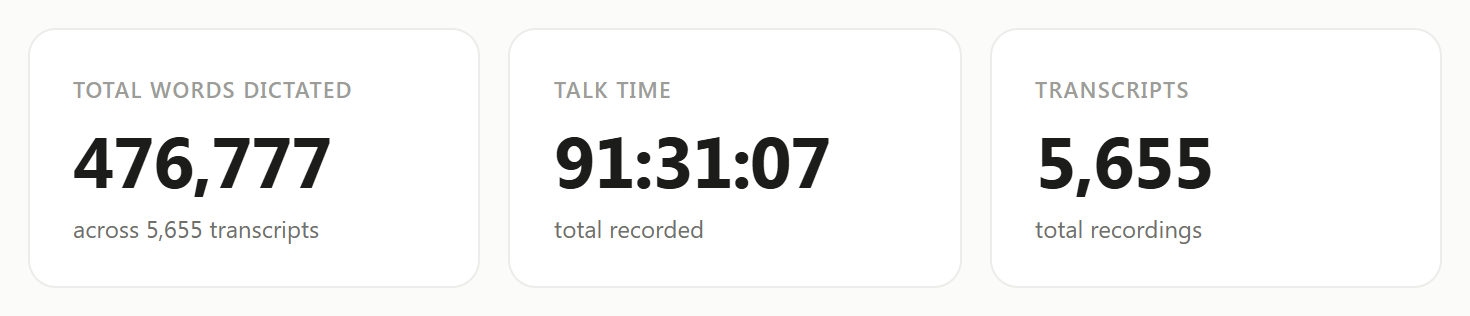
I talk to ChatGPT and Claude instead of typing to them. On September 30, 2026, my Typally Insights screen showed 476,777 words dictated and 91 hours 31 minutes of talking. I had used it on 97 of the last 98 days. In my own words: "I use it purely for prompting Claude, ChatGPT, other AI." I build Typally, and it comes up near the end.
What context does ChatGPT actually need?
It needs the facts that would change its answer. Test each fact with one question: if this were different, would the reply be different? If yes, say it. If no, leave it out.
Take a reminder email about an unpaid invoice. "They've paid on time for three years" sets the tone: friendly, assuming an oversight. "I already sent one reminder" makes this the second one. "I want to keep them as a client" decides how firm it can be. The accounting app you sent the invoice from changes nothing, so skip it.
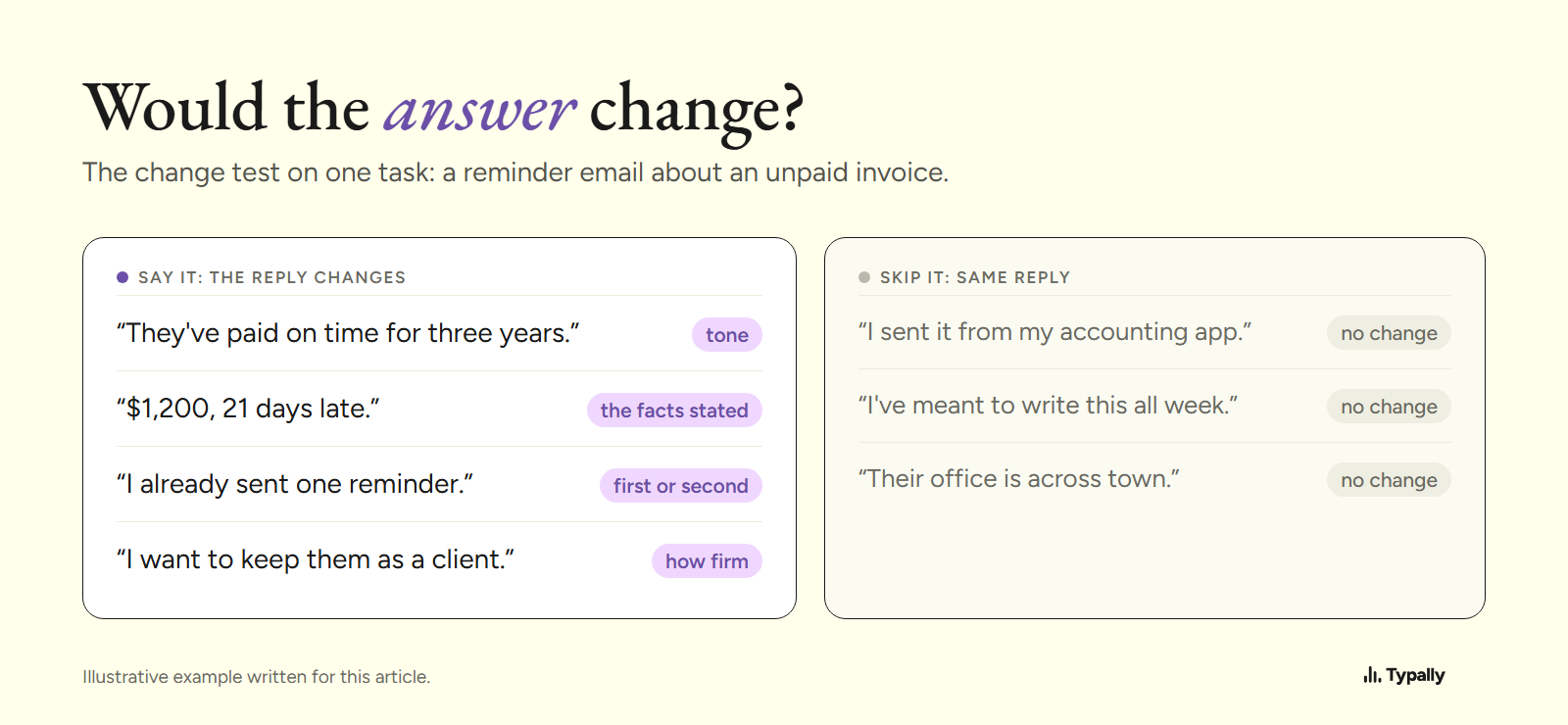
ChatGPT can't ask about a fact it doesn't know exists. Leave out the first reminder and it has to guess whether this is the first or the second.
Why does the context get left out when you type?
Because every typed sentence costs time, and context feels optional. Typed, it's tempting to cut the invoice request to one line. Said out loud, the facts come along, because they're already in your head.
Typed (12 words)
Write a polite reminder email to a client about an unpaid invoice.
Said, after cleanup (90 words)
I need a reminder email to a client about an unpaid invoice. They're a dental clinic. We've run their social media for three years and they've always paid on time, so I think this is an oversight. The invoice is $1,200 and it's 21 days late. I sent a short reminder last week and got no reply. I want to keep them as a client, so friendly, but clear that it's due. Under 100 words. End with a polite way out, like asking if it went to the wrong person.
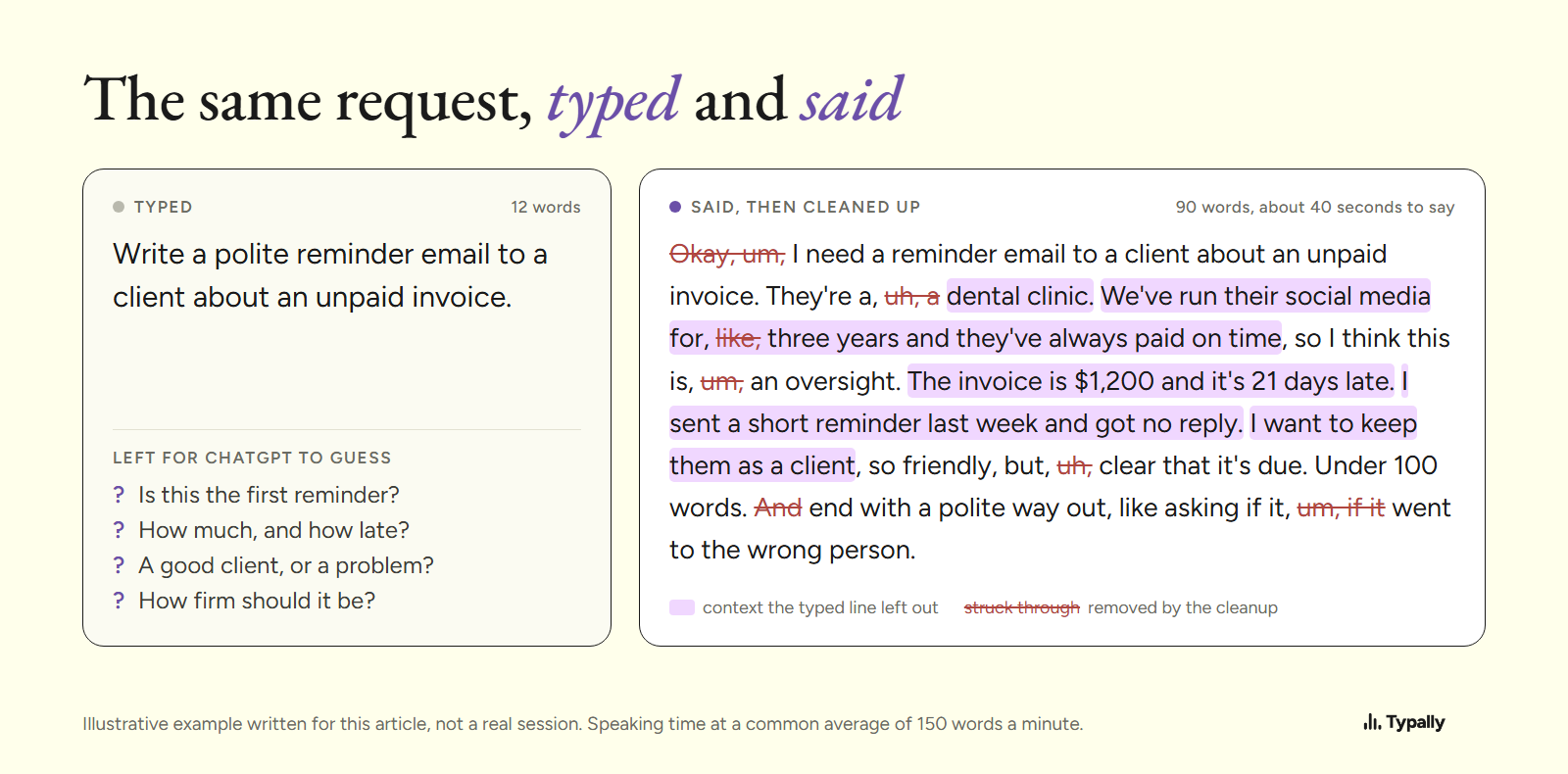
In the picture, the struck-through words are the ums, a "like" and one restart, which the cleanup takes out. At common averages, typing those 90 words takes about 2 minutes 15 seconds, and saying them about 40.
Where can ChatGPT keep your context so you don't repeat it?
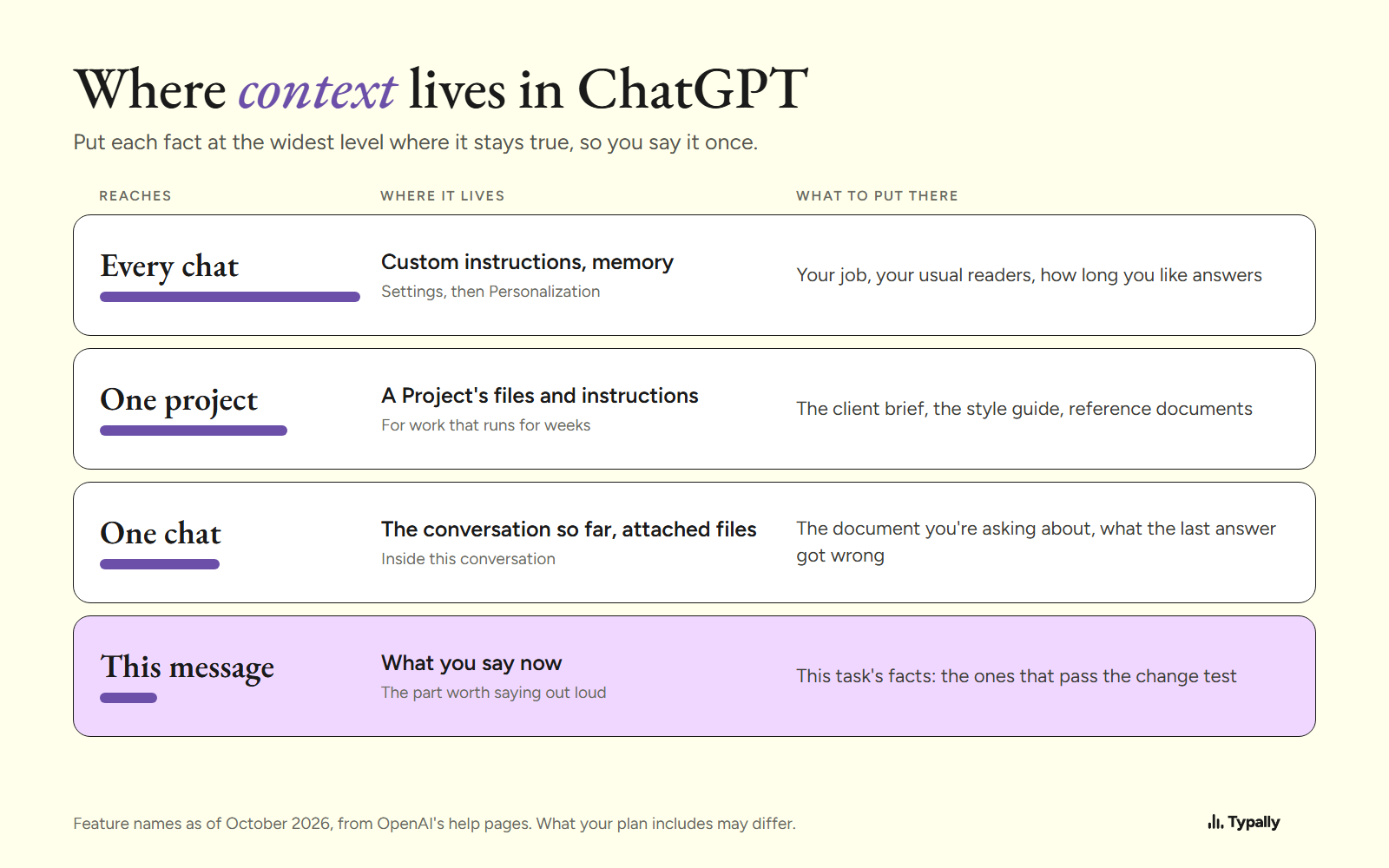
ChatGPT holds context at four levels: every chat, one project, one chat, and the message you're writing. The feature names below are as of October 2026, from OpenAI's help pages. What your plan includes may differ, so check Settings in your own account.
- Custom instructions apply to every new chat. You'll find them under Settings, then Personalization. Put in what's true of all your work, such as your job and how long you like answers.
- Memory keeps facts between chats. OpenAI describes two parts: saved memories, which you can view and delete, and details ChatGPT picks up from past chats. Say "Remember that my clients are small businesses" to save one. Check the list now and then, since an out-of-date fact can still shape new answers.
- Projects group chats with their own files and instructions. Use one for work that runs for weeks, like one client or one launch, and add the brief and reference documents once.
- Attached files and the chat itself hold context for one conversation. Attach the document instead of describing it. A follow-up that says what the last answer got wrong is context too.
The setup is the longest context you'll ever give ChatGPT, and it's only text boxes. Custom instructions and a Project's instructions take dictation like any message. Click the field, talk for a minute about your work and your readers, then read it back and trim.
How do you say the context instead of typing it?
- Click where the text should go: ChatGPT's message box, or the custom instructions field.
- Run the change test in your head, then say the facts that passed, in any order.
- Keep talking when you stumble. With a cleanup tool, the ums and restarts never reach the box. Plain dictation leaves them in.
- Read it once before you send. In ChatGPT, Enter sends the message, so check before you press it.
- If the answer misses, say why: "Too stiff. We're on first-name terms with the owner." That's a fact ChatGPT didn't have.
For a longer walk-through of speaking a whole prompt, see Voice Prompting: How I Speak My ChatGPT and Claude Prompts.
Which free tools let you say it instead of typing?
You can start without buying anything. Three free options, as of October 2026:
- ChatGPT's dictation button in the message box puts your words in the box before you send. You can read them first. Voice mode is a spoken conversation instead, with no prompt to check first. Both work only inside ChatGPT.
- Windows voice typing (Win+H) types into most text boxes, ChatGPT in the browser included. The ums stay in, and a session can stop when you pause to think. More in Typally vs Windows voice typing.
- macOS Dictation (System Settings, then Keyboard) works in any text field on a Mac. It types what you said, restarts included.
For a short prompt inside ChatGPT, its own button may be all you need.
Where does Typally fit?
Typally, voice typing for Mac and Windows, is what I use to talk to ChatGPT and Claude. Hold your shortcut key, say the context, let go, and clean text lands where your cursor is: ChatGPT, Claude, Gemini or a custom instructions field. It records for as long as you hold the key, drops the ums and false starts, and fixes the punctuation.
It listens only while you hold the key. The audio is discarded after transcription, and your history stays on your computer.
Run the change test on your next prompt, then say it instead of typing it. Download Typally free at typally.com for Windows or Mac. The free plan gives you 100 minutes a month and doesn't ask for a card.
What else do people ask about ChatGPT and context?
Does ChatGPT remember context from other chats?
Partly, if memory is on. It can use saved memories and, where your plan has it, details from past chats. Custom instructions apply to every new chat; check Settings, then Personalization, to see what's on.
What's the difference between custom instructions and memory?
You write custom instructions yourself, and they apply to every new chat. Memory is a list of facts saved along the way, by you or by ChatGPT. Use custom instructions for what rarely changes and memory for facts that come up as you work.
Should I use a Project or custom instructions?
Custom instructions for facts true of all your work. A Project for one piece of work with its own files and instructions, which apply to the chats inside it.
Is Typally free?
There's a free plan with 100 minutes of dictation a month, forever, and it doesn't ask for a card. Pro has a 14-day free trial, and the trial needs a card.