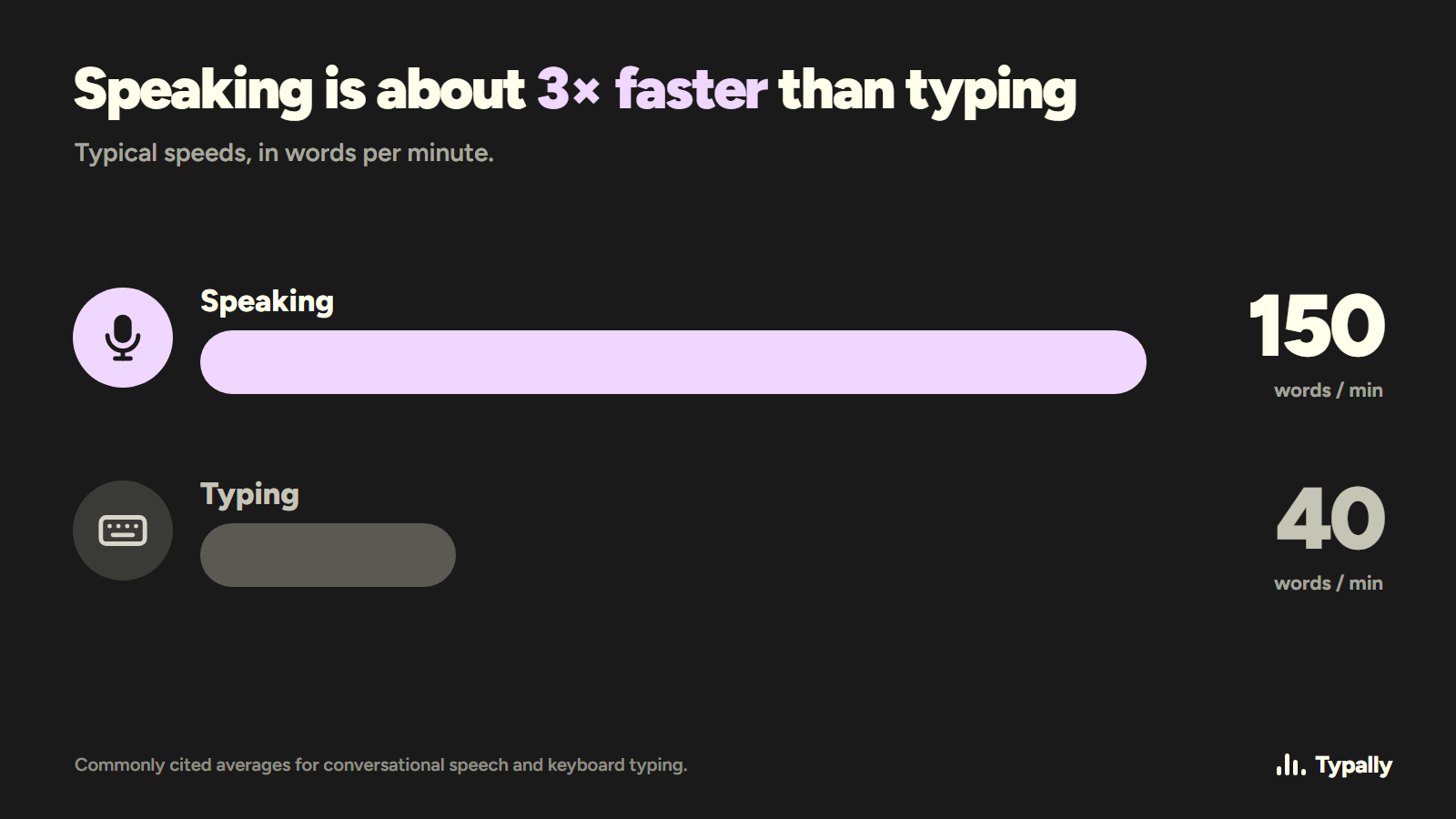
Voice prompting means saying your prompt out loud and letting dictation type it into ChatGPT, Claude or any other AI tool. People type about 40 words a minute and speak about 150. So typed prompts get cut short, and the model has to guess what you left out.
In short:
- Speak the prompt in four parts: context, what you tried, constraints, what you want back.
- Keep talking when you stumble. Dictation with cleanup (Typally is one) removes the ums and false starts; plain dictation leaves them in.
- You can try it free today with Windows voice typing (Win+H), macOS Dictation or ChatGPT's own dictation button.
I dictate almost every day: 83 of the 84 days before September 16, by the app's own count, and 426,651 words in total. My prompts are part of that. Typally, the voice typing app for Mac and Windows I'm building, started as a tool for our own prompts. The ones that worked were long, and the voice input we had kept cutting off after about a minute, mid-thought. So we built a key you hold for as long as you talk.
Why do typed prompts come out short?
Because every typed sentence costs time. At 40 words a minute, you cut: the background, the thing you already tried, the reason the obvious answer won't work. The model can't ask about what you left out, so it guesses.
Saying it costs almost nothing. You mention the client's name and the deadline because they're already in your head. The model gets the context you would otherwise leave out.
For scale: at 40 words a minute, my 426,651 words would have taken about 178 hours to type. I spoke them in about 82.
How do you speak a prompt without rambling?
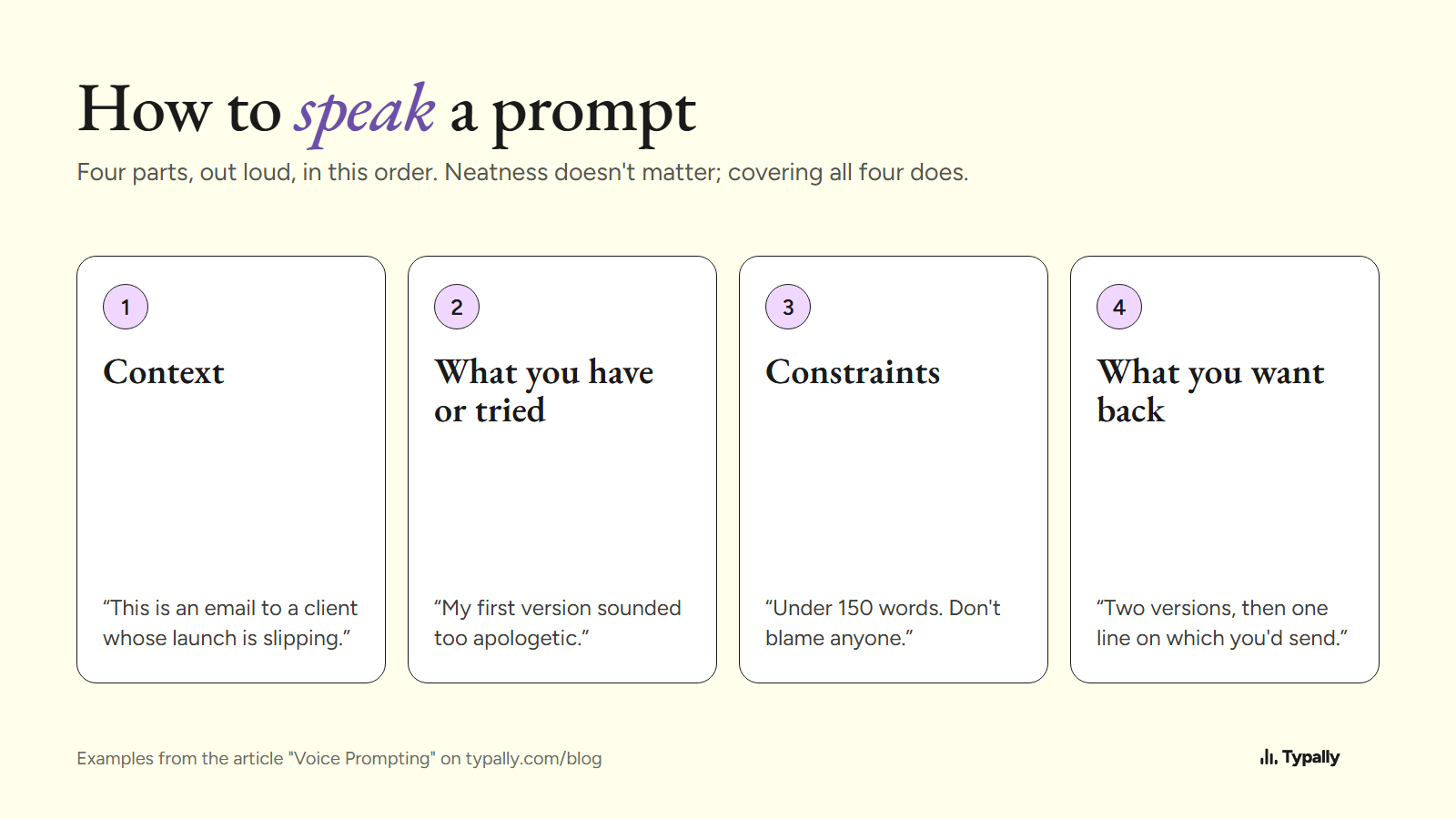
Give it a loose order. I go through four parts, out loud, in this order:
- Context. Who it's for and what's going on. "This is an email to a client whose launch is slipping."
- What you have or tried. Your draft, or the answer that missed. "My first version sounded too apologetic."
- Constraints. Length, tone, what to leave out. "Under 150 words. Don't blame anyone."
- What you want back. The format and how many options. "Two versions, then one line on which you'd send."
Cover all four; polish doesn't matter. If you forget one, add it at the end: "Oh, and keep it short." The model reads the whole thing either way.
What does a spoken prompt look like after cleanup?
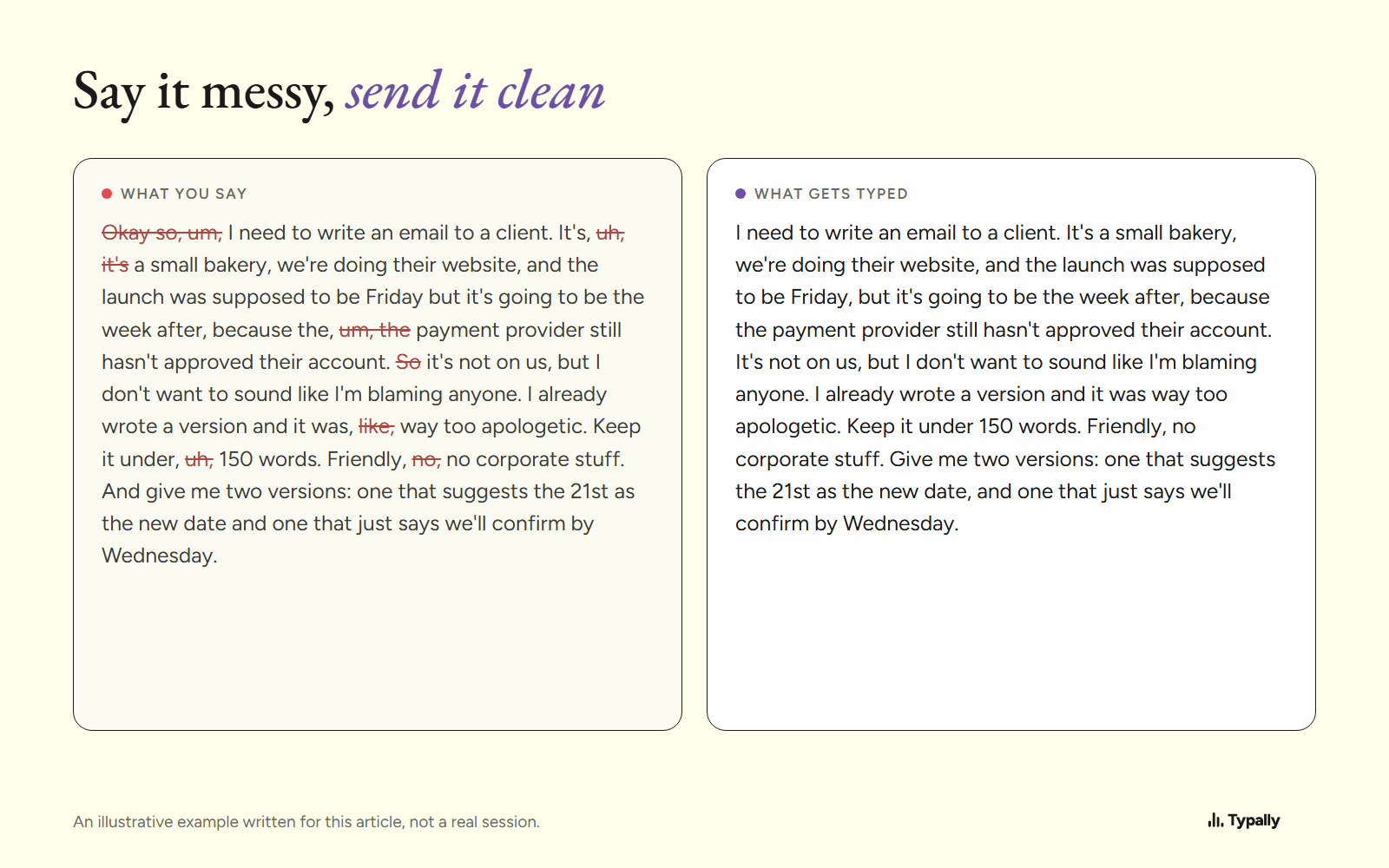
Here is an illustrative example I wrote for this article, not a quote from a real session. It shows the kind of thing people say, and what lands in the chat box after Typally's cleanup.
What you say
Okay so, um, I need to write an email to a client. It's, uh, it's a small bakery, we're doing their website, and the launch was supposed to be Friday but it's going to be the week after, because the, um, the payment provider still hasn't approved their account. So it's not on us, but I don't want to sound like I'm blaming anyone. I already wrote a version and it was, like, way too apologetic. Keep it under, uh, 150 words. Friendly, no, no corporate stuff. And give me two versions: one that suggests the 21st as the new date and one that just says we'll confirm by Wednesday.
What gets typed
I need to write an email to a client. It's a small bakery, we're doing their website, and the launch was supposed to be Friday, but it's going to be the week after, because the payment provider still hasn't approved their account. It's not on us, but I don't want to sound like I'm blaming anyone. I already wrote a version and it was way too apologetic. Keep it under 150 words. Friendly, no corporate stuff. Give me two versions: one that suggests the 21st as the new date, and one that just says we'll confirm by Wednesday.
All four parts are there. Typing all of that is a chore. So it's tempting to send one line instead: "short friendly email to client, launch delayed." Then the model has to guess the rest.
The ums are not exaggerated. In one two-week stretch of my own dictation this summer (41,668 words), about one word in ten was a filler. "Uh" came up 1,134 times and "um" 580 times. None of them reached the typed text.
What else helps when you speak a prompt?
- Say the order out loud. Literally: "Context. What I tried. Constraints. What I want back." It feels odd for a day, and it keeps you from wandering.
- Paste the material, speak the instructions. For a summary, paste the document, put the cursor under it, then talk: who will read it and how long it should be.
- Add names and jargon to custom vocabulary. Client names, product names and your team's acronyms get spelled right every time once they're in Typally's list.
- Keep talking when you stumble. The cleanup removes false starts and repeated words, so starting over costs you more than carrying on.
- Read it once before you send. The text lands in the box and waits. If you forgot a constraint, put the cursor at the end and say it.
Which free tools can type a prompt by voice?
You don't have to buy anything to try voice prompting. Three free options are probably on your computer already.
Windows voice typing (Win+H)
Built into Windows. Press Win+H in a text box and talk. It works in most places you can type, including ChatGPT and Claude in the browser. Where it stops: the ums stay in, and a session can end when you pause to think, which happens a lot in a long prompt. There is an automatic punctuation setting; results vary. More in Typally vs Windows voice typing.
macOS Dictation
Built into the Mac. Turn it on in System Settings under Keyboard, then use the dictation shortcut in any text field. It's free and quick to start. Where it stops: it writes what you said, including a sentence you restarted twice. As far as I know, there's no simple way to teach it names and jargon.
ChatGPT's own voice input
ChatGPT has a dictation button in the message box and a separate voice mode that talks back. The dictation button is a fair way to try voice prompting, since the text appears before you send it. Voice mode is a conversation, so you don't see or edit your prompt first. Both live inside ChatGPT: switch to Claude or Gmail and you're typing again. These features change often, so check your version.
What does Typally add?
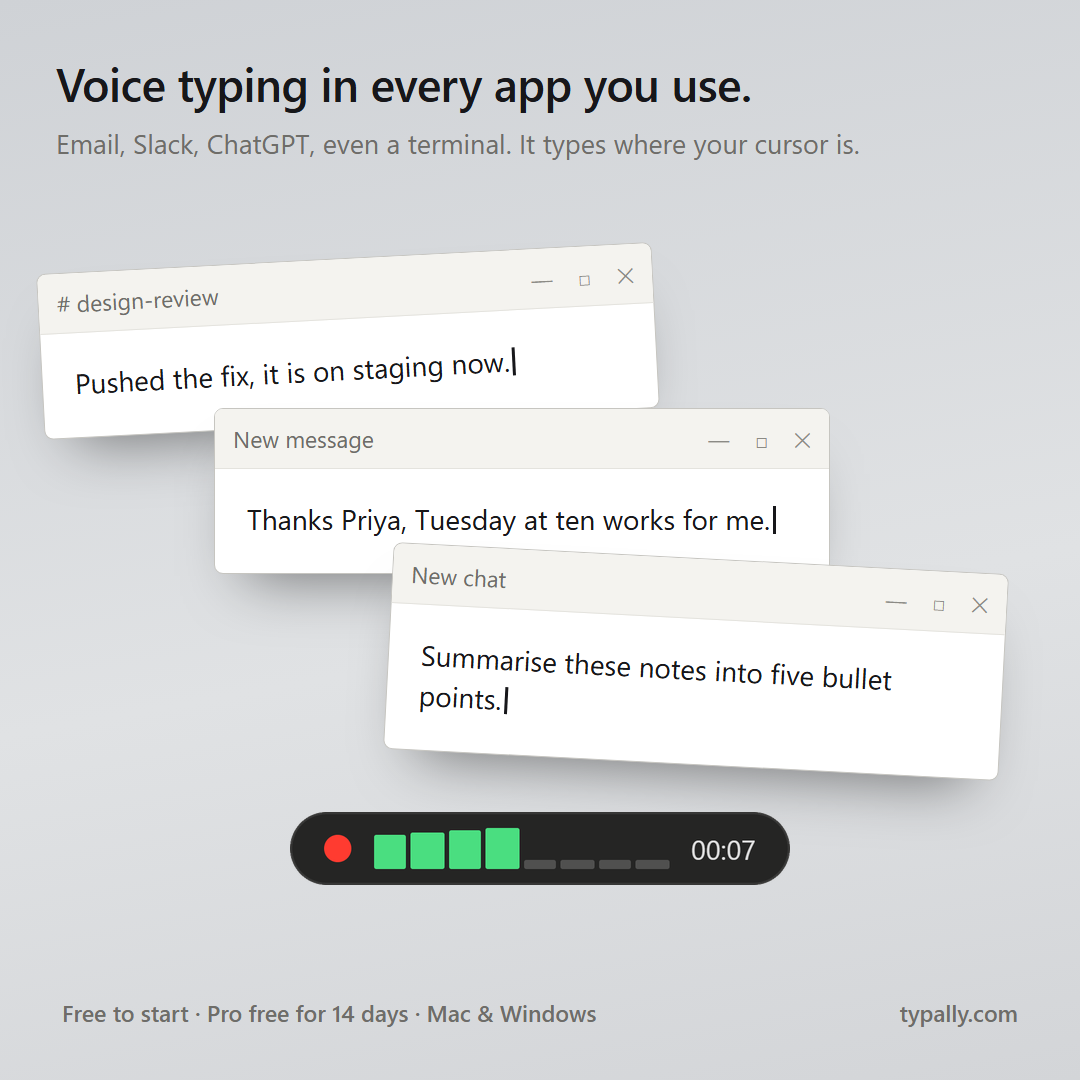
The same key works in every app. Hold your shortcut key and talk for as long as you need. Let go, and clean text appears wherever your cursor is: ChatGPT, Claude, Perplexity, Gmail, Slack or a browser form. It removes fillers, repeats and false starts, and fixes the punctuation.
It listens only while you hold the key. The audio is discarded after transcription, and your history stays on your computer. If you write prompts for code, there's a separate page on dictation for Claude Code.
Try the four parts on your next prompt. If you want the cleanup done for you, download Typally free at typally.com for Windows or Mac. The free plan gives you 100 minutes a month and doesn't ask for a card.
FAQ
Does ChatGPT or Claude answer differently if a prompt was spoken?
No. The model only sees text. What changes is how much you give it.
Won't a long spoken prompt be too rambling?
Some of it will be, which is why the four-part order and the cleanup matter. What's left is longer than a typed prompt, and the extra length is context the model would otherwise have to guess.
Does it work in the ChatGPT and Claude desktop apps, or only in the browser?
Both. Typally types into whatever window has focus, so a browser tab, a desktop app and any other text field work the same way.
Is Typally free?
There's a free plan with 100 minutes of dictation a month, forever, and it doesn't ask for a card. Pro has a 14-day free trial, and the trial needs a card.